Prerequisites and logging in
Note
Apteco connect and the Apteco CDP are exclusively available for systems hosted in the Apteco Cloud.
Prerequisites
To log in to Orbit you must have:
- The Orbit instance URL
- Credentials for the system
Capabilities and restrictions
Orbit connect is a new feature, and as such has a number of capabilities and restrictions, which you can see in the overview below. These capabilities will improve over time through iterative development, reducing the impact of the restrictions.
| Capabilities | Restrictions |
|---|---|
| Log into an empty Orbit environment to access the Orbit data loader. | Currently delivered via Apteco Cloud only |
| Create data sources by uploading, previewing, and importing multiple delimited files, one at a time. | |
| Define table(s) from those data sources, choosing how the data will be represented by specifying variable types. | |
| (For selector variables) Choose between the automatic detection of values or use other data sources to apply meaningful descriptions to the data. For example, 1, 2, 3, 4 might be shown as None, Bronze, Silver, Gold etc. via a decode mechanism. | Data updates, system builds and deployments are manual operations |
| Define a system using multiple tables. | |
| Build, review, adjust, deploy, and then access the resulting system in Orbit. |
Logging in
To log in from a browser:
- Navigate to the Orbit instance URL.
-
Use the Credentials to log into Orbit.
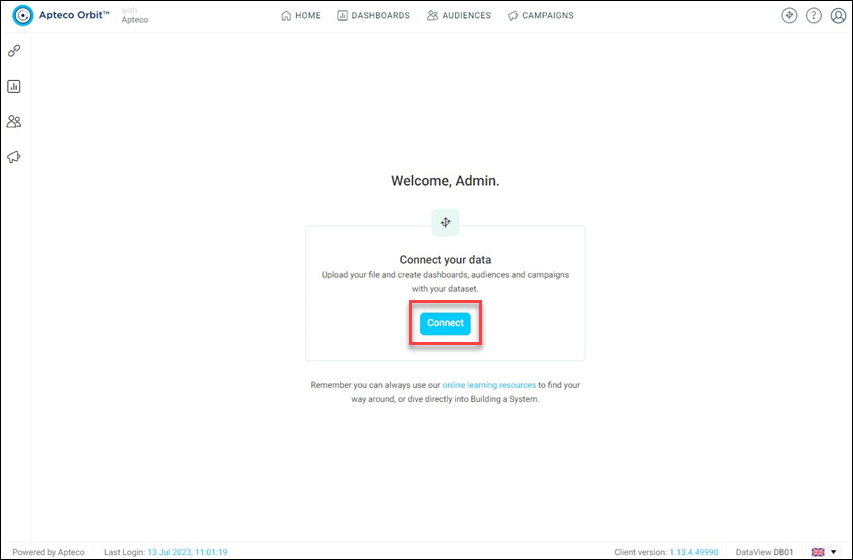
You’re presented with the following view:
-
Click Connect to begin adding data and defining a system.