Response reporting in Excel
To see a report of your Promotion responses you can use the  Transfer to Excel button on the main toolbar of the Promotion book.
Report types
By clicking on the drop down arrow next to the Transfer to Excel button you can choose to present the responses as Pack Response, Cell Summary, Promotion Summary or as all in an Excel Workbook. The default action when clicking on the button is to display Pack Response which will give you the most detail.
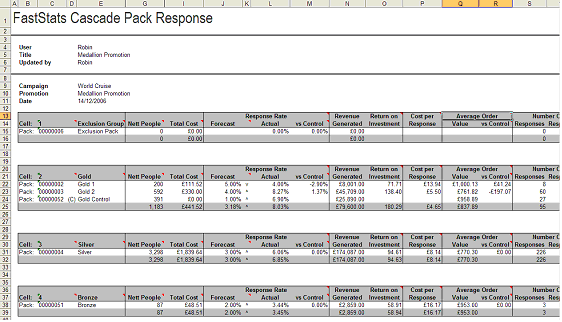
As well as giving you a breakdown of the number of responders and cost information for each pack, you will also see calculations based upon forecast and actual response rates. If control packs have been used in your Promotion you can also see how well the promotion has performed against them.