Sharing resources with another user
To share a resource with another user:
- Click your avatar in the top-right corner.
- Click Users/Groups.
- Locate the user whose resources you want to share.
-
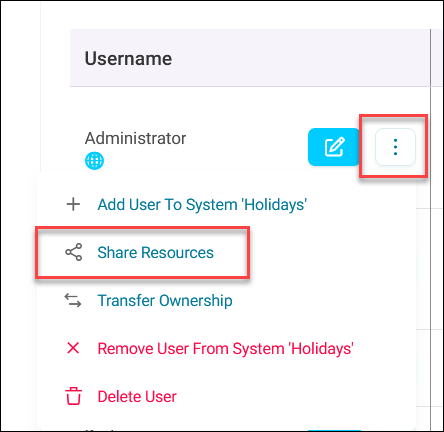
Expand the user option menu in the Username column.
-
Click Share Resources.
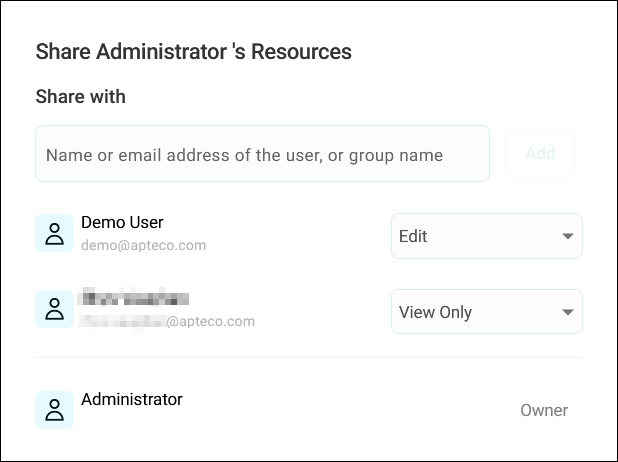
- Add the users that you want to share with by typing their names.
-
Set the access level to either:
- View Only: Users can see and use the shared resources but cannot modify them
- Edit: Users can modify the shared resources as if they were the owner
-
Click Add Resource to select specific resources.
-
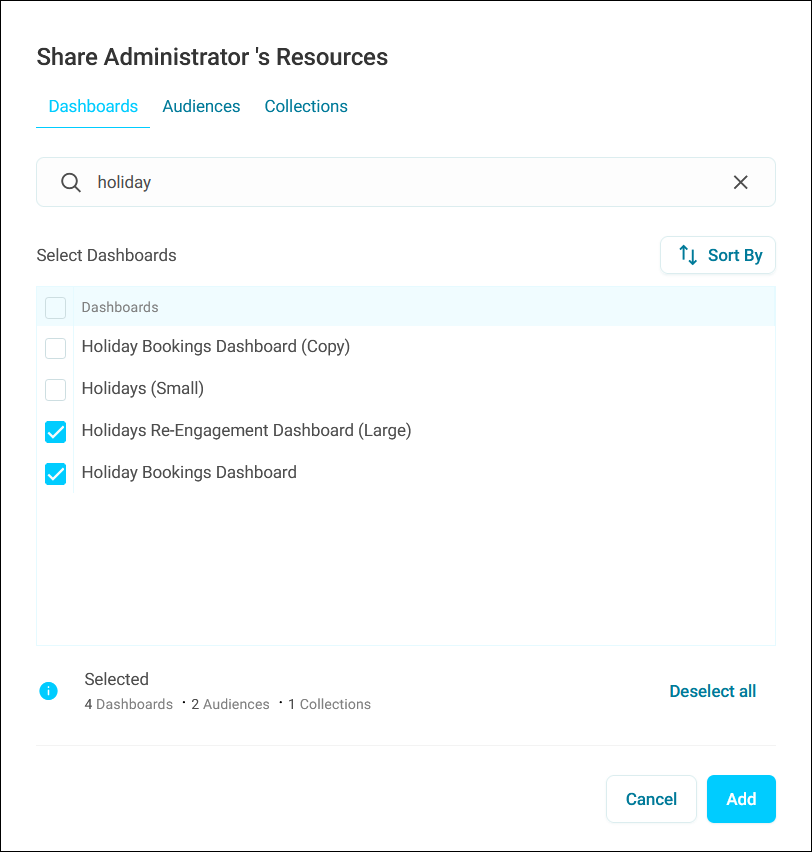
Use the relevant tabs to choose the resource types you want to share:
- Dashboards
- Audiences
- Collections
-
Search for and select the individual resources from each category.
Note
You can use your search query across all resource types.
-
Click Add to confirm your selection.
- Click Share.
You’ve now shared resources with another user.