Managing workspaces
You can add or remove the following resources: - Dashboards, Audiences, Campaigns, and Collections to a workspace to help organise your work. You can also rename or delete a workspace without affecting any resources.
Creating a workspace
To create a workspace:
- Click the icon to open the Workspaces area.
-
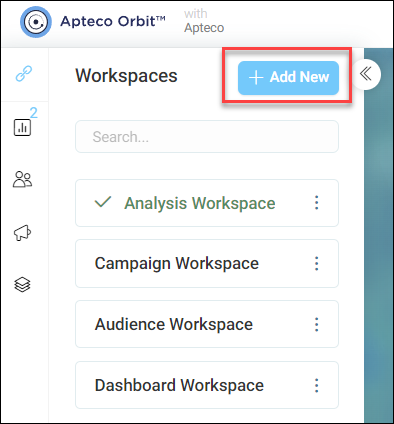
Click + Add New.
-
Add your Workspace Name.
- Click Create.
- Enter a name and click on new link.
Note
Your administrator may have disabled one or more of the following features: Dashboards, Audiences, Campaigns, or Collections. Any disabled features will not be shown in the workspaces menu or top navigation area.
Renaming a workspace
To rename a workspace:
- Find the workspace to rename.
- Click the icon to open the Workspaces area.
- Click under My Workspaces to open the Search or Create box.
- Click the Edit workspace name icon.
- Edit the name using the text box.
- Click to either Cancel or Confirm the change.
Removing resources
See Removing resources for how to remove a linked resource from a workspace.
Deleting workspaces
To delete a workspace:
- Open the workspace area
- Click the dropdown to show the workspaces list
- Click the Delete icon
Tip
Clicking Delete will delete the workspace only.