Monitoring tab
Campaign monitoring allows you to track the progress and status of all campaigns, whether created in PeopleStage or directly in Orbit.
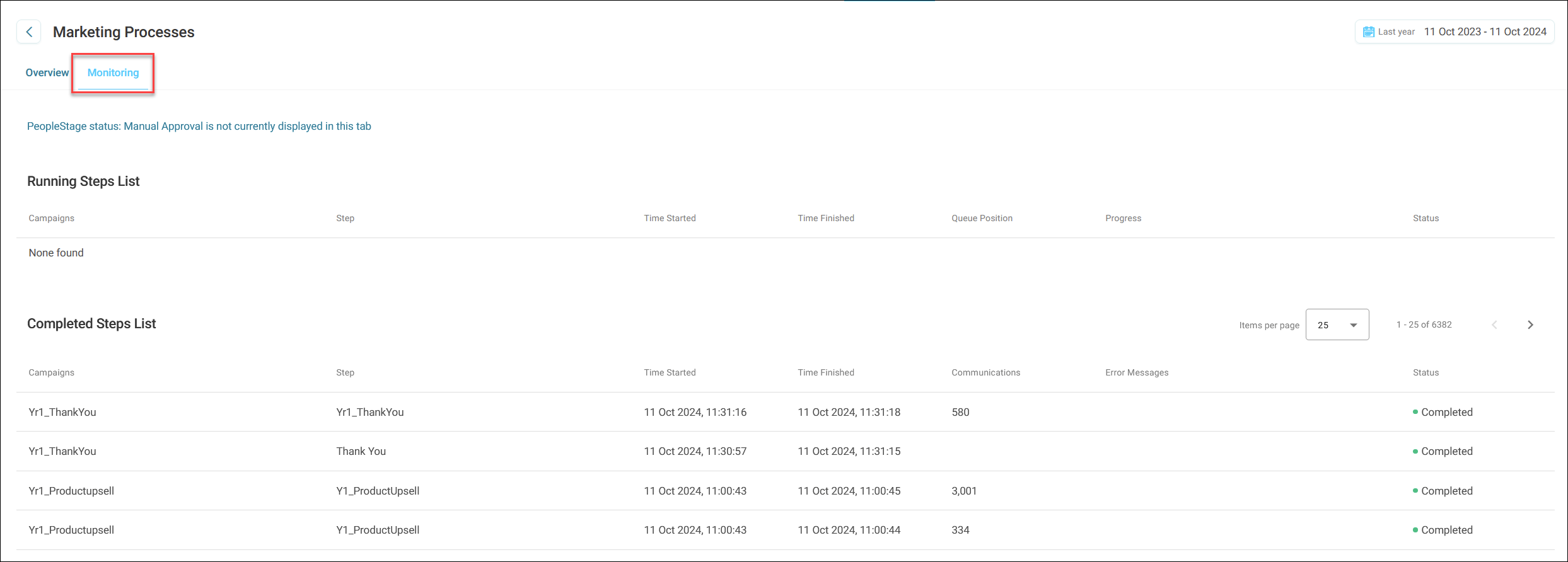
To monitor a campaign:
- Navigate to the campaign view and select your campaign.
- Click Monitoring.
Campaign monitoring steps
During a campaign run, the journey moves through several steps. The monitoring tab shows which campaigns are displayed and the individual journey steps.
For each step, Orbit shows the following details:
- Time Started: When the step began.
- Time Finished: When the step completed.
- Communications: The count of items in the list (e.g., people for email campaigns).
- Error Messages: Any issues encountered during the step.
- Status: Displays the current status of the campaign.
Note
Your campaign may require Manual campaign approval.
Reporting timeframe
Once you select a campaign or area to review, you can choose the reporting timeframe.
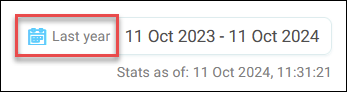
By default, Orbit reports on campaign activity for the last year.
To choose a timeframe:
- Click the timeframe box in the top right corner.
- Select the timeframe from the available drop-down options.
- Click Apply.
The window updates automatically with the new timeframe.