Filtering
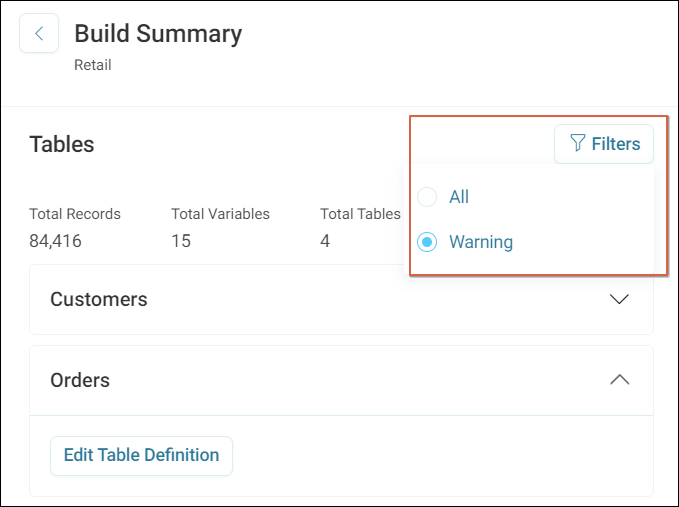
You can apply filters to limit the view to warnings only.
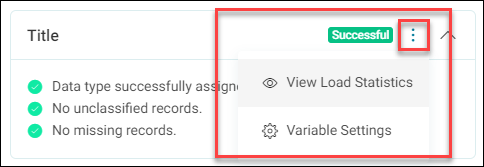
For every variable, we detect and warn if:
- The data type chosen hasn’t been assigned
- There are any unclassified records
- There are any missing records
You can access statistics for each variable with the Options button.
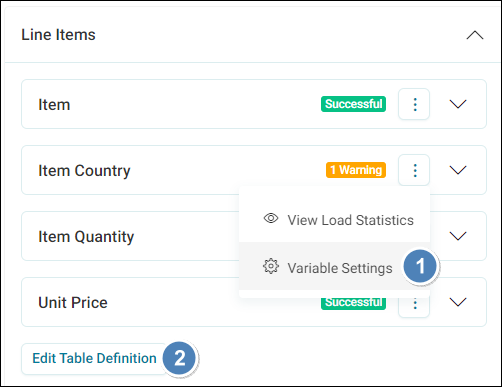
If you need to make changes, then you can do this in two ways:
- Edit each individual variable through the Variable Settings option shown above
- Edit the table via the Edit Table Definition button
Note
When you make amendments, you must rebuild and deploy the system before these changes are visible outside of the data build pages.