Scheduling a system build
Once you’ve built a system, you can then set a schedule and automatically deploy it. In combination with the S3 data source, you can fully update your data, refresh your system, and then make it available for use.
To schedule a system build:
-
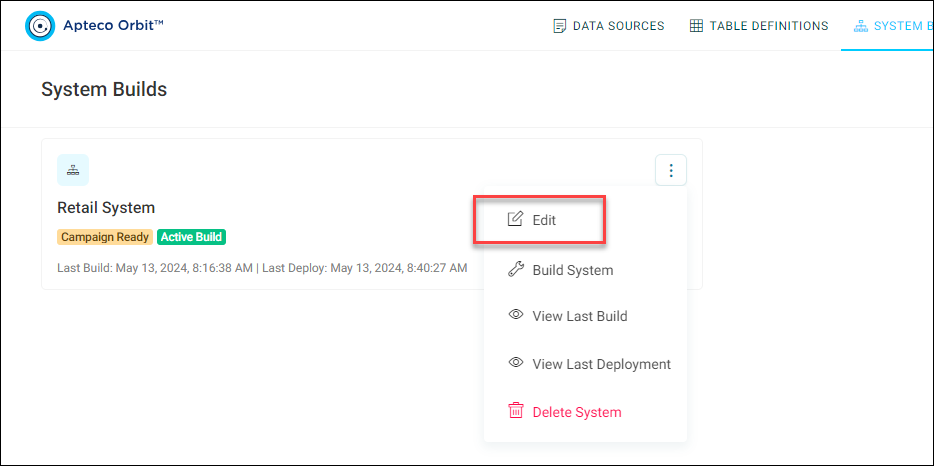
On your system build, click the option menu, then click Edit.
-
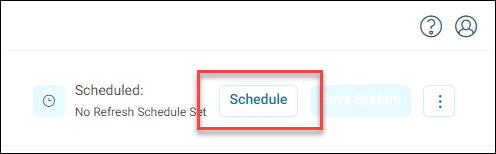
Click Schedule.
-
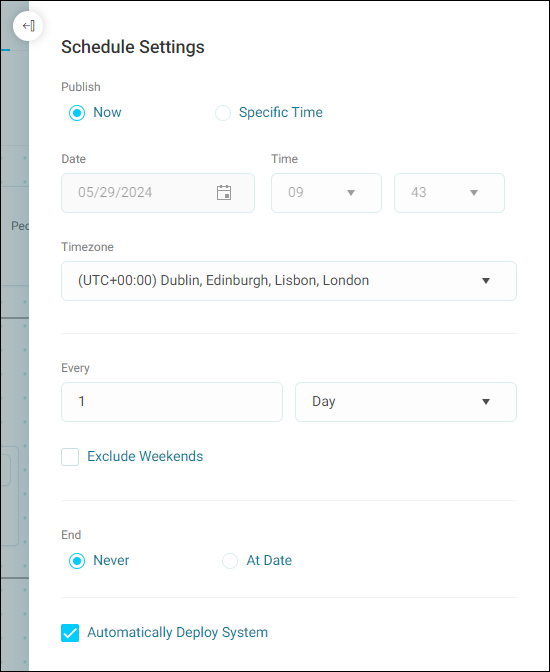
Use the Schedule Settings menu options to adjust your schedule:
- Publish: Build your system immediately or at a specific time.
- Date & Time: Select the date and time to build.
- Timezone: Select which time zone.
- Every: Select the frequency you want to build your system.
- End: Choose whether you want to end the schedule at some point.
- Automatically Deploy System: Tick this box to automatically deploy your system after every build.
-
Once you've applied your settings, you can Delete, Cancel, or Apply your schedule.