R models
The R integration allows you to score data from your FastStats system using models built in R. It also enables you to bring the results of this scoring into the Modelling Environment, alongside other models created within FastStats.
To build R models, you must first set up the R integration for FastStats and install the additional pmml package.
Running an R model
To run an R model:
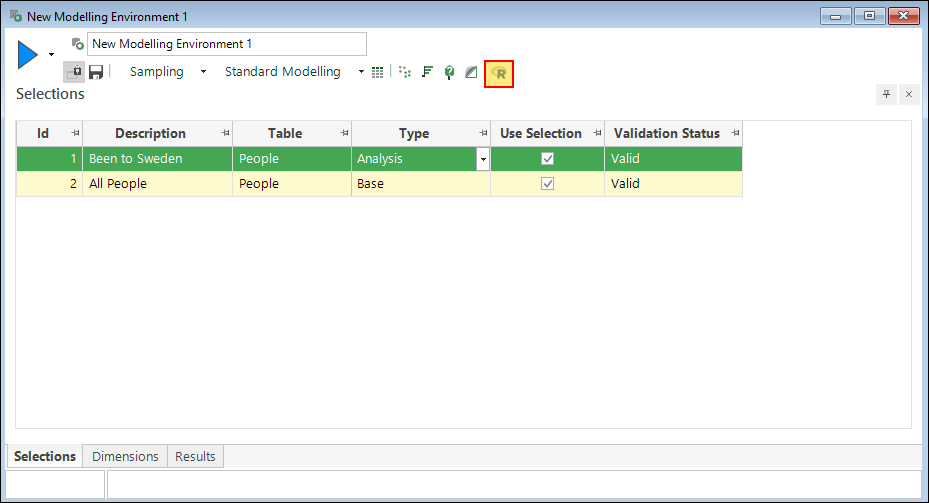
- In a modelling environment, set your Analysis Selection and Base Selection as you normally would.
-
Click R Model to create an R model.
-
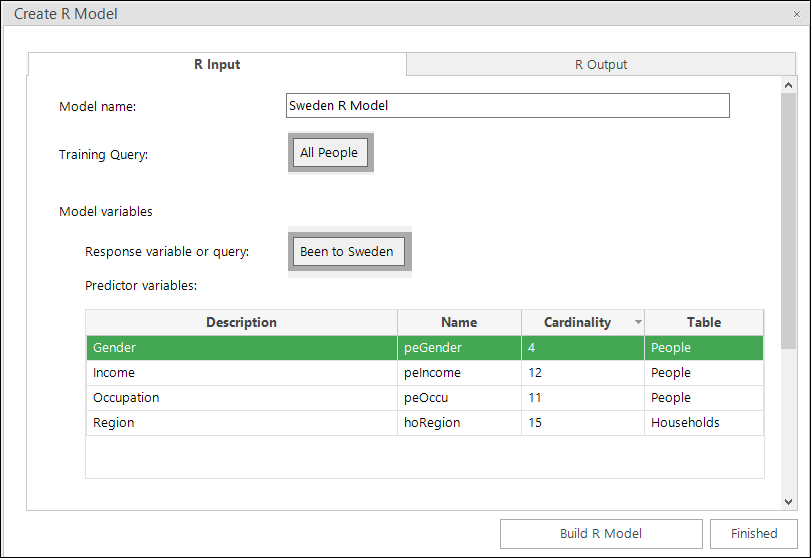
Set the model inputs:
- Enter a Model name.
- The Training query and Response query are automatically set to the Base Selection and Analysis Selection from the modelling environment, respectively. You can adjust these by dragging a different query or variable.
- Add variables you want to use in the model to the list of Predictor variables by dragging them in from the system explorer. These variables must be from the same table as your training and response queries, or from parent/ancestor tables.
-
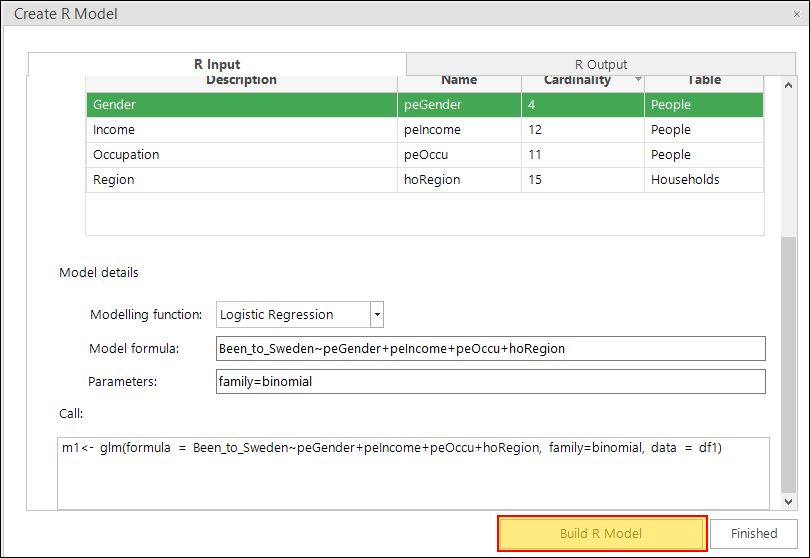
Scroll down to set the model details:
- Select a modelling function from the drop-down list provided, or choose User Defined and enter the name of your function.
- The model formula is automatically generated based on your inputs and the selected modelling function.
- Optionally, specify additional parameters for the function by entering them in the Parameters box.
-
Click Build R Model to execute the model.
-
Once the model has finished running, it will display the output of the process. Any HTML reports generated from R Markdown will also be displayed on additional tabs here. See R Markdown reports for more detail.
-
Click Apply R Model as Expression. This auto-generates a
ModelScore()expression.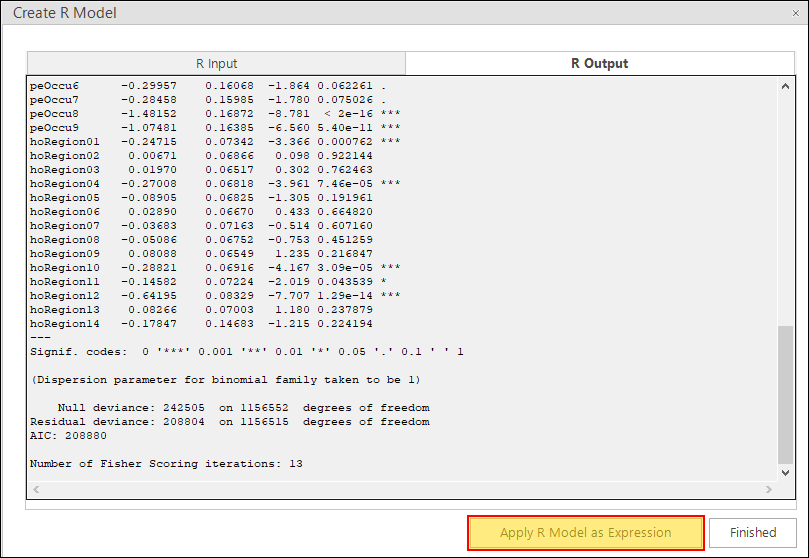
You are now ready to score records using an R model.
Scoring records using an R model
You can use the R model to calculate a score for each record on the corresponding table using the ModelScore expression function. You can then use this score in selections or further analysis.
Note
After building an R model, you can perform this step automatically by clicking Apply R Model as Expression in the R Model interface.
To score records using an R model:
-
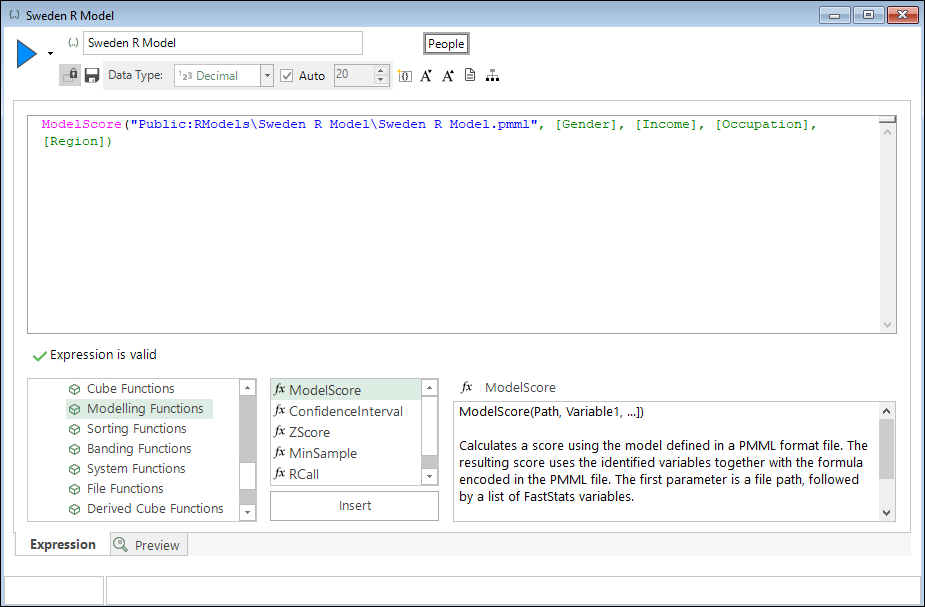
Create a new expression consisting of the ModelScore function:
- The first parameter should be the path to the
.pmmlfile generated when the model was run. It will have the following format:Public:RModels\\\\.pmml, where<model name>refers to the Model name provided in step 3 above. - The following parameters should be the Predictor variables mentioned in step 3 above.
- The first parameter should be the path to the
Warning
We recommend saving a copy of this expression for future reference. Currently, it is not possible to retrieve the list of predictor variables used in a model, except by manually inspecting the .pmml file.
Related topics: