Cube - journey analysis
You can use the FastStats Cube tool to carry out powerful analysis on the events within a customer journey.
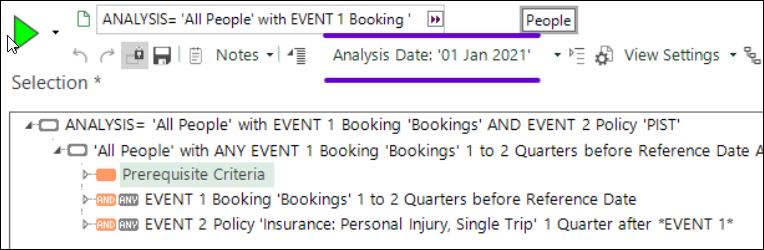
All the analysis done within behavioural modelling operates on a limited range of transaction history. Within the Modelling Environment this is controlled by the Training Date or Evaluation Date. You can also launch a new visualisation from the modelling environment and continue working with a flexible Analysis Date. For example, it is possible to create a "customer journey" selection by clicking the View a Copy button on the dialog:

This opens up a complex selection which, in the above example, describes "customers who have made a booking in the last two quarters which was followed by an insurance policy within one quarter". From here, you can adjust the Analysis Date in the selection and study different ranges of transaction history:
Add cube dimensions
To continue your analysis:
- Drag and drop a FastStats Cube on top of the selection
Let's imagine that, in this example, you want to better understand the types of booking which are followed by the purchase of an insurance policy.
- Add Bookings Continent and Policies Cover as dimensions on the cube
Note
A standard cube would analyse all the bookings and insurance policies belonging to the selected people. You must, therefore, add a Dimension Filter to each dimension.
-
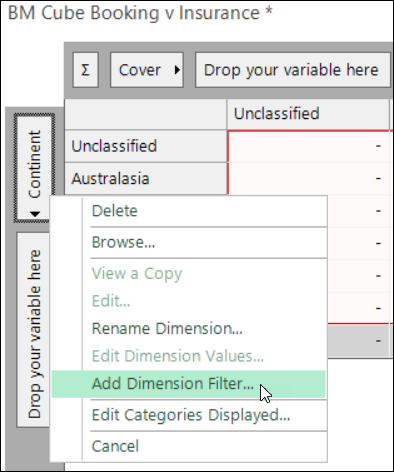
Right click on the Continent dimension and select Add Dimension Filter
-
Drag the EVENT 1 - Bookings... clause from the selection (marked by NPT) onto the corresponding dimension
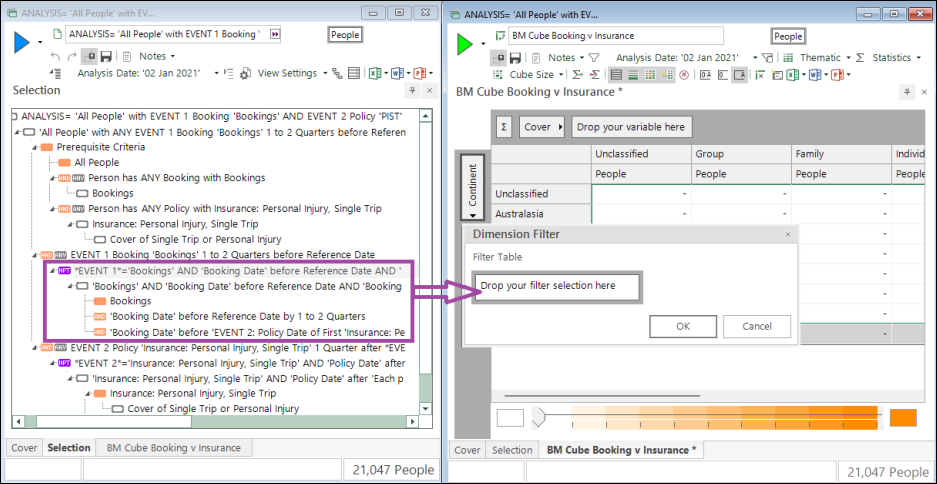
Now the cube will only analyse the continents for bookings which match "Event 1" - i.e. are followed by the purchase of an insurance policy meeting the defined criteria.
- Similarly, use the EVENT 2 - Insurance... clause to filter the Cover dimension
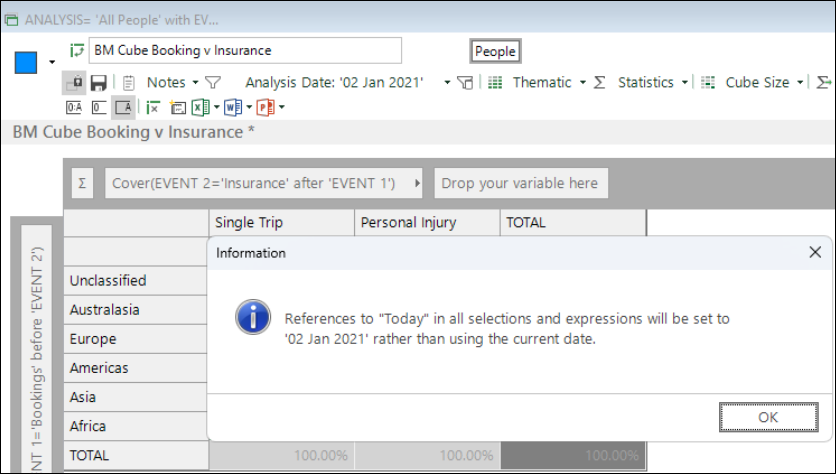
When you build the cube for the first time, an information box displays to clarify that the analysis date will be taken from the choice you have made on the cube toolbar:
The cube below highlights that single trip insurance is more likely for holidays to more "dangerous" destinations such as Africa and Asia.
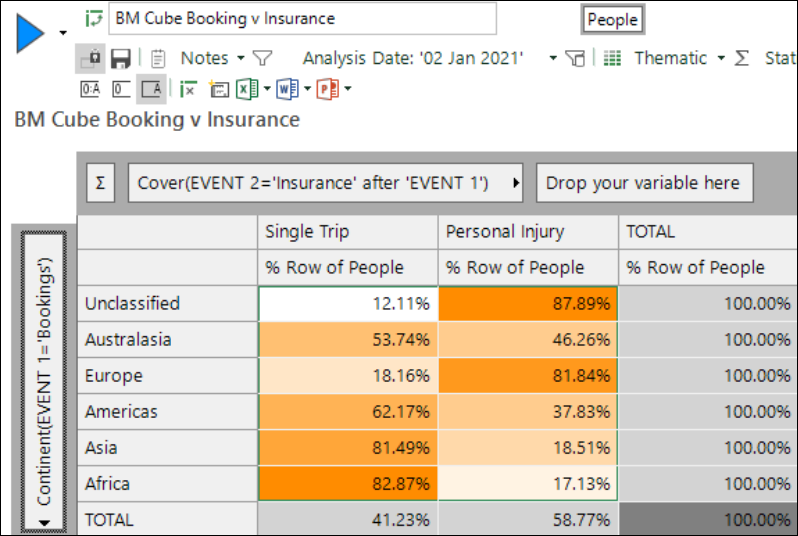
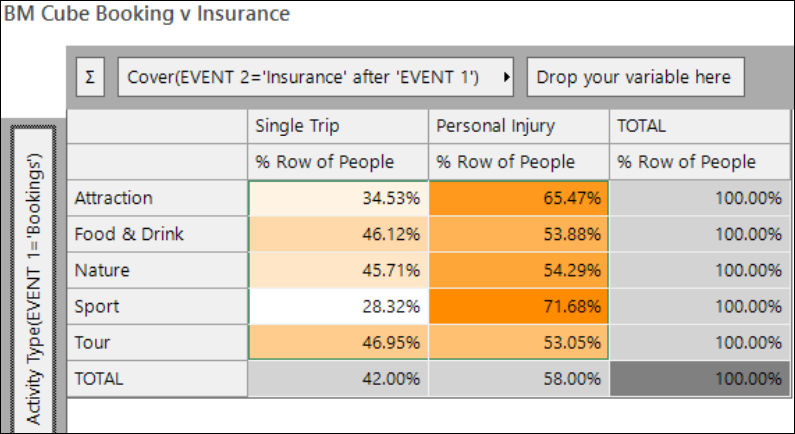
By replacing Continent with "Activity Type", we see that personal injury insurance is more likely to be purchased for the more dangerous activities, commonly associated with the Sport category.