Editing or deleting permissions
You can edit or delete a permission applied to a user, group, or system via the Permissions/Tags menu.
To edit or delete a permission:
- Navigate to the User, Group, or System that you want to add the permission for.
- Use the Search/filter results to find the resource that you want to delete a permission for.
- Expand the Resource row.
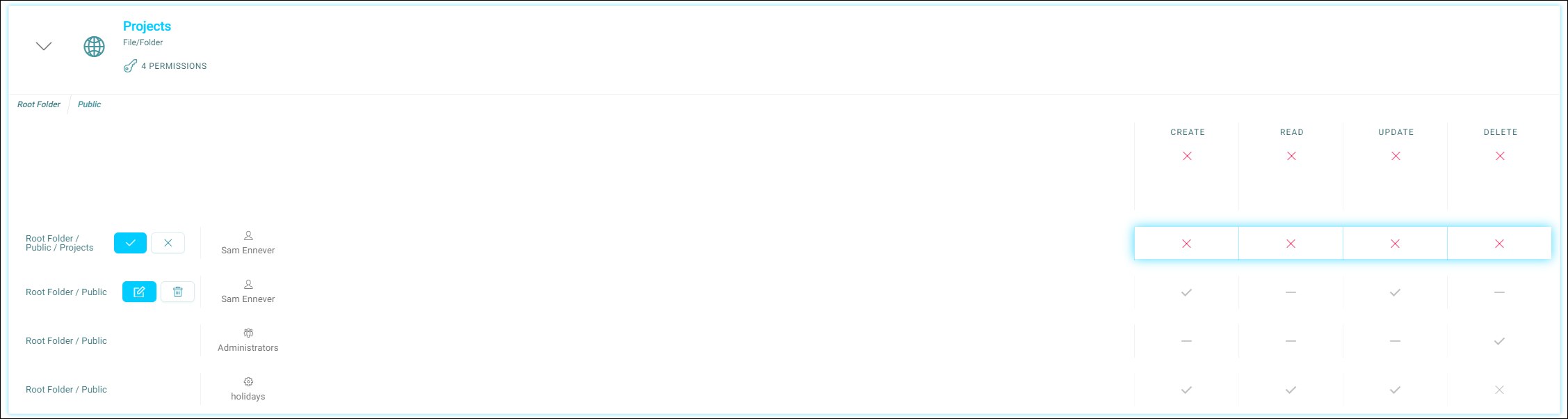
- Click the Edit button for the individual permission that you wish to edit/delete.
-
To edit:
Click the highlighted squares until they contain the values that you require
Then check the blue tick to save, or cross to cancel
-
To delete, click the Bin icon, then on the subsequent dialog, then click Delete Permission to confirm the deletion. The new permission takes effect instantly.