Using permissions
Before an admin can grant user access, permissions must be turned on via the Database Management menu.
To turn on permissions:
-
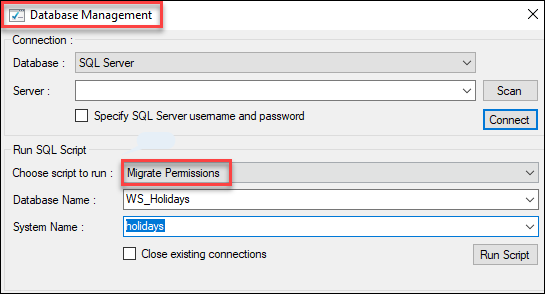
If using an existing system, navigate to the Database Management menu and run the Migrate Permissions script. This check ensures that the database is ready to use Permissions.
-
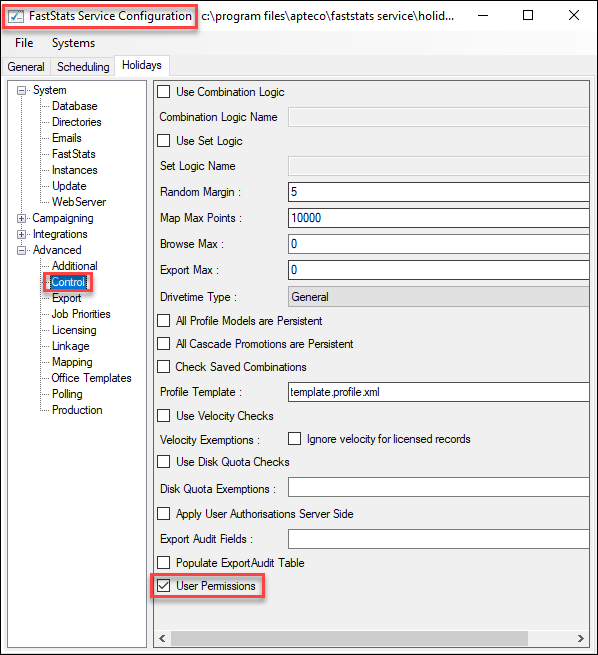
Navigate to the FastStats Service Configuration > Advanced > Control menu.
-
Tick the User Permissions checkbox. This action ensures the FastStats service is ready to control data flow based on permissions.
-
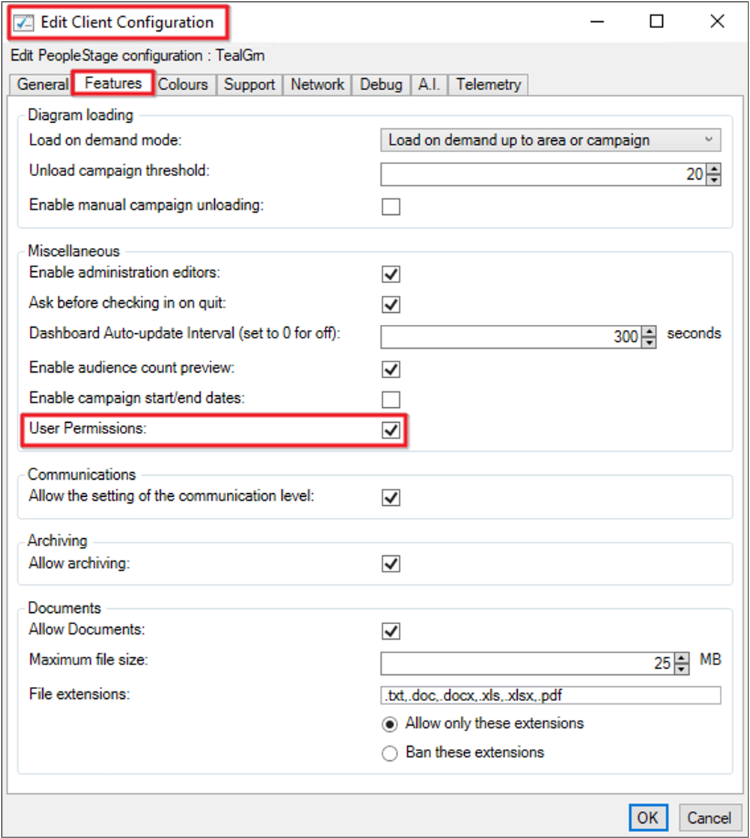
Navigate to the FastStats Web Service Configuration > Client Configuration > PeopleStage > Features menu.
-
Tick the User Permissions checkbox. This action ensures the PeopleStage Client Interface displays the access allowed from permissions.
-
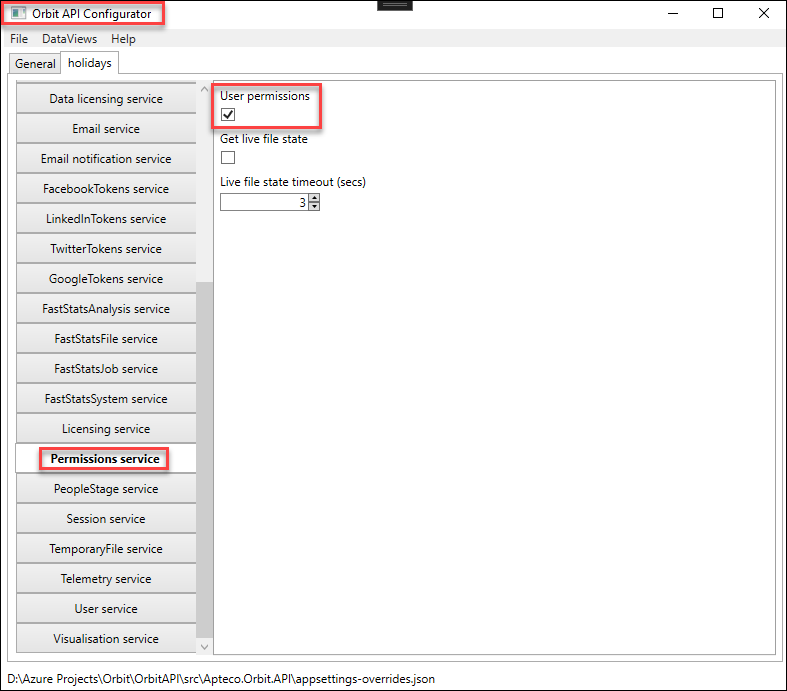
Navigate to the Orbit API Configurator > Permissions service menu.
-
Tick the User permissions checkbox. This action ensures that the Orbit API is ready to send and receive permissions information, along with the standard requests.
-
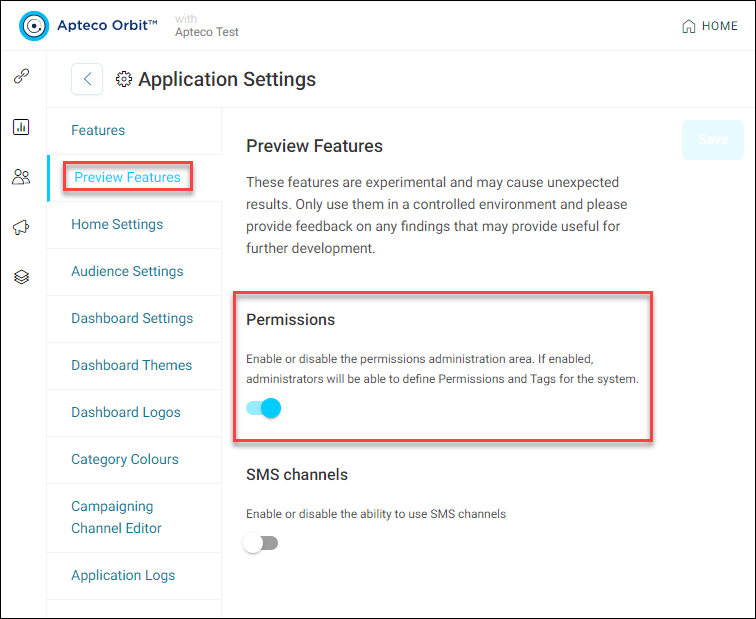
Navigate to the Orbit Applications > Applications Settings > Preview Features menu.
-
Toggle the Permissions menu option on. This action enables the permissions UI in the Orbit application.