Menu bar
The menu bar provides access to some of the peripheral functions of PeopleStage.
File menu
The file menu provides the following functions (depending on your permissions):
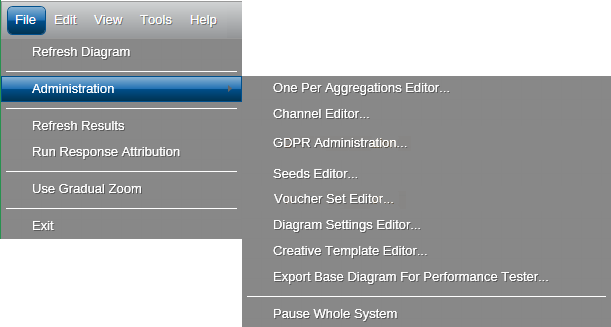
- Refresh Diagram: Refreshes the top level diagram view
- Administration Menu: Provides access to the following options (depending on your permissions):
- One Per Aggregations Editor
- Channel Editor
- GDPR Administration
- Seeds Editor
- Voucher Set Editor
- Diagram Settings Editor: Allows system configuration settings to be changed
- Creative Template Editor
- Refresh Results: Refreshes the results in a view
- Run Response Attribution: Provides a manual method to run the Response Attribution process for the whole diagram for all users
- Use Gradual Zoom: When enabled, allows you to use the mouse wheel to zoom partially in the diagram rather than having objects fill all available space
- Exit: Use this option to close PeopleStage
Edit menu
Access Undo, Redo, Copy and Paste. You can use them with their shortcut key combinations. To reverse your last action, press Ctrl+Z . To reverse your last Undo, press Ctrl+Y .
View menu
Access troubleshooting features of PeopleStage. See Debug Log.
Help menu
Opens this Help Centre and support features.