Voucher set editor
Within a campaign, you may need to send each recipient a unique code—for example, for a promotion or a ticket number for an event. These codes are most likely to be temporary, specific to the campaign and not part of the FastStats build.
You can upload a list of codes in PeopleStage and use them within the Content step to ensure that they are output as part of the campaign delivery file.
Administrator permissions are necessary to import a file containing the required codes using the Voucher Set Editor found in File > Administration:
-
Select File > Administration > Voucher Set Editor

In the Voucher Set Editor window that opens:
-
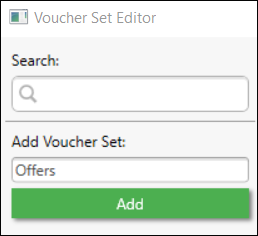
Allocate a set name in the Add Voucher Set box.
-
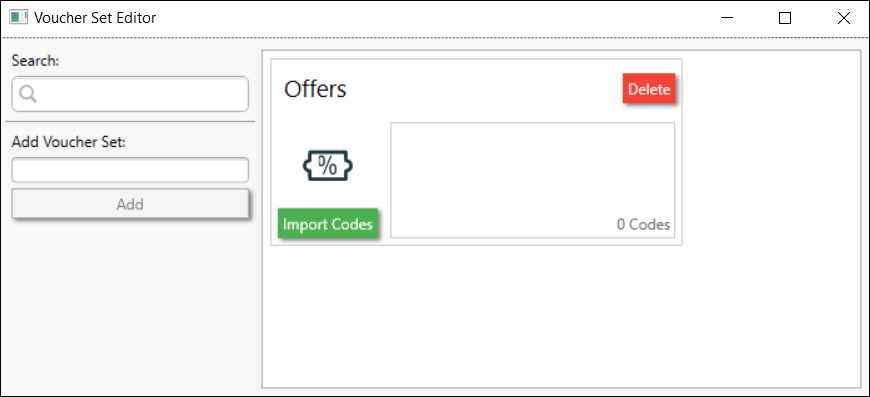
Click Add—the Voucher Set will appear in the window.
-
Click Import Codes.
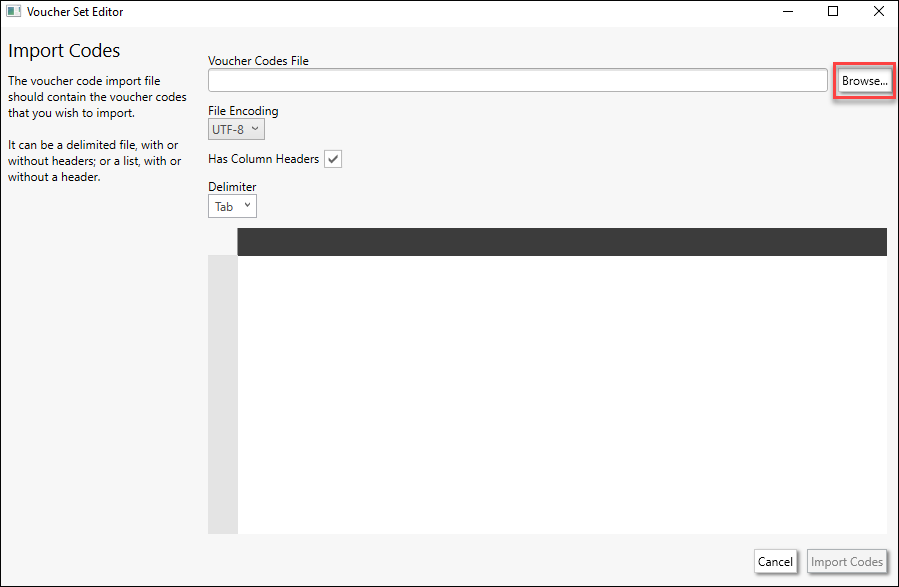
If the codes are to be imported from a file, the file needs to be a CSV file containing all required codes. You can choose whether the file contains headers or not.
-
Click Browse to navigate to and locate the saved CSV file.
-
Select Open.
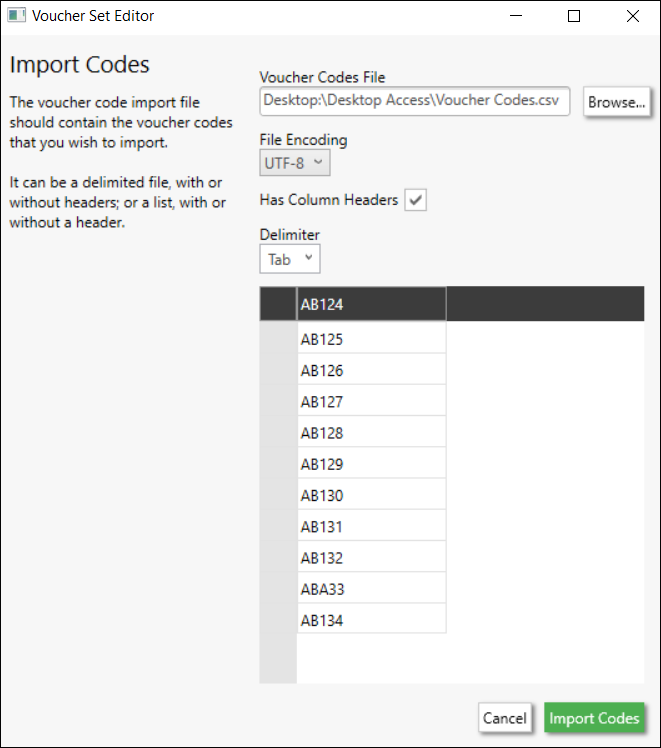
Once located, a preview of the file contents will appear in the Editor.
-
Click Import Codes.
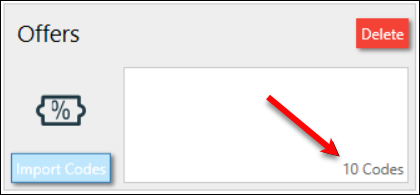
The Voucher Set will update in the Editor to show how many codes it has recognised from the file:
-
Click
 in the top-right corner of the Editor to close it. The Voucher Set is saved within the Editor.
Adding a voucher set to a campaign
To add a Voucher Set to your campaign:
- Navigate to the Content Step within the campaign
-
If the Voucher Set is newly created, click
 to refresh the PeopleStage Library.
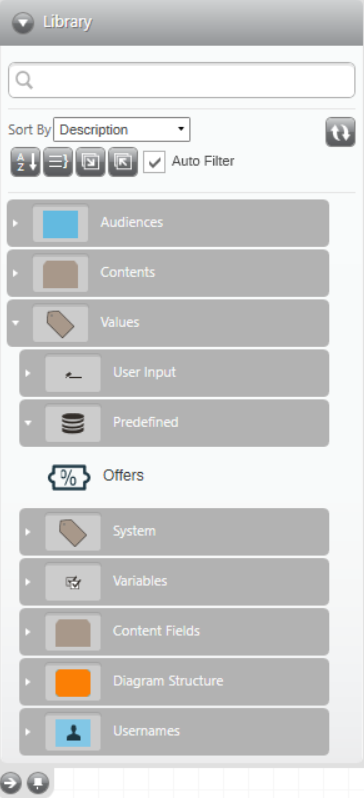
Any available Voucher Sets can be accessed in the Predefined section of the Values folder:
-
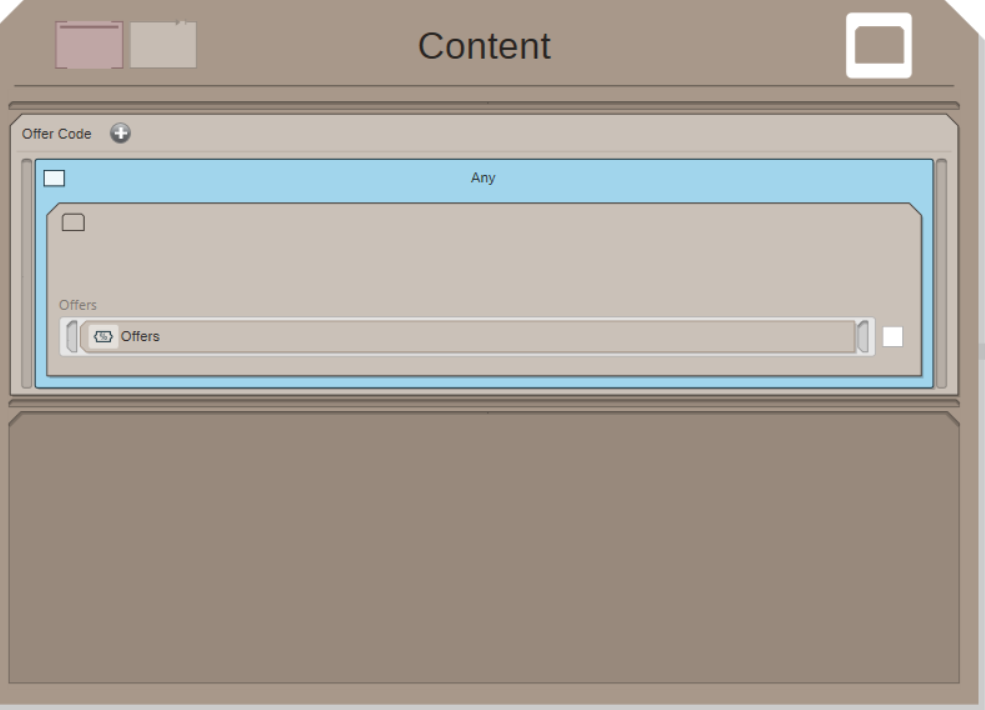
Drag and drop the required Voucher Set onto the Content step as a new Content Field.
The ANY selection, which is automatically applied, means that everyone in the Message will be allocated a code defined in the Voucher Set.
Complete the campaign set up. When you publish the campaign into the Live environment, each individual is assigned a code from the selected Voucher; the code is output as part of the delivery file in accordance with the channel specified on the Delivery step.
Note
You can use the Voucher Set in conjunction with Percentage Audiences—for example, 50% of the audience are assigned a Voucher Code and 50% are not.
Note
If the import file contains duplicate voucher codes, PeopleStage will not de-duplicate the file, so it is possible for more than one person in the campaign to receive the same offer code.