Verifying build
After a successful system build the System Summary is prepared to document the data load.
The System Summary tree is navigated by opening and closing variables and folders by clicking on the ‘+’ icon. The right panel displays results relevant to the FastStats object highlighted in the tree.
FastStats System displays overall load totals.
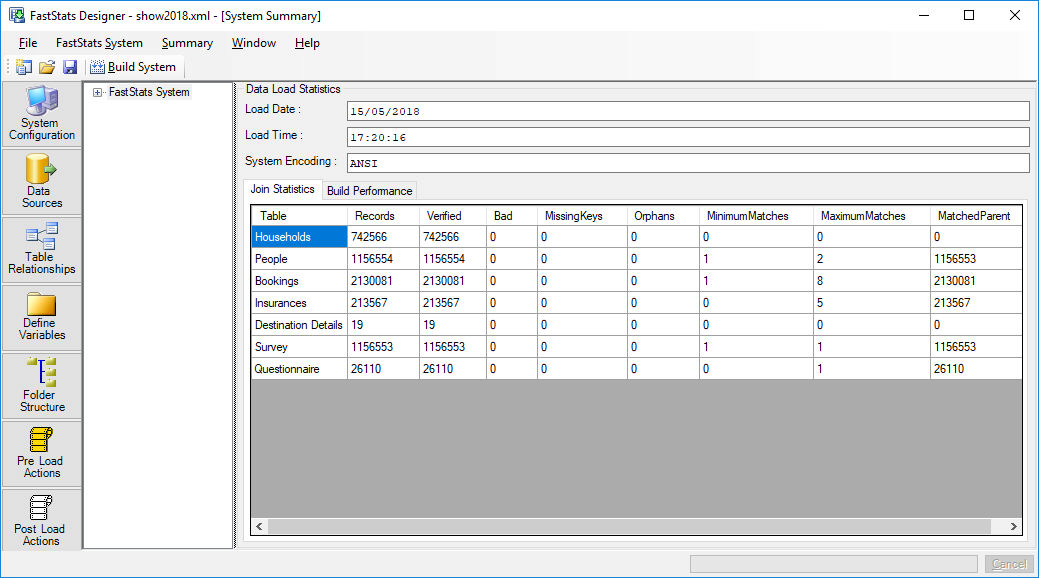
Table summaries show the numbers of records read and minimum and maximum matches for join relationships.
Selector variable summaries have a comprehensive display of frequency counts for all valid codes and invalid codes detected. Valid codes are those that are defined in the Decodes.
Numeric variables display the range of values detected, statistics and missing value counts.
Summary menu
From the menu you can choose to refresh the system summary or to save the system summary as a .HTML report.
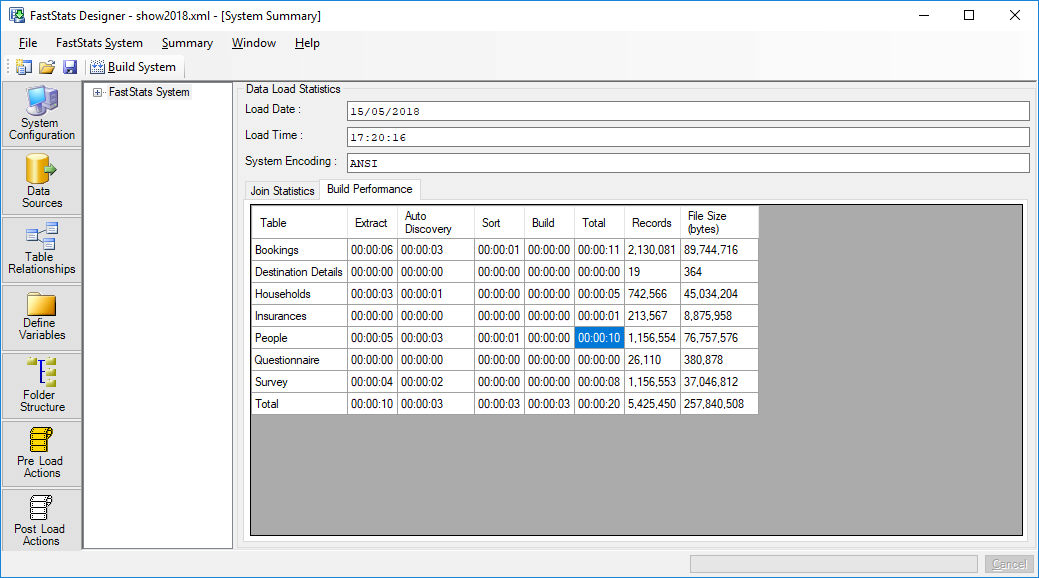
Check the Build Performance tab to get a breakdown of how long each build stage took for each table: