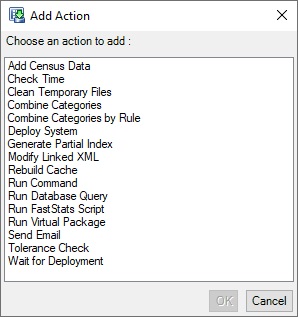
Post-load actions
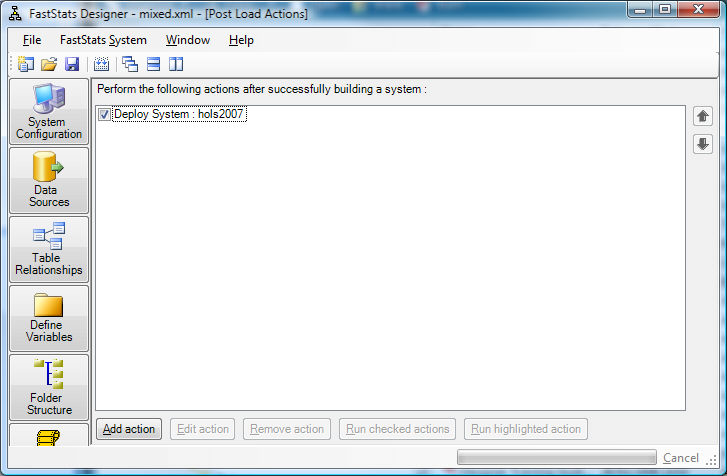
The Post-Load Actions window lists actions to be run automatically on completion of the FastStats load.
- Add action inserts another script file into the run list.
- Edit action allows you to change the properties of the currently selected action.
- Remove action removes the highlighted script file from the list (does not delete the file).
- Up / Down are used to move the highlighted script to modify the run sequence.
- Run checked actions runs the actions that have a tick next to them
- Run highlighted actions runs the actions currently highlighted by the cursor
All actions can be given a description.
Add an action by clicking Add Action. A dialog will appear showing the actions available, choose one and click OK.