Extended variable properties
Variable-type settings
For example, for a selector variable the following additional controls are displayed:
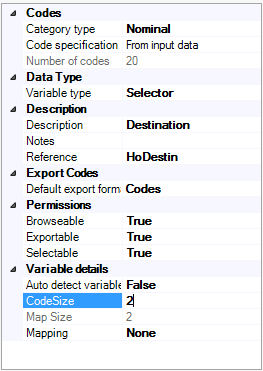
These are the code size, the Decodes button, the Mapping drop down and the Map size.
For a numeric variable the extra detail is:
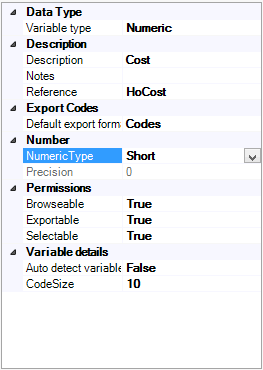
These are the code size, the Range and the number of decimal places.
Note
The default setting for code size is zero. In this case FastStats will automatically detect the size of the field and hence the code size.
Access permissions
Each variable has 3 check boxes associated with it:
- Selectable - Users can use this variable in their selection
- Browseable - Users can browse the data in this variable
- Exportable - Users can export the data in this variable
FastStats Local systems do not make use of the Browseable flag, the Exportable flag controls the user permissions to both browse data on the data grid and export data.
For FastStats Enterprise systems that connect to the FastStats Web Service then these flags are ignored if permissions are set up using the FastStats User Administration.