Audience as a cube dimension
You can use an audience as a dimension in audience workbook cubes. This allows you to further analyse an existing audience workbook cube by switching out a dimension to use an audience as a dimension ‘on-the-fly’.
Example use case
You could modify an existing audience with dimensions like region and gender by replacing the gender dimension with an audience representing people who have responded to a campaign.
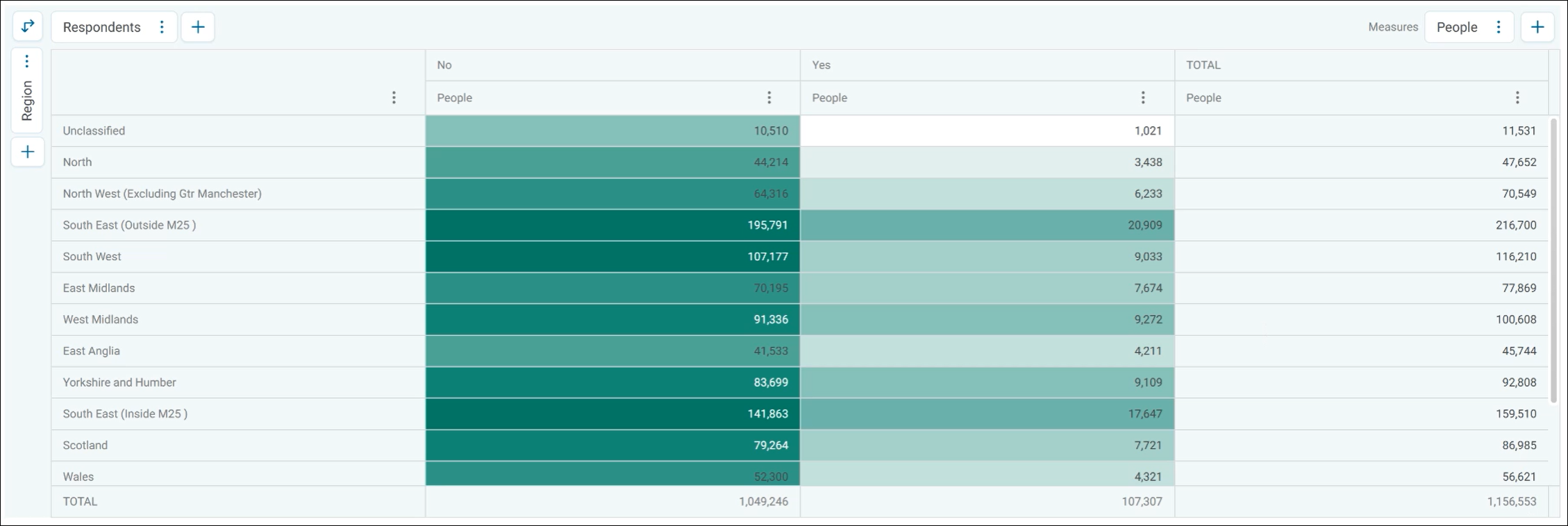
This new audience dimension provides a breakdown of people who have or haven't responded to your campaign, enabling deeper analysis of your original audience and offering additional insight into your respondents.
Using an audience as a cube dimension
To use an audience as a cube dimension:
- Create or open an existing audience cube.
- Click Properties to open the side panel.
- Under Columns, expand the option menu and click Delete to remove your existing dimension.
- Click + Add Dimension.
- Click the Audiences tab and choose your relevant audience.
- Click Apply.
You’ve now applied an audience as a dimension in an audience workbook cube.