Apteco email image size best practices
Follow these guidelines to ensure that your Apteco email templates deliver successfully and load quickly for your customers.
Image size requirements
Keep your email images optimised for successful delivery and improved engagement.
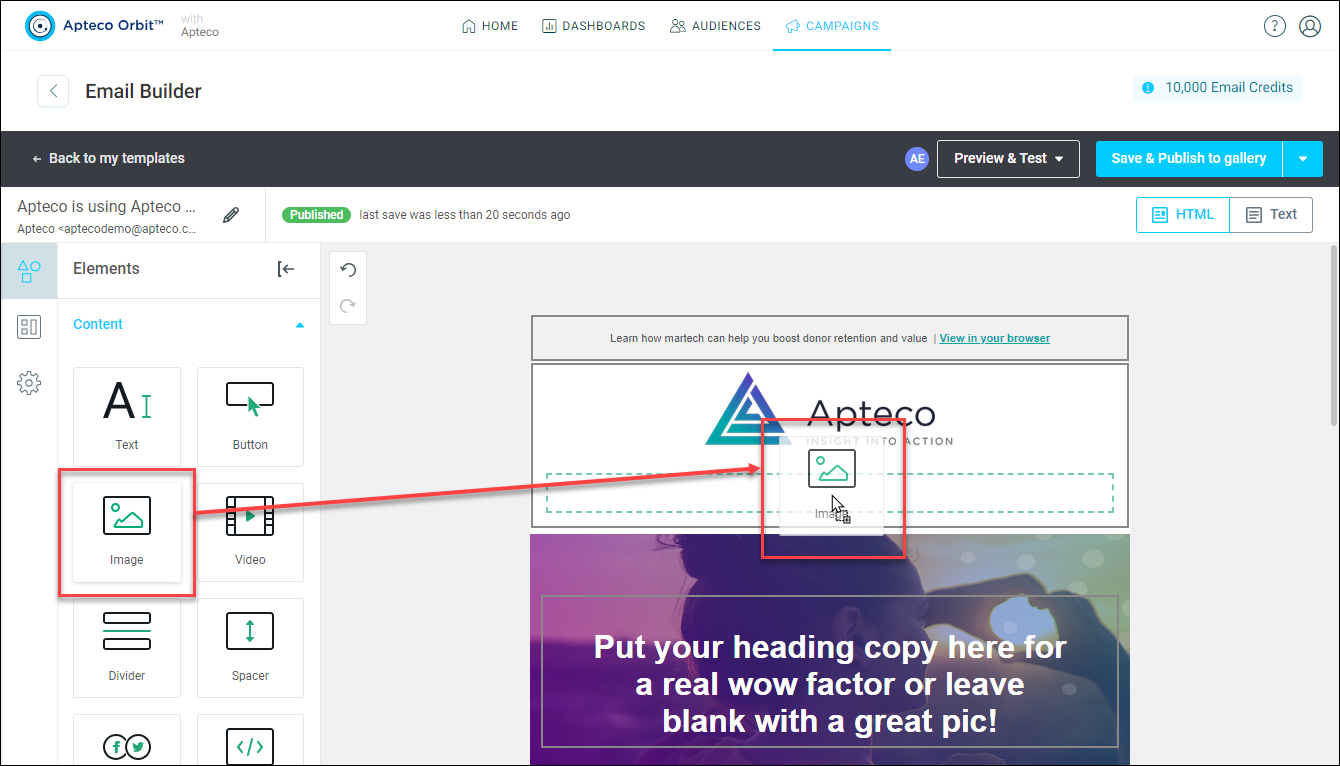
Image file size limits
- Keep individual images under 200KB
- Use appropriate file formats: JPEG for photos, PNG for graphics with transparency
See Content elements.
Text-to-image ratio
Always try to maintain a 60/40 text-to-image ratio in your email templates:
- 60% live text content
- 40% images and graphics
Note
This ratio helps your emails avoid spam filters. Emails with too many images and minimal text can trigger spam detection systems.
HTML file size limits
Your complete Apteco email template must stay within specific size limits for optimal delivery.
Maximum file size
Keep your total HTML email file under 100KB to ensure:
- Successful inbox delivery
- Compatibility with major email providers
- Faster loading times
Warning
HTML files over 100KB start failing against major spam filters including Apple Mail, Google Apps, Outlook, and Yahoo. This file size issue can block your emails from reaching significant numbers of subscribers.
File size optimisation
To reduce your template size:
- Remove unnecessary spaces and line breaks from HTML code
- Keep email content focused and concise
Tip
Consider directing subscribers to a landing page rather than including extensive content in the email itself. This approach reduces file size whilst following email marketing best practices.
Email clipping prevention
Large emails get truncated by email providers, hiding your content from subscribers.
Gmail clipping threshold
Gmail clips emails larger than 102KB, which means:
- Subscribers see only partial content
- Call-to-action buttons may be hidden
- Recipients must click to view the complete email
Warning
There's no way to prevent Gmail clipping other than reducing your email file size. Make sure your most important content appears in the first 100KB of your template.
Prevention strategies
To avoid email clipping:
- Test your Apteco templates regularly
- Monitor total file size before sending
- Prioritise essential content in the first 100KB
- Use Apteco's preview functionality to check rendering. See Preview and test emails.
Tip
Place your primary call-to-action and key messaging early in your email template to ensure they're visible even if clipping occurs.
Following these guidelines ensures your Apteco email campaigns reach subscribers' inboxes and display correctly across all devices.