Volume constraints
Volume constraints enable you to set the maximum volume of people that can enter a campaign within a given time period.
To apply a volume constraint:
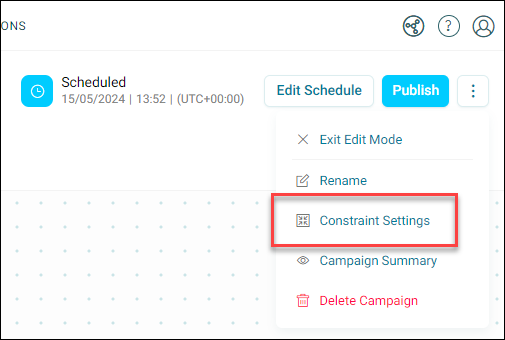
- On your campaign journey, click the option menu in the top-right corner.
-
Click Constraint Settings.
-
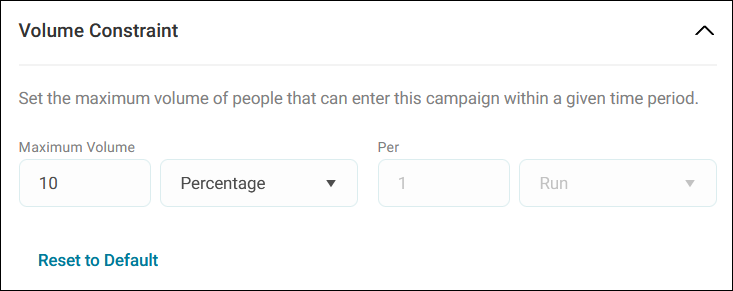
Under the first volume constraint, select your volume type:
- A specific Count.
- A Percentage of recipients.
-
Choose the timeframe for the constraint:
- Per campaign run
- Per hour
- Per day
- Per week
- Per month
- Per year
Example use case
Here, we chose 10% of recipients per 1 campaign run.
-
Click Apply.
You save and apply constraints in the same way as schedules (i.e. you need to publish your campaign).
-
Click Publish.
Note
If you need to reset the constraint values to their default settings, click Reset to Default.