Salesforce build credentials
If you are accessing Salesforce Sales Cloud data in Apteco Orbit, then our systems generate a refresh token during the sign up process. This refresh token allows the automatic refresh of data visible in Apteco Orbit, without requiring any manual intervention.
Note
A refresh token can become invalidated, either through expiry or another manual process (within Salesforce), causing it to be revoked.
Salesforce build credentials
The Salesforce Build Credentials page can be used to check the status of the stored credentials and update them as necessary.
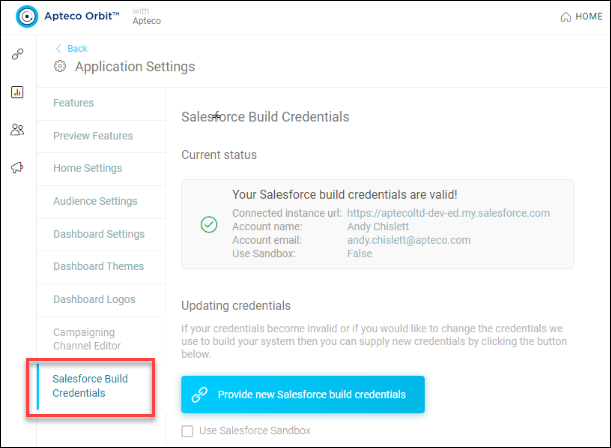
- Current Status: This area displays the status of the existing stored build credentials (A green tick indicates that the stored credentials are valid)
- Provide new Salesforce build credentials: This button is used if your credentials are invalid or if you wish to change the credentials used to build your system
To change system build credentials:
-
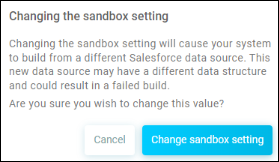
Click Provide new Salesforce build credentials. If you wish to use your Salesforce Sandbox environment, then tick the optional Use Salesforce Sandbox checkbox (a warning message may be shown as below).
-
Click Continue to Salesforce. This redirects to the Salesforce web site for authentication.
-
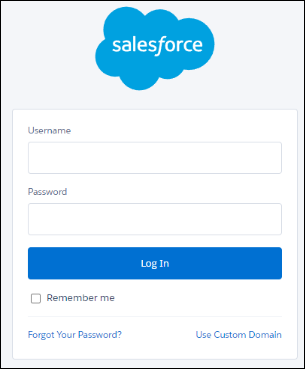
Enter your Salesforce Username and Password, and click Log In.
-
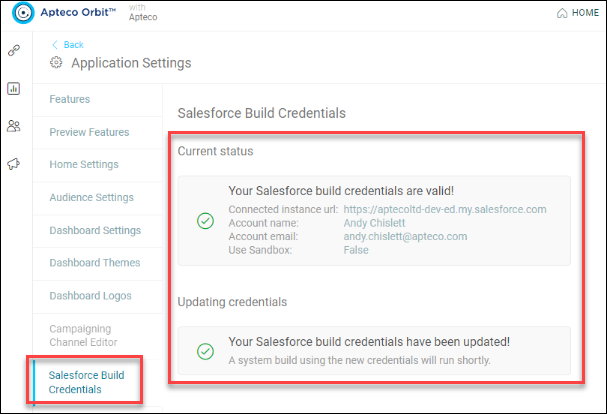
You are redirected back to the Salesforce Build Credentials page. If successful, then confirmation message is displayed.
FAQs
What happens if the refresh token is no longer valid?
- You are still able to access and use your Apteco Orbit system. However, this it won’t reflect the most recent version of your data as our build process is no longer able to access your Salesforce data.
How do I know whether my token has expired?
- If your token is no longer valid, then an email is sent to the address associated with the Salesforce account. In addition, the system build date is shown within Orbit on the top right corner of the Home screen.