Email response report
These reports show the number of clicks / opens / bounces etc. for each run of an email. For live emails it is only available once the FastStats Email Response Gatherer (FERG) has been set up by the administrator.
From a message level

- Open the lid on the campaign and select a Message step
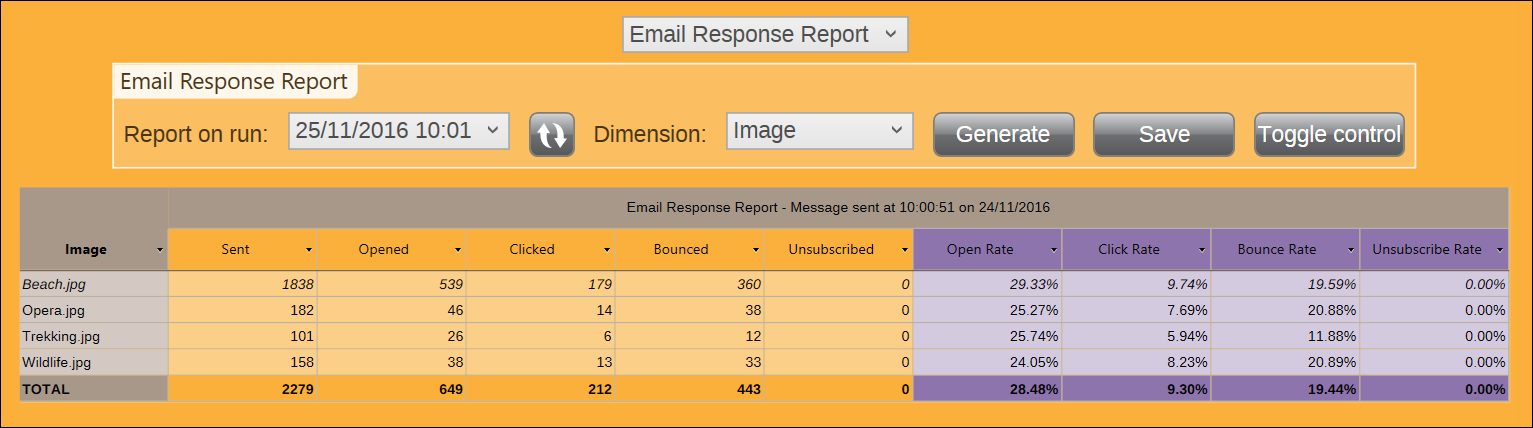
- Select the Results View then Email Response Report broken down by Image
-
Refresh the list of runs and pick a run from the drop-down list
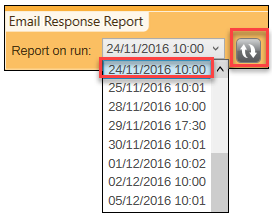
-
Click Generate
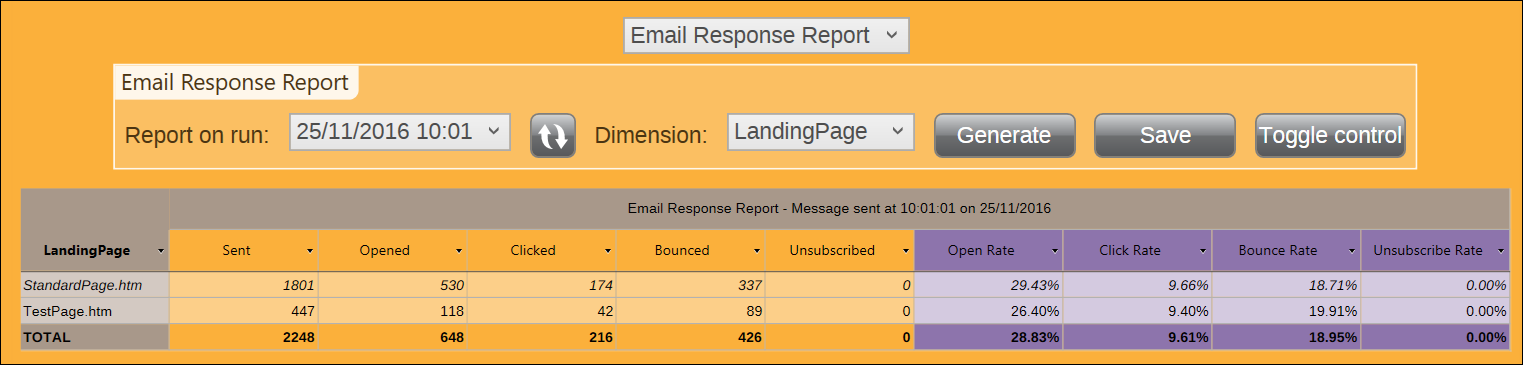
Example Email Response Report broken down by Landing Page:
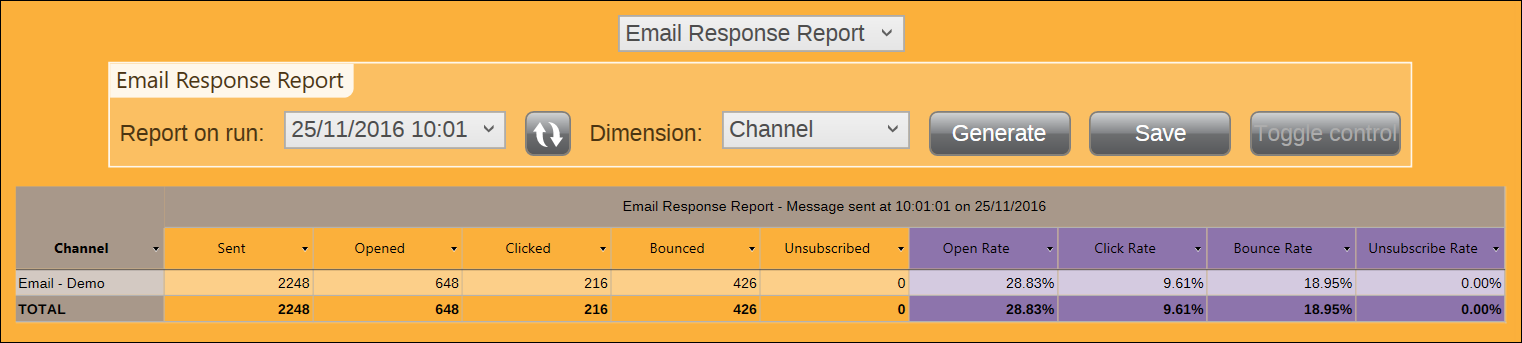
Example Email Response Report broken down by Channel:
Note
There is also the Email Response Summary Report at message level, which summarises all runs of the same message.
Note
There are equivalent reports for Facebook (likes, etc.) and Twitter when using these channels.