Scheduling reports
To keep up to date you can schedule your report to be run and emailed to you on a periodic basis.
Setting up a scheduled report
To setup a scheduled report perform the following:
- Click on the Edit scheduled reports button in the bottom left hand corner
- On the Scheduled Report Editor window click Add
-
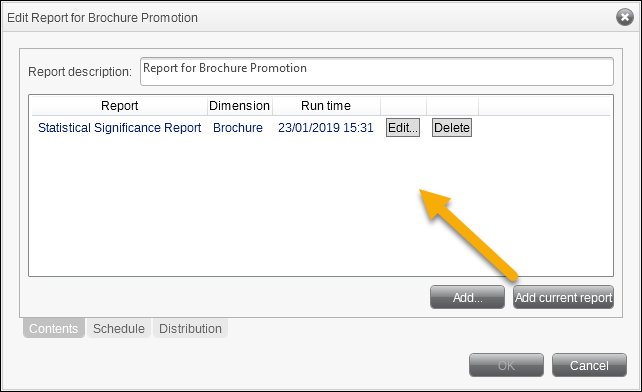
Click Add current report to add the report displayed for scheduling and distribution
-
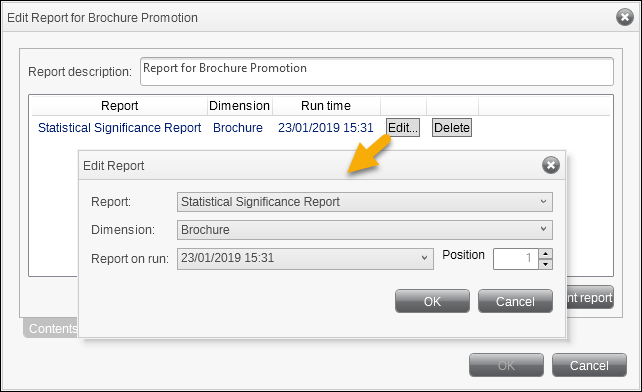
Click Edit to set the parameters of the report. Click OK.
-
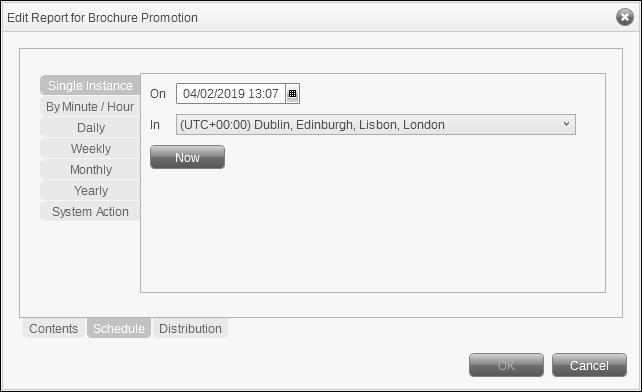
Click on the Schedule tab at the bottom of the window.
You can now set the frequency that the report will be run. It may be that you require to see the report on a daily basis whereas another Manager may only require a weekly update.
-
Click Now to schedule an immediate report or click On to set a Date and Time.
Tip
Use the In drop-down to set the time zone to base the Date and Time.
-
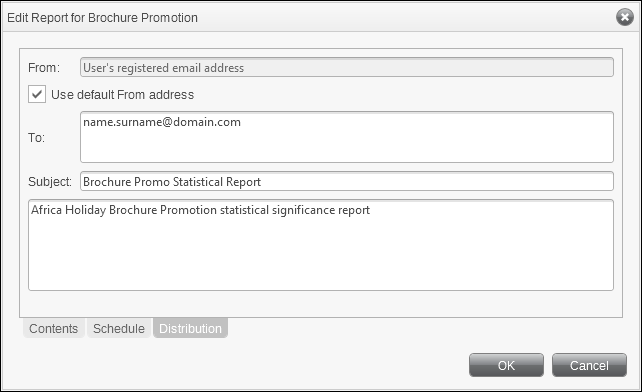
Click on the Distribution tab at the bottom of the window.
-
Enter the email address to send the report to, the subject and content wording
- Click OK