Setting up your Salesforce custom object and table
To update your Salesforce Sales Cloud data through campaigning, you must first set up and configure your Salesforce table. You can then configure your channel in either Orbit or PeopleStage to begin campaigning.
This example shows how to create a custom Model table in Salesforce and set up a channel to push updates to models for contacts within Salesforce Sales Cloud.
Prerequisites: Edit rights for the PeopleStage or Orbit channel editor.
Create your custom object
-
In Object Manager, create a new custom object in Salesforce Sales Cloud called Model.
- In Salesforce Classic: from Setup, search for Objects and select it.
- In Salesforce Lightning: from Setup, click Create > Custom Object.
Note
For more detail, see Create a Custom Object.
The Model object will store model data linked to contacts. When created, it includes a standard Name field and standard Created Date, Last Modified By, and Owner fields.
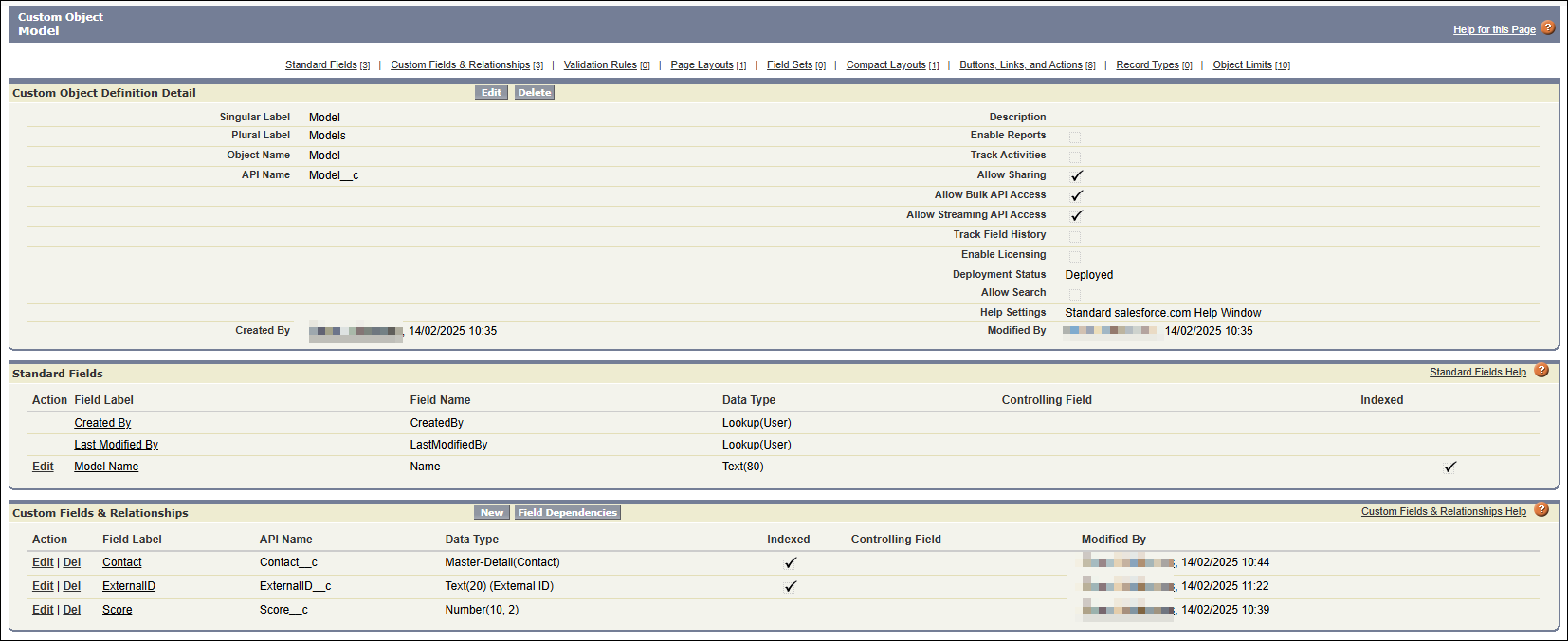
You must create the following custom fields:
- A custom Score field (Numeric 10,2) to hold the model score
- A custom Master-Detail field linking to a Contact record
Create the score field
- Under Fields & Relationships, click New.
- Select the Number data type and click Next.
- Label the field Score.
- Set the Length to 10 and Decimal places to 2.
- Click Save.
Create the contact field
- Under Fields & Relationships, click New.
- Select the Master-Detail Relationship data type and click Next.
- Expand the Related To dropdown and select Contact.
- Click Next > Save.
Create a match key
To upsert (insert or update) records, you need a unique identifier—a match key based on a combination of the model name and the contact identifier.
- Create a custom field with the Text data type.
- Name the field ExternalID.
- Set the length to 20.
- Tick the box next to External ID to mark it as the unique record identifier from an external system.
-
Click Next > Save.
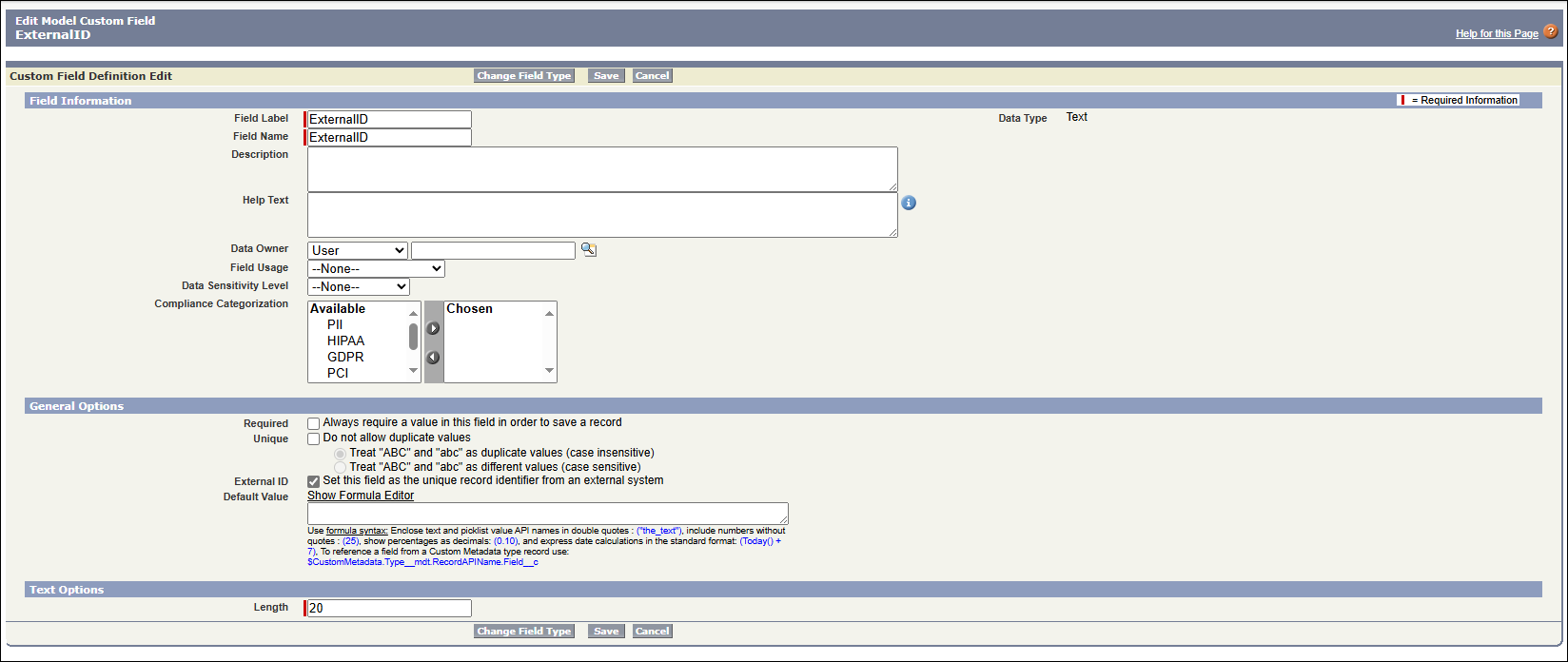
At this point, your custom object Model__c should have:
- Name (standard)
- Contact__c (Master-Detail linking to Contact)
- Score__c (Numeric 10,2)
- ExternalID__c (Text, external unique identifier)
You've now created your custom object. You can create your Salesforce channel in Orbit or PeopleStage to start uploading data through a campaign journey.