Adding a data source
Click the Data Source tab to view the list of data sources.
Click Add Data Source then identify the type as one of:
- Database for a database table or view
- Delimited Text File
- Fixed Format Text File
- DBF File
- Dynamic Database Data Source
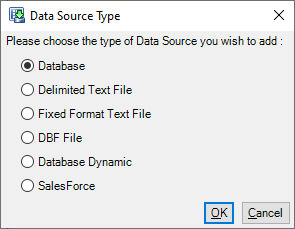
The next steps depend on the type and are described in the sections below.
Drag and drop
You can drag and drop files from Windows Explorer onto the Data Sources List. Drag and Drop supports the following data source types:
- Dropping a Comma Separated (.csv) file creates a delimited data source.
- Dropping a Text File (.txt) creates a Fixed Format data source.
- Dropping a DBF File (.dbf) creates a DBF data source.