Configure extract
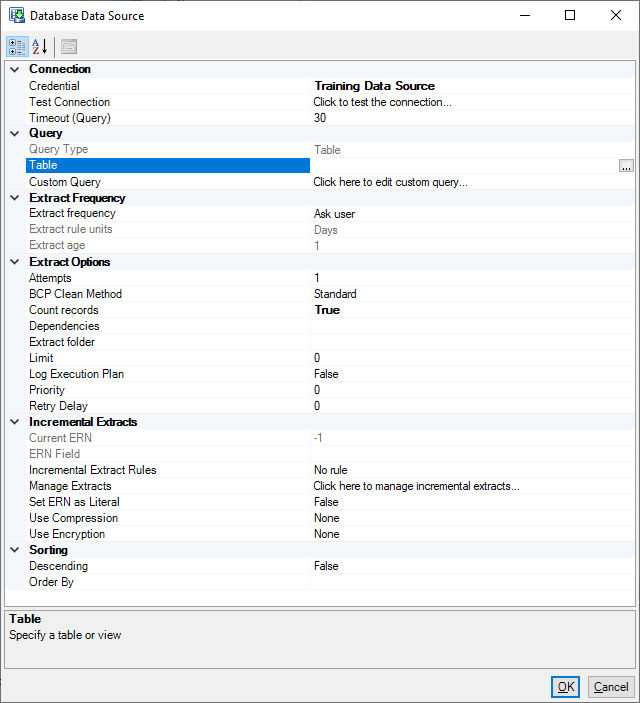
Extract Frequency determines how often the data is extracted from this data source.
For example, if the source database is only updated once per week, there is no need for FastStats Designer to extract the data more often. In this case use Extract if older than.
Extract now only never tries to re-extract the data
The default option is Ask Before Each Extract in which case you are prompted whether to re-extract before each System Build.
Attempts & Retry Delay
Specifies the number of attempts and the delay in seconds between extract attempts.
BCP clean method
The BCP Clean method is detailed in the SQL Server BCP section.
Limit
Limit the extract to the specified number of records. 0 means no limit. This can be useful for building small test systems.
Dependencies
This is a comma separated list of data source names that should be performed before this data source is allowed to extract. Enter a list of Data Source names (as listed on the data sources display) separated by commas (leading and trailing spaces are ignored).
Extract folder
Override for the System Configuration Extract Folder for this specific data source.
Data writing threads
Multiple threads can be used to write down the extract file. This option should not be used with the ORDER BY since records can be written into extract file out of sequence.
Log execution plan
For SQL Server data sources this will write a .sqlplan file into the extract folder. This can be opened in SSMS to analyse the execution performance of the query.
Priority
If the number of extract threads are limited then the order of the extracts can be controlled by the priority. A higher number means a higher priority and will start extracting before lower priority data sources.