Working with data sources
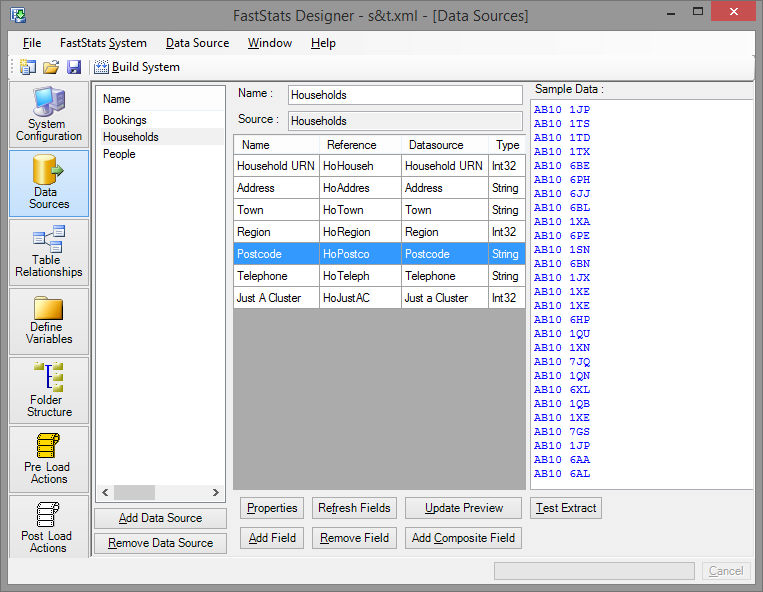
The Data Source tab edits properties of the data source and shows previews of the defined data fields.
The left panel shows the data sources. Click to change the current data source.
The centre panel shows the constituent fields.
Field properties
Name is the descriptive name of the field when it is used as a FastStats variable – this name will be seen by the user.
Reference is a unique identifier for the field which is FastStats’ unique reference. Reference's are automatically generated by FastStats Designer if you leave the reference column blank.
Note
Once a FastStats system is in use you should not modify the Reference but you may modify the Name. If you change the reference of a variable then any saved selections that use that variable will not be valid anymore and will have to be redone and saved.
Data Source Name is the identifier of the field in the source data.
Sample Data shows example data from the currently highlighted field and is useful for checking field definitions.
Add Field creates another field representation of a source data field. This allows multiple FastStats references to the same source data. The copied field requires a unique attribute name.