Sub-day elapsed time
Sub-day analysis of segment membership using DateTime variables can be carried out for elapsed-, as well as fixed-time segmentations. This allows you to reference a point in time which can be different for each customer - for example, the date and time of a person's first transaction with you. Any calculations are then carried out relative and specific to the individual, based on the 'datetime' identified by the selected reference variable.
Scenario
Let's consider that your variable references the date and time of a person's first registration on your website. Sub-day analysis allows you to track, for example, what happened in the period following that first interaction.
-
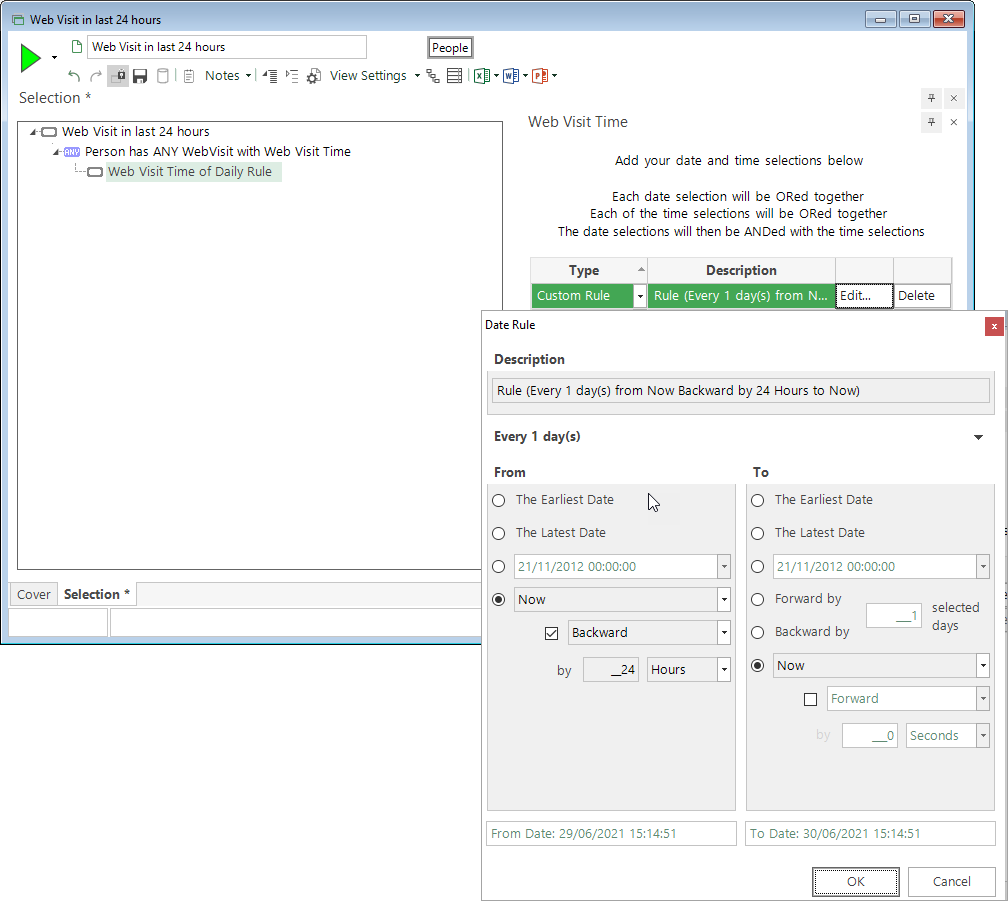
Create a selection to identify people who have visited your website in the last 24 hours.
-
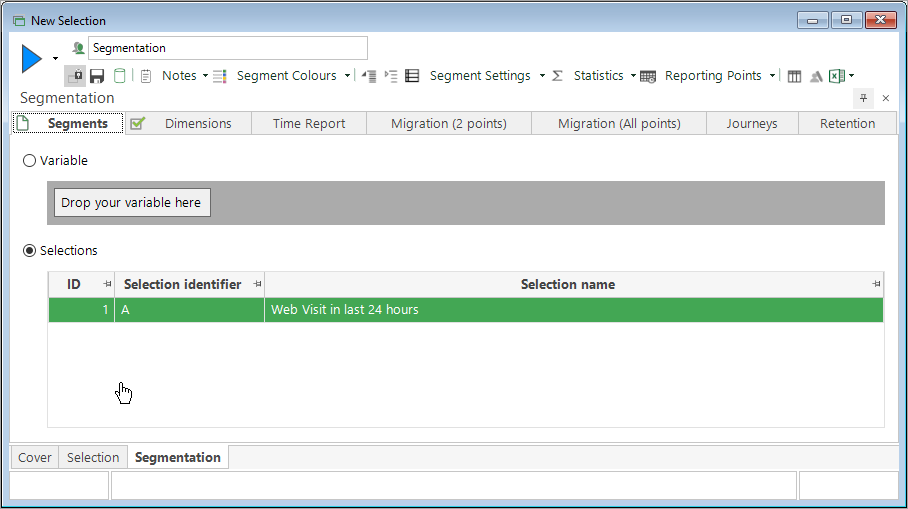
Open a new Segmentation window and add the selection into the Segments tab.
In the Reporting Points dialog:
-
Select Type - Elapsed Time Points
-
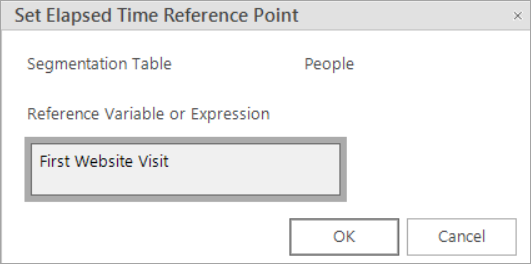
Click on Edit Reference variable and drag the variable to be used as your reference point - for example, First Website Visit.
-
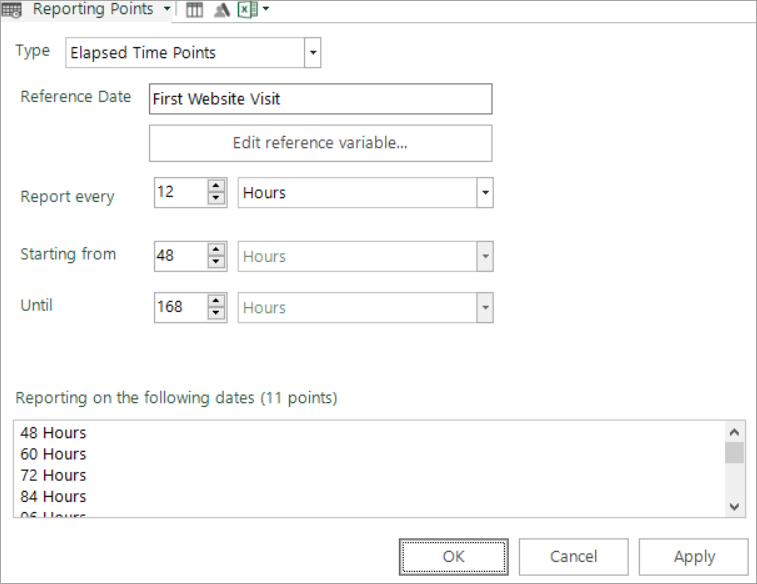
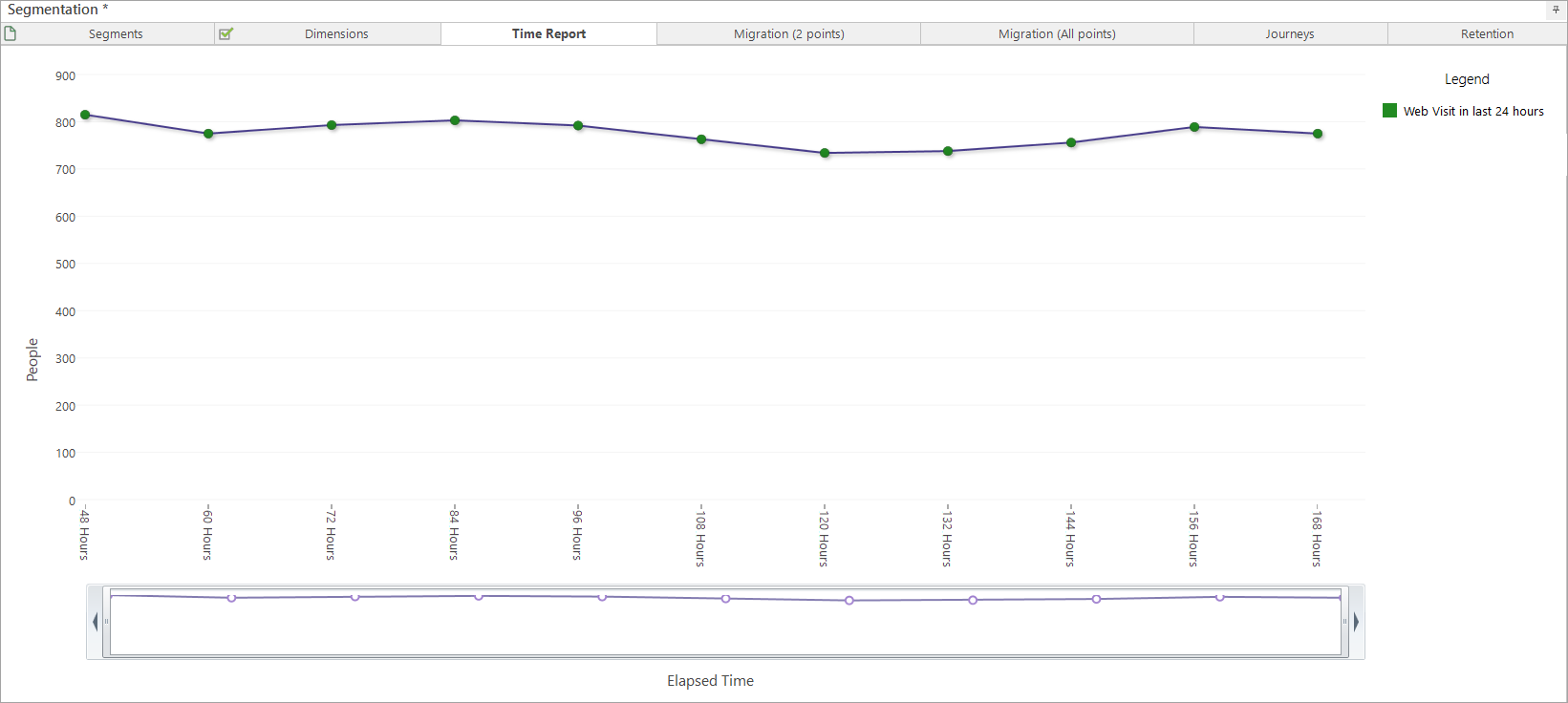
Set your Reporting Points - for example, check every 12 hours for the first 168 hours (1 week).
Note
Due to the fictitious nature of the Holidays demo data, where large numbers of people have only had one website visit, this example starts checking after an initial period of 48 hours from first website visit.
-
Switch to the Time Report tab and build to track people's behaviour.

-
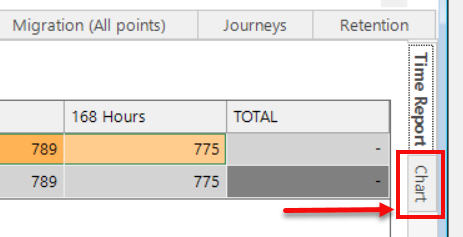
Switch to the Time Report Chart tab to see a visualisation of the results.
See also Sub-day fixed time segmentation.