Sub-day fixed time
When you have need to track segments that potentially change very quickly - for example, post campaign interactions on a website or in store - you can report segment membership on less than a day intervals using DateTime variables.
Scenario
Let's consider that a new product promotion is being sent out at midnight on Christmas Day and you want to track what happens during the following 24 hour period:
-
Create the selection to identify your segment - for example, people who have transacted in the last 12 hours based on now.
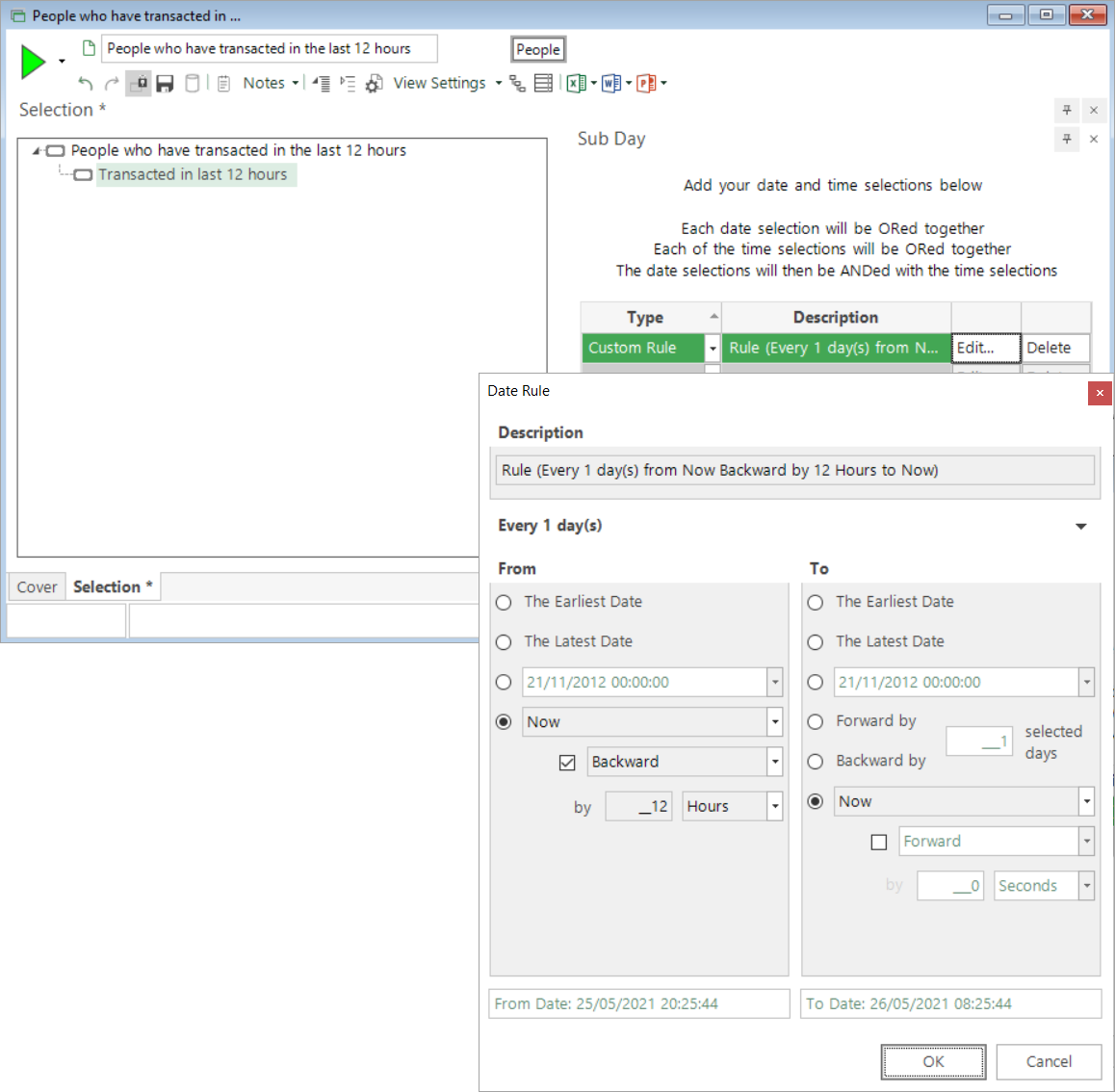
-
Open a new Segmentation window and add your selection.
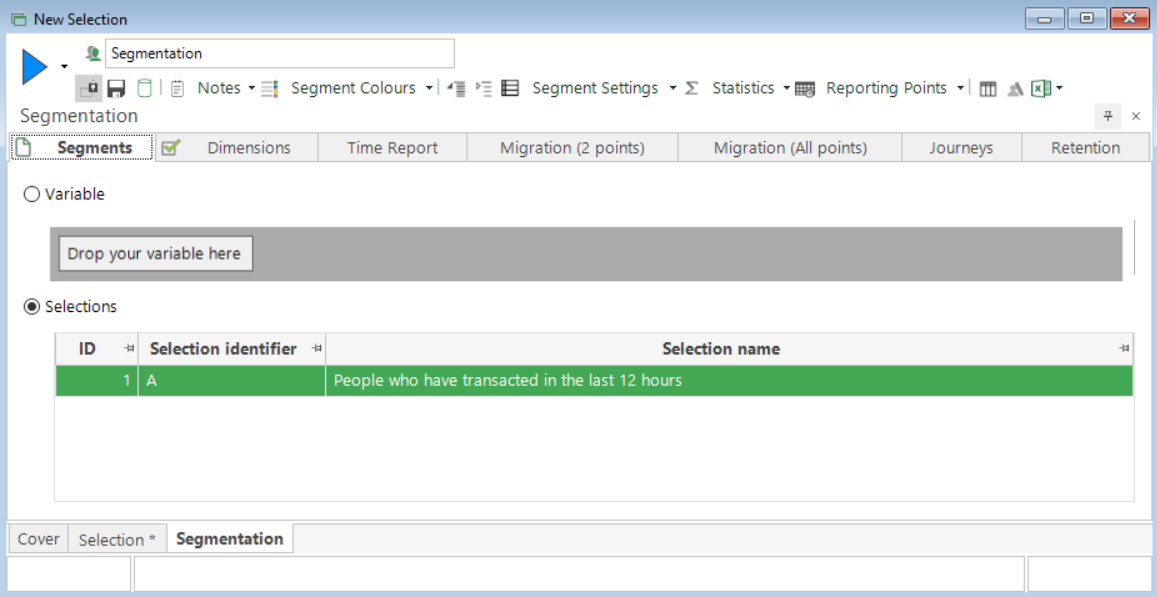
-
Set your Reporting Points - in this example using a Fixed Date Schedule for the 25th December 2020 and reporting every 4 hours.
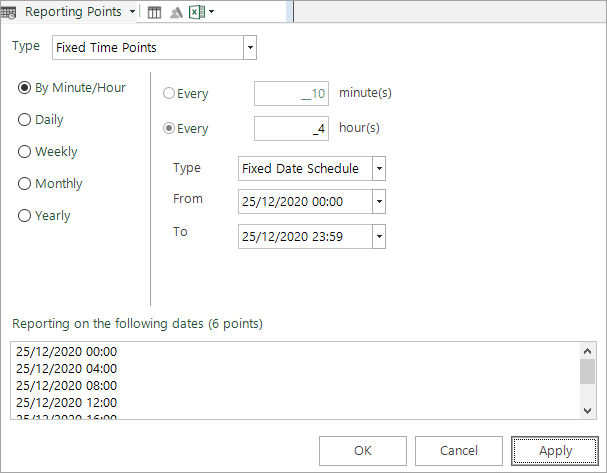
-
Build the Time Report to see the display with the six reporting points within it

As an alternative to the Fixed Date Schedule, you can use a Date Rule Schedule which allows you to specify From and To points which change over time based on now - for example to examine 'the last 24 hours':
-
In the Reporting Points dialog, switch from Fixed to Date Rule Schedule and then Edit Date Rule - here to report on an hourly basis over the last 24 hours.
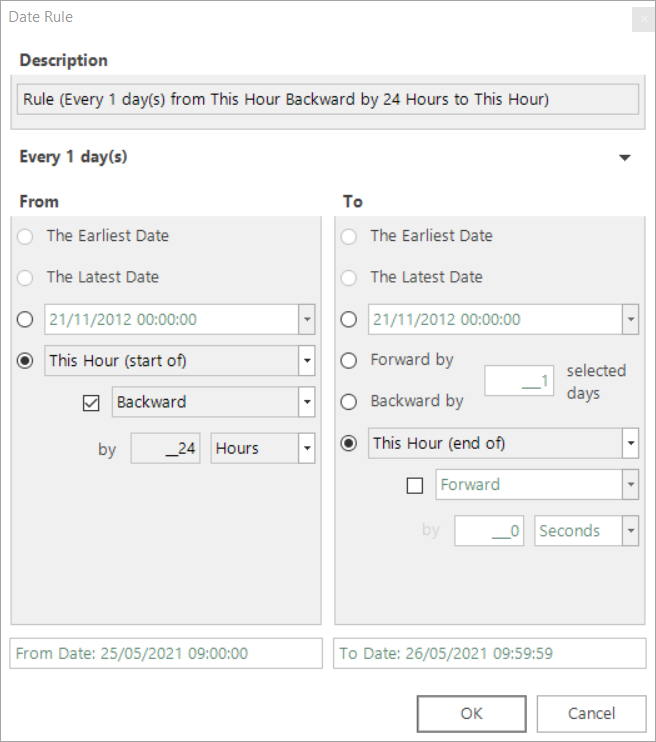
In this example, the screenshot indicates that 'now' is between 09.00-10.00 on 25th May 2021 and the reporting points in the Time Report reflect this when built immediately.
-
Rebuild the Time Report

Based on 'the last 24 hours', re-running the Time Report later will update both the DateTime reporting points and the results accordingly.
Related topics: