Export options
You can use the following options when exporting an Audience:
Download options
Zipped and password protected Audience exports
You can enable the option to compress an Audience export as a ZIP file, additionally you can also enforce password protection.
Note
The Application Settings page is available from the user menu, it will only be visible if you have admin permissions.
You can manage application settings from the User icon in the top right, and selecting Application Settings.
- Select the Features area
- Set the required Export feature to Enable and click Save
Export as zip file
Enable or disable the ability to export and download files zip compressed. If enabled, users will have the ability to specify that they want to zip the file and password protect it if required.
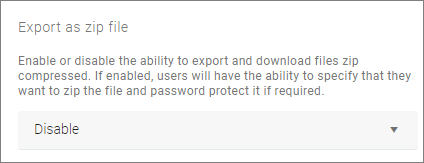
When enabled this will affect the Audience Export - Download option.
Force export as password protected ZIP file
Enable or disable the ability to force export and download of password protected files ZIP compressed. If enabled, users will have to enter a password to download their exported file.
When enabled this will affect the Audience Export Download option.
You will not see an option to ZIP the file, you must add a Password then click Export, the file will then be downloaded as a protected ZIP file.
Tip
You need to have a third-party Zip compression tool. Right-click on the exported file to Open archive then Extract to use the password dialogue.