Multiple analysis selections
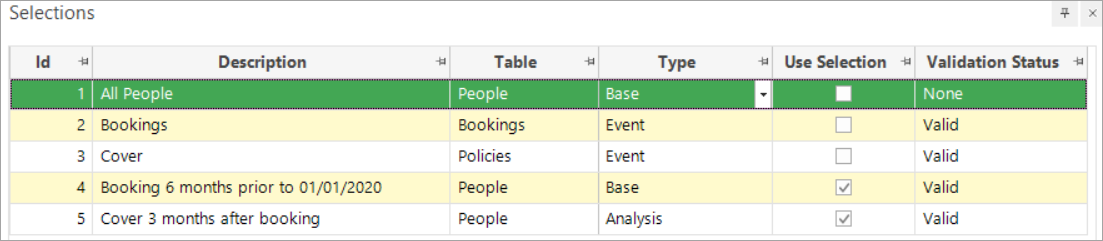
Once you have defined your analysis and base selections, and specified the modelling point-in-time, the analysis and base selections are added to the Selections tab:

To edit the scenario:
-
Right-click within the Selections window and select Edit event driven analysis/base scenario.
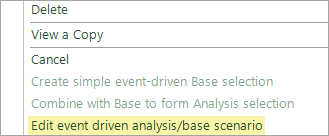
You can modify the scenario and then choose whether you would like to add the modified scenario as a new pair of selections, or leave on the default, which is to replace the current selections.

-
Choose as appropriate and OK to confirm your changes.
Manage multiple selections
Once you have multiple alternative analysis/base selection pairs, the Use Selection column determines which pair is used in modelling.
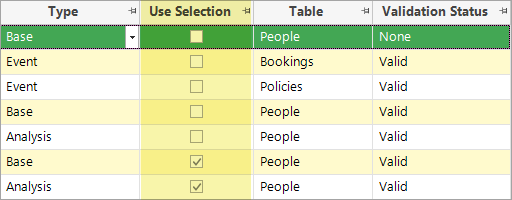
It is also this pair which will be edited by the right-click option.

As you create more selections you may wish to change their descriptions to make the display clearer:
- Right click on the selection with the description you wish to amend
-
Click Edit selection details
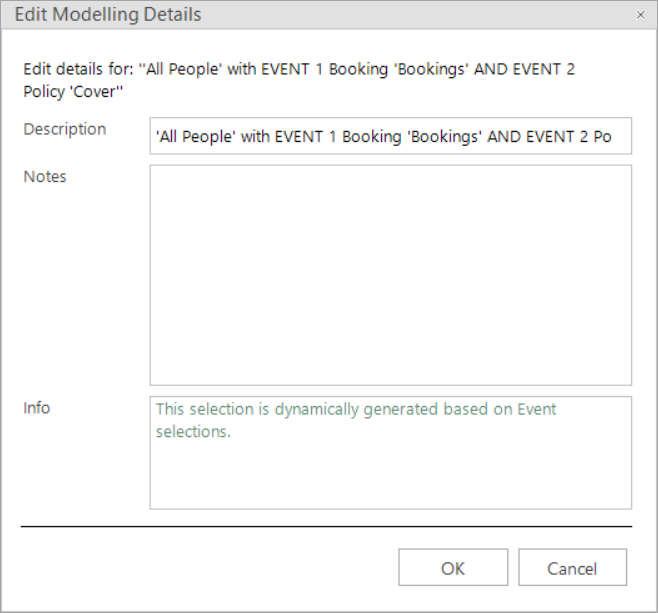
In this window you can edit the name and add notes that might be useful to you and others at a later date. The screenshot below demonstrates the renaming of selections: