Setting your home dashboard
Set a home dashboard to display automatically when you open Orbit.
Note
You can only set one dashboard as your home dashboard at a time.
To set your home dashboard:
- Open Orbit and go to Dashboards.
-
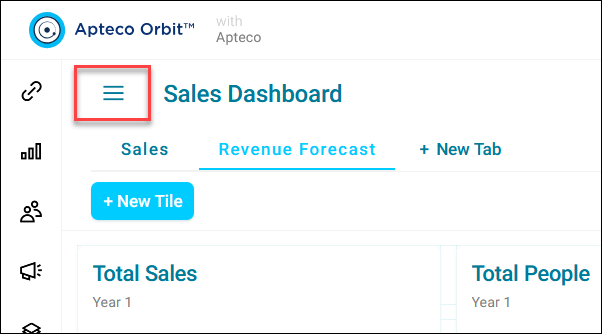
Expand the option menu in the top-left corner.
-
Search for your dashboard or browse using the My Dashboards and Shared Dashboards tabs.
- Expand the option menu next to your dashboard.
- Click Set as Home Dashboard.
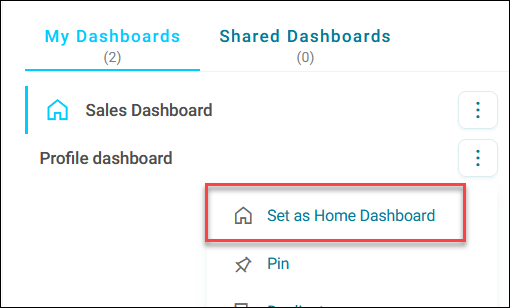
A home icon appears next to your dashboard name, confirming it's now set as your default view.