Renaming a dashboard
To rename a dashboard:
- Open your dashboard and click Edit.
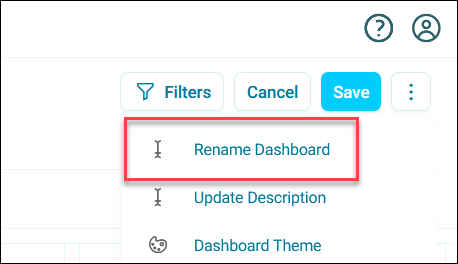
- Expand the option menu in the top-right corner.
-
Click Rename Dashboard.
-
Enter a new Dashboard Name and click Rename.
- Save the dashboard.
Your dashboard name updates immediately.
Renaming a dashboard tab
To rename a dashboard tab:
- Open your dashboard and click Edit.
- Click the tab you want to rename.
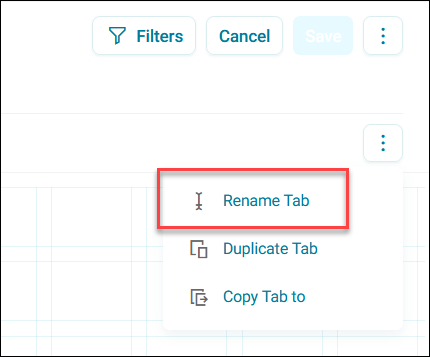
- Expand the option menu to the right of the tab.
-
Click Rename Tab.
-
Enter a new Tab Name and click Rename. Your tab name updates immediately.
-
Save the dashboard.