Access to LinkedIn functions in FastStats is controlled by Roles.
For full LinkedIn channel configuration within PeopleStage and Orbit, see the PeopleStage or Orbit integration documentation.
LinkedIn Administrator role
A LinkedIn Administrator role can modify Apps, modify Pages, and manage tokens.
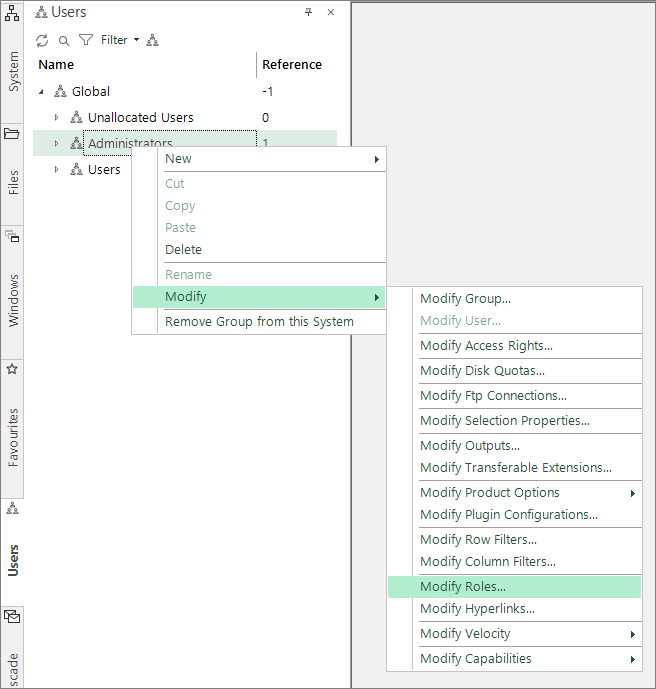
- In Users Explorer, right-click on an administrator.
-
Select Modify > Modify Roles.
-
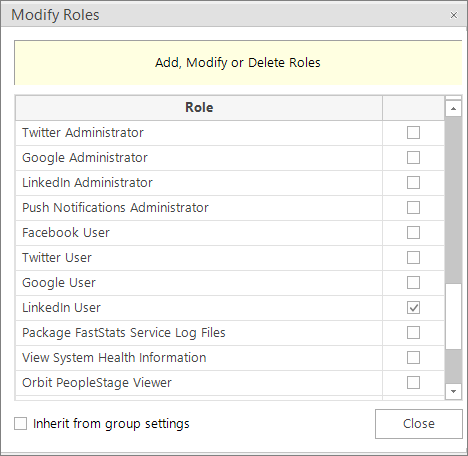
Select both the LinkedIn Administrator and LinkedIn User roles.
-
Click Close.
LinkedIn User role
A LinkedIn User role can manage tokens within Administrative Functions.
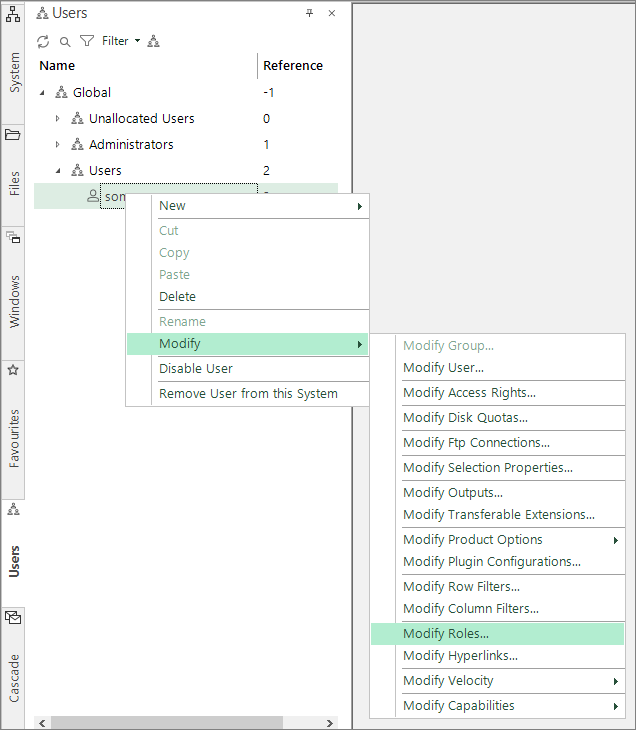
- In Users Explorer, right-click on a username.
-
Select Modify > Modify Roles.
-
Select the LinkedIn User role.
-
Click Close.