Data extract tab
FastStats Designer extracts data from database sources to temporary files for efficiency and to cope with heterogeneous data sources. The Data Extract Tab specifies properties that determine how FastStats Designer handles data in the staging area.
Extract settings
- Delimiter character is used to separate fields in the data (the default is tab).
- Encloser character used to enclose text fields in the data (the default is to leave this blank).
- Extraction Directory is the location of a staging area for data extracts.
For database data sources FastStats Designer uses an optimised bulk extraction to this temporary area. For maximum efficiency specify a fast local disk with sufficient capacity. The data transfer rate and access speed to this directory will have a significant effect on the load time.
Note
The conditions and frequency of the data extract process is specified in configure extract for each data source.
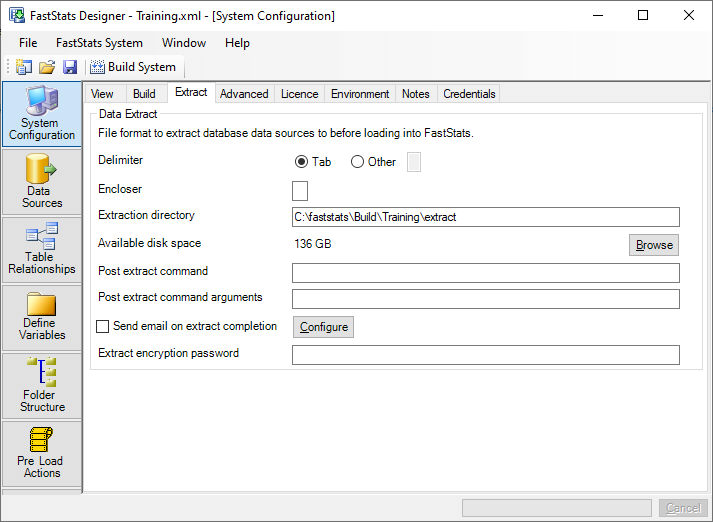
Post extract command
The post extract command is used to run a command (batch file, PowerShell script, executable) after the database extract process has completed. This allows processing to be started on the source database once Designer has finished with the connection to the source database.