Credential manager
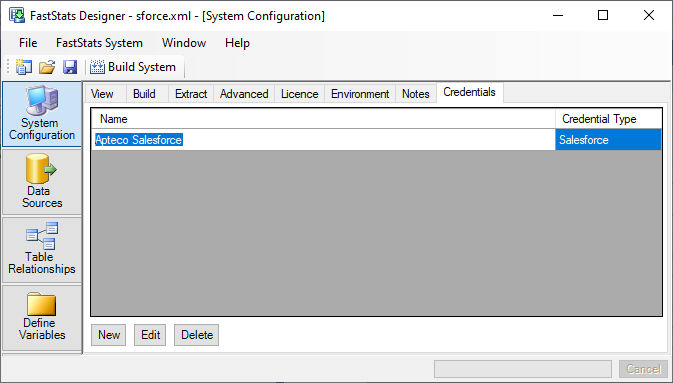
The Credential Manager stores credentials used throughout FastStats Designer. It currently supports the following credential types:
Instead of entering the same credentials in several places throughout the design, you now enter the credentials in a single place and refer to the credential by name. You can define a FastStats Remote credential, for example:
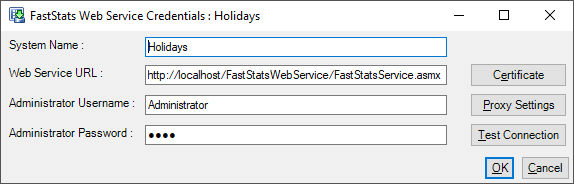
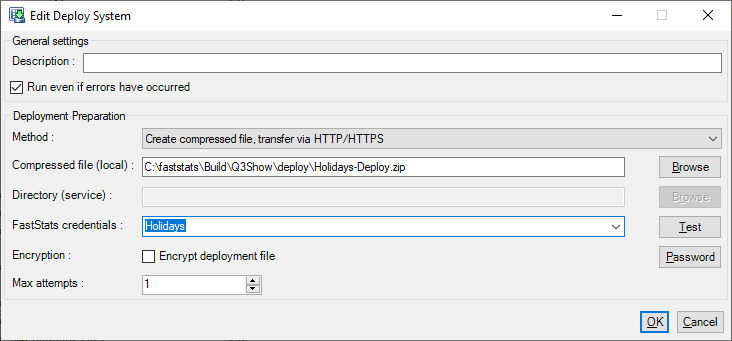
This credential can then be referenced by multiple Post-load actions (deploy, tolerance check, virtual package):
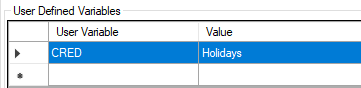
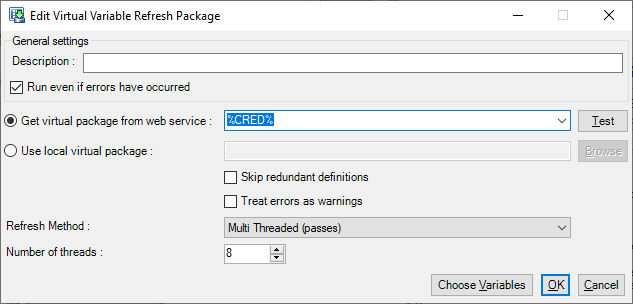
Multiple credentials can be added to the design (Develop, Test, Production), and the credential specified in the post-load action by an environment variable:
Credentials can be renamed by clicking the credential name in the credential list and editing the name:
Note that any objects that use this credential will not be able to find the credential if you do this, and you'll have to go and edit them to use the updated credential name.
FastStats credentials
Connections to an Enterprise FastStats System can be defined by adding a FastStats Remote credential within the Credential Manager.
- System Name: The name of the FastStats System as defined in the FastStats Web Service
- Web Service URL: The URL to the FastStatsWebService endpoint. E.g. https://myfaststatswebserver.example.com/FastStatsWebService/FastStatsService.asmx
-
Administrator Username & Password: Typically these credentials are for an FastStats Administrator, so that the user has sufficient permission to perform deployments and create virtual variable packages.
-
Certificate can be used to set a client-side certificate for HTTPS connections if you are restricting access to the Web Service through the use of certificates.
- The Test Connection button can be used to verify that the FastStats Web Server can be reached and that the credentials are correct.
FastStats Credentials are used in the following locations within FastStats Designer:
- Post-load Deployment Action
- Post-load Virtual Variable Refresh Package
- Post-load Tolerance Check
- Post-load Rebuild Cache
S3 bucket credentials
An S3 Bucket can be defined by adding a S3 Bucket credential within the Credential Manager.
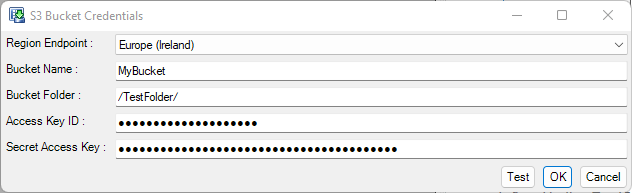
- Region Endpoint: The AWS region the S3 bucket is located
- Bucket Name: The name of the S3 bucket
- Bucket Folder: A sub-folder within the S3 bucket
- Access Key & Secret Access Key: The credentials required to authenticate with the S3 bucket. Note that if these are not specified FS Designer will fall back to alternatives according to these credential resolution rules
S3 Bucket Credentials are used in the following locations within FastStats Designer:
- Post-load Deployment Action
OAuth credentials
OAuth Credentials can be defined in the Credential Manager and then referenced by database credentials through the use of environment variables or used in other credentials.
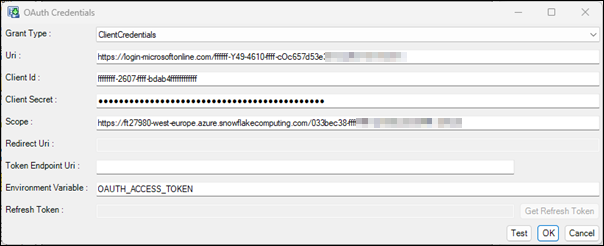
Two OAuth credential flows are supported: Client Credentials and Authorization Code.
Examples
In this example an OAuth credential is defined using Client Credentials that will obtain an Access token from Azure Entra. This token is then used to populate the environment variable %OAUTH_TOKEN%.
The database credential can then be specified using the %OAUTH_TOKEN% environment variable:
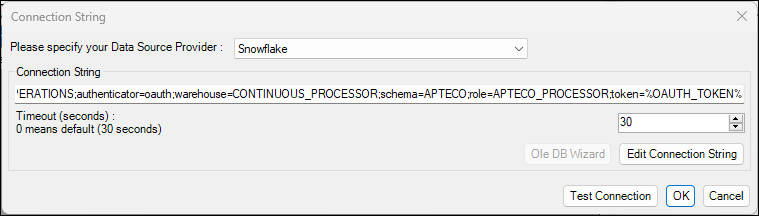
Whenever a connection to the data source is required by FastStats Designer then the OAuth credential will re-authenticate to generate a new access token for the data source connection.
For the Authorization Code flow the OAuth details are entered and then the 'Get Refresh Token' button is clicked:
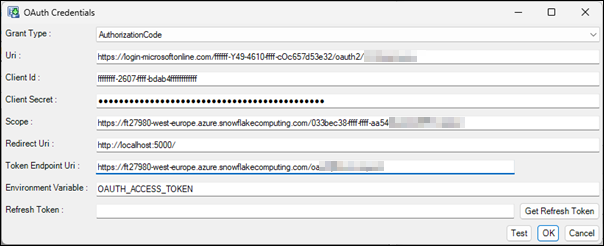
A browser window will appear to allow you to perform the authentication. Once authentication is successful then the browser will be redirected to the Redirect Uri so that FastStats Designer can capture the OAuth Refresh Token. Typically Refresh Tokens will last indefinitely if they are regularly used, but will expire after 90 days if left unused.
FastStats Designer will used the long lived Refresh Token to obtain a short-lived Access Token to authenticate against the required service.
OAuth credentials can be used for Data Source connections via the Environment Variable, the OAuth credential will populate the environment variable with an Access Token and then this Environment Variable can be in the data source connection string.
OAuth credentials can also be used for SMTP (Email) connections and in Salesforce connections.