Relative transaction
- Date and DateTime variables can be applied in Relative aggregations.
- Text variables are also supported where relevant.
Scenario
When all of a person's holidays have been ranked by Booking Date (see Rank Transaction aggregation example), find the cost of the previous booking.
.png)
- Open a new Expression window from Toolbox ribbon bar and set the table level to Bookings.
- Click on the
.png) Add Aggregation button.
Add Aggregation button. - Click on the tab entitled Frequency(Bookings) and change the Type box to show Relative Transaction.
-
Drag the Booking Date variable onto the Order records by drop box and change the order display to Latest to Earliest.
Note
From Q4 2023, you have the option to specify two ordering variables and use the second one to break ties when the first one is equal.
-
Leave the Select Booking set to 1 to find the previous order as opposed to 2 to find the second previous order etc.
- Drag the Cost variable on to the Pick the drop box.
-
Click the Build button to see a preview of the results.
.png)
A Data Grid can be used to validate the results:
.png)
Note
Relative Transaction aggregation results are returned on the transaction table.
Note
Relative (and Recency Select Nth and Select Nth Distinct) 'on the fly' aggregations can support textural items. These aggregations return an integer and, as a result, it is necessary to use the VarValueText Expression function to look up a relevant text value from the variable. A worked example can be see in Recency and Relative with Text Variable.
By default, when creating Relative on the fly aggregations, no de-duping of the results is carried out. However, there are two options to de-duplicate and remove repetitions:
- Different - Next N returns the Nth record after this one once direct repeats are de-duplicated and removed.
- Distinctly Different - Next N returns the Nth distinctly different record after this one once direct repeats are de-duplicated and removed
The screenshot below displays an individual's six holiday destinations visited and provides examples of the available options:

Note
When N=1 the results for both different and distinctly different are the same, but once N>1, the impact of the de-dupe options can be seen.
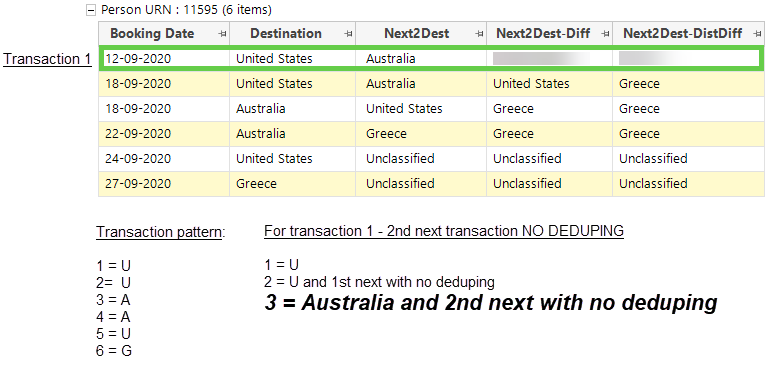
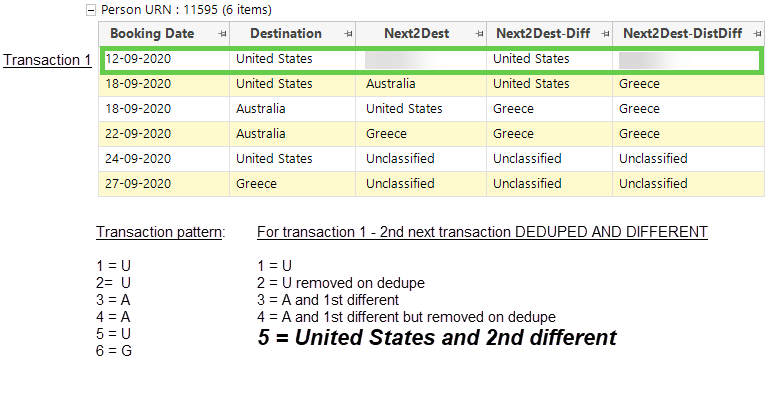
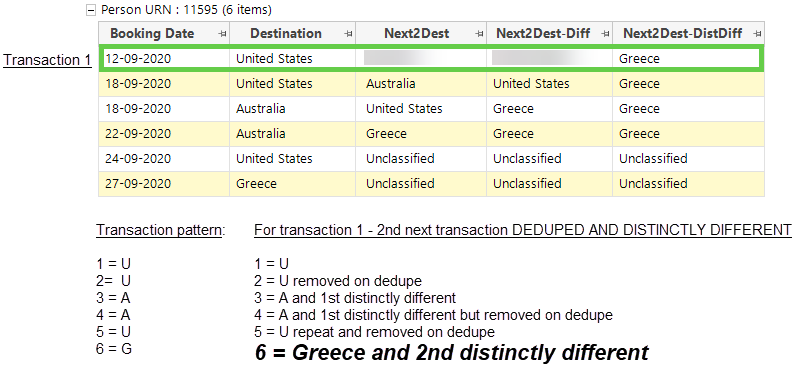
Focusing on the above person's 1st transaction, the following screenshots examine the options and results based on searching for their 2nd next transaction.
2nd next destination - no deduping
2nd next destination - different
2nd next destination - distinctly different
Instead of using a 3rd transaction variable as a secondary sorting variable, you can use it as a grouping variable, and then return the relative aggregation from within each group.
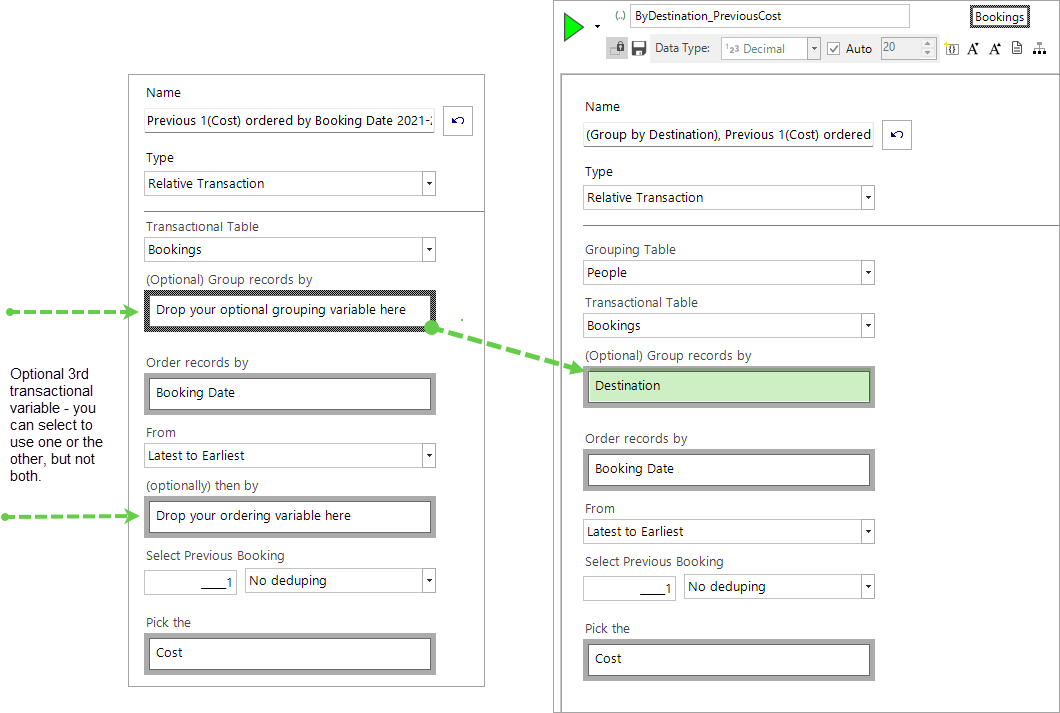
The following screenshot highlights examples of the relative aggregation results returned when grouping a person's records by Destination, with the results displayed in descending order by Booking Date.
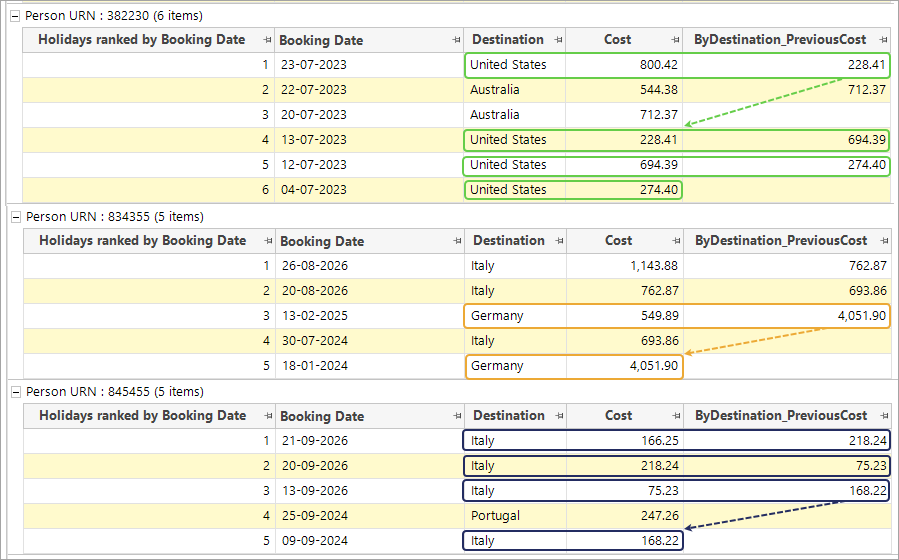
Person URN 834355 has bookings to both Italy and Germany. Their most recent booking to Germany was in February 2025 and cost £549.89. Grouping by destination and based on previous cost, we can clearly see that the next most recent booking to Germany was in January 2024 at a cost of £4051.90.
Subject to how the records are ordered, a blank field indicates that this record is the first or final booking to that particular destination.