Output
This wizard allows you to output records selected through various tools. Currently this wizard supports the Cube, Tree and Data Grid tools.
On the Wizard tab click on the Output link to start the wizard.
Select your source
Using the appropriate tool from the Toolbox - e.g. Cube, Tree or Data Grid - create a display of the records selected:
 Q217.png "Tree display including Sum of Cost")
Drag the tool onto the Drop your visualisation here box.
 Q217.png)
For a Cube or Tree:
Click Next to go to Limit your data.
For a Data Grid:
Click Next to go to Choose your output type.
Limit your data
Using the Cube or Tree tool, you are able to restrict the records selected at this step.
 Q217.png)
 Q217.png)
Enter the restrictions you wish to apply.
Choose your output type (data grid)
Using the Data Grid tool this step allows you to select the export settings for the data.
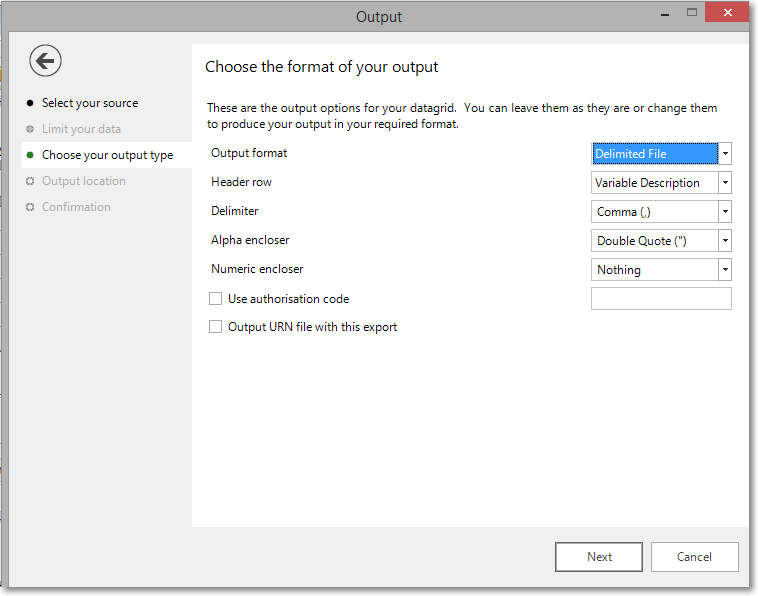
Enter the settings you wish to apply, see Export records for more details.
Output location
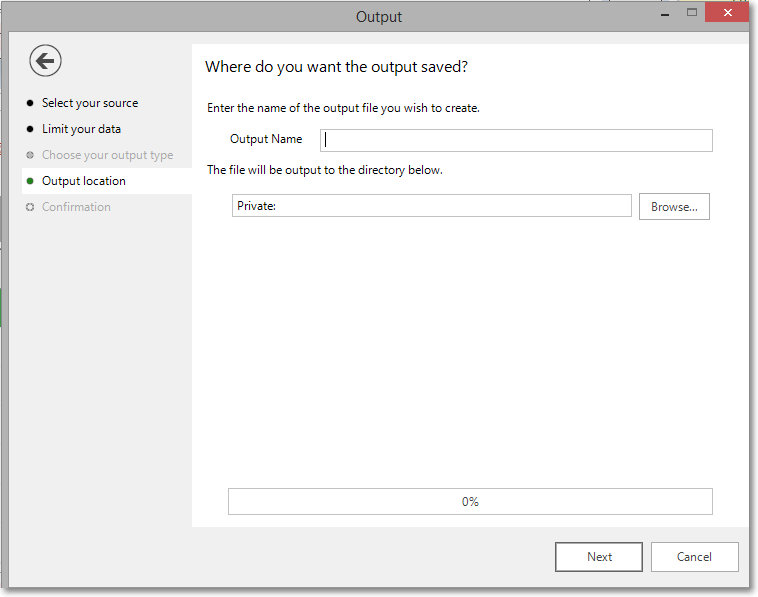
This step allows you to name the file and set its location.
-
Enter an Output Name if you don't want to use the default name of the tool.
-
Use the Browse button to set the location of the output file.
Confirmation
The final step will inform you how many records have been output.
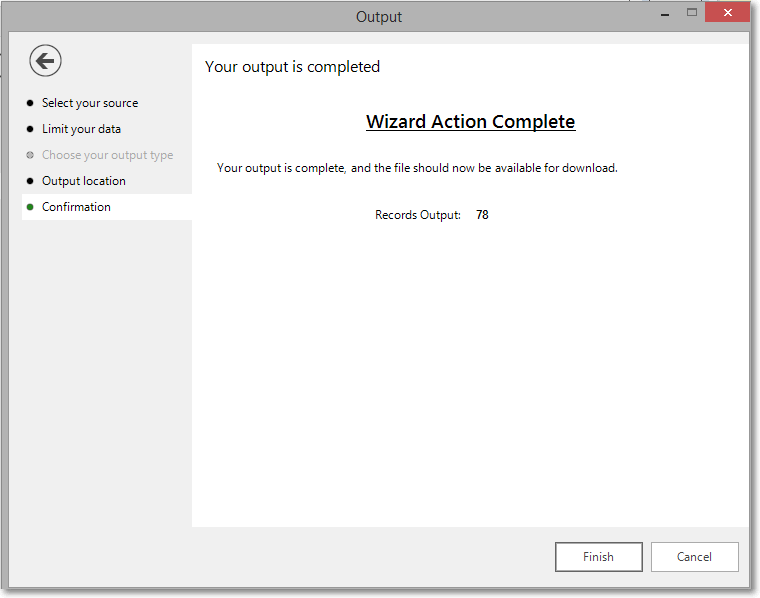
Click Finish to close the wizard.