Expressions in message personalisation
Note
Available for Analyser bundle and above.
Note
This is an advanced feature for experienced FastStats users or system administrators.
Note
For more context around building and using expressions, see the FastStats help content for expressions.
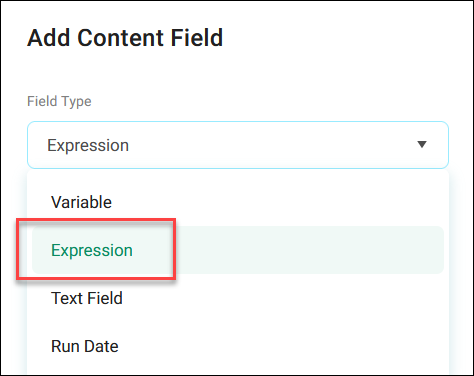
You can use saved FastStats expressions or build your own directly in Orbit to create dynamic, personalised content in your campaign. With this powerful feature, you can tailor your communications based on customer data like recency, frequency, value, segmentation, and more.
Note
The expression builder in campaign personalisation currently supports date, text, and numeric outputs.
When to use expressions in personalisation
Use expressions in personalisation when you want to:
- Create dynamic content based on customer attributes
- Personalise offers or discount levels based on purchase history
- Use IF statements to control who gets each offer or what content shows in conditional email blocks
- Display relevant imagery based on previous interactions
- Concatenate fields to form personalised greetings or messages
- Calculate time-based values for special occasions or milestones
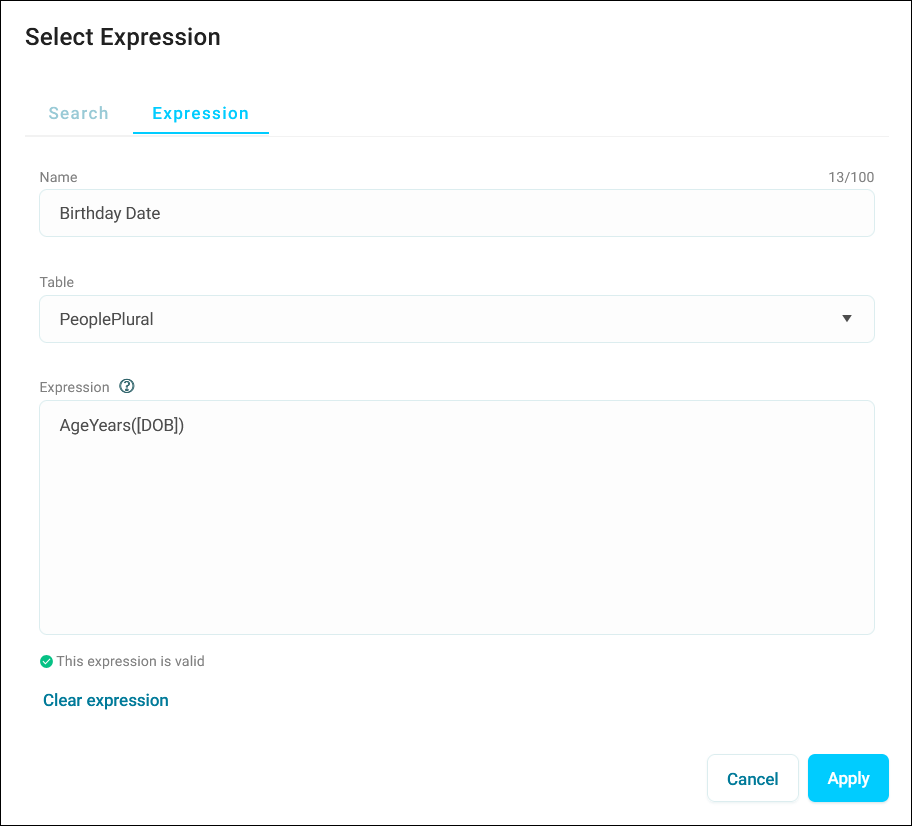
Example use cases and expressions
Note
These examples may not be valid in your system, as you can only use variables that exist in your FastStats system.
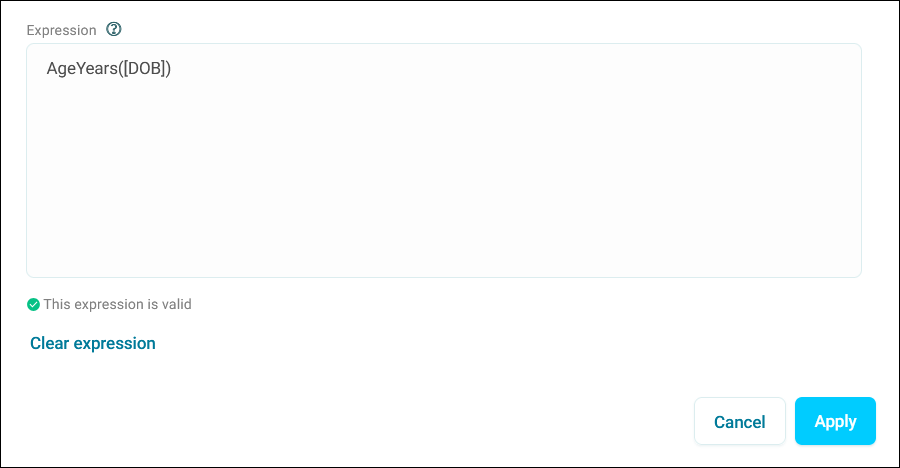
Send a birthday email with age-appropriate offers
Expression logic:
Use case examples:
- Target milestone birthdays with special offers
- Adjust imagery based on customer age groups
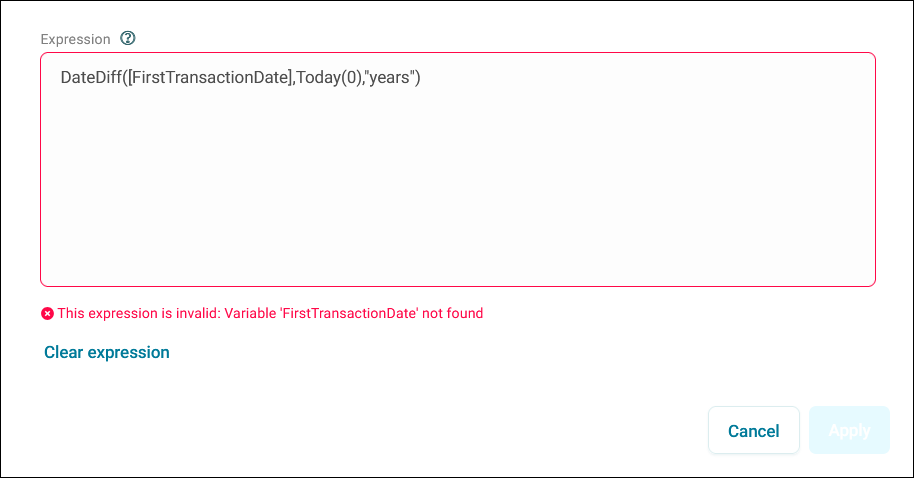
Acknowledge customer relationship length
Expression logic:
Use case examples:
- Celebrate customer anniversaries
- Provide loyalty rewards based on relationship duration
Note
You’ll notice in this example that the variable FirstTransactionDate is not in our system. Make sure any variables you use to build an expression are present in your Orbit system.
If statement examples by complexity
Simple IF statement
Simple IF statements evaluate a single condition and return a value based on whether the condition is true or false.
Flag customers in specific segments
Expression logic:
What this does:
- Checks if the segment code contains Y or Z
- Returns 1 if true, 0 if false
Common applications:
- Basic customer segmentation
- Binary flags for reporting
Medium complexity IF statement
Medium complexity IF statements combine multiple conditions with logical operators like AND or OR.
Target specific product and service combinations
Expression logic:
if(AND(DescOf([Product])="Computer",StrContains(DescOf([AfterCarePlanCodes]),"TS","PCP","INS")),1,0)
What this does:
- Checks if the product is Computer AND
- Checks if the after care plan code contains TS, PCP, or INS
- Returns 1 if both conditions are true, 0 if false
Common applications:
- Cross-sell targeting
- Service bundle offers
Complex IF statement
Complex IF statements use nested logical conditions and combine multiple operators for sophisticated targeting.
Multi-condition targeting with exclusions
Expression logic:
if(AND(AND(StrContains(CodeOf([Segment]),"Y", "Z"), DescOf([Product])="Computer"),NOT(StrContains(DescOf([AfterCarePlanCodes]),"TS","PCP","INS"))),1,0)
What this does:
- Checks if segment code contains Y or Z AND
- Checks if product is Computer AND
- Confirms after care plan code does NOT contain TS, PCP, or INS
- Returns 1 if all conditions are met, 0 if not
Common applications:
- Gap analysis targeting
- Sophisticated upsell campaigns
- Multi-factor segmentation rules
Note
For more detailed documentation on building expressions, see the FastStats help on Expression logic.
Limitations
- You can only use variables that exist in your FastStats system
- External data sources and system variables (like Run Date) aren't supported
- Drive time calculations aren't available