Enabling permissions
Warning
Before turning on permissions via your Database Management menu, contact the Apteco Technical Services team for assistance with this process.
Before a system administrator can use the permissions feature, you must turn on permissions via the Database Management menu.
Turning on permissions
To turn on permissions:
-
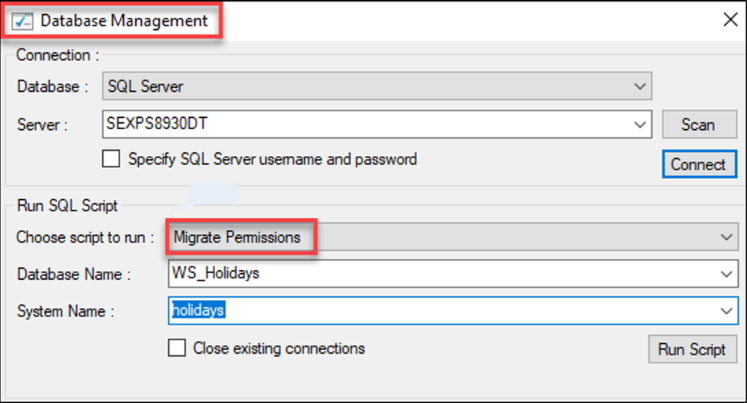
If using an existing system, go to the Database Management menu and run the Migrate Permissions script. This ensures the database is ready to use permissions.
-
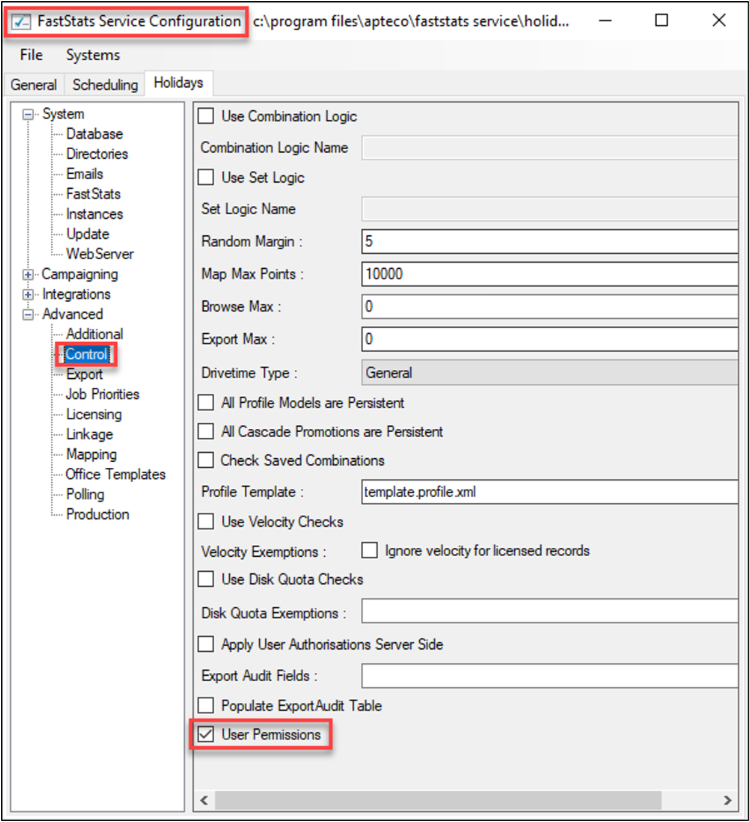
Navigate to FastStats Service Configuration > Advanced > Control menu.
-
Tick the User Permissions checkbox. This ensures the FastStats Service is ready to control data flow based on permissions.
-
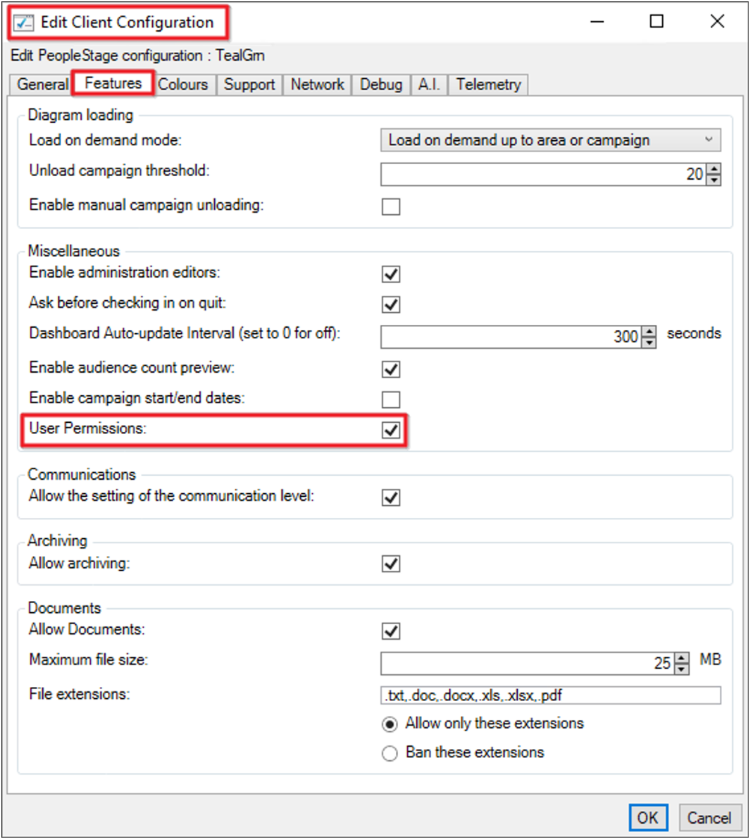
If using PeopleStage (otherwise skip to step 6), go to FastStats Web Service Configuration > Client Configuration > PeopleStage > Features menu.
-
Tick the User Permissions checkbox. This ensures the PeopleStage client interface displays the access allowed from permissions.
-
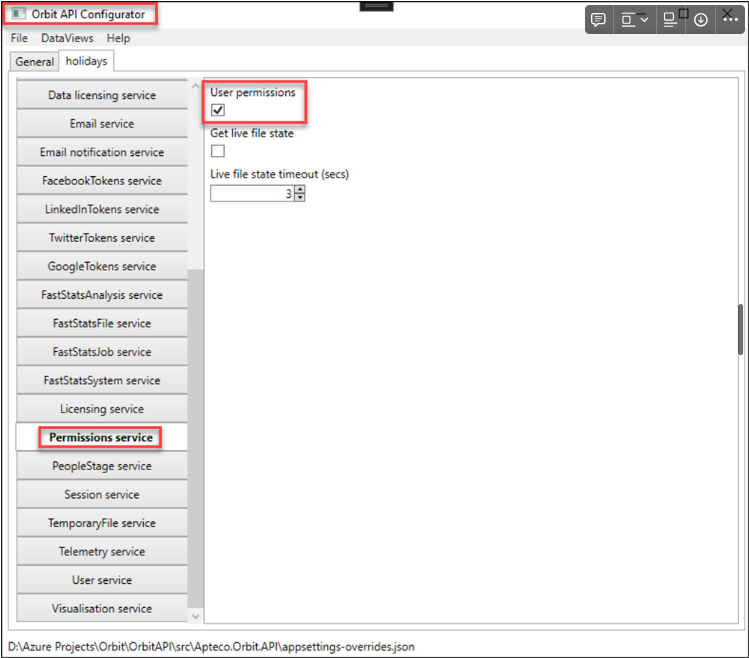
Go to Orbit API Configurator > Permissions service menu.
-
Tick the User permissions checkbox. This ensures that the Orbit API is ready to send and receive permissions information.
-
Toggle the Permissions and Users/Groups menu options on. The permissions UI is now enabled in Orbit.
For further information on roles and rights, see the Roles and rights section.