Orbit PeopleStage Viewer role
To view PeopleStage campaigns in Orbit, you need to:
- Ensure you have the Q3 2018 version of the FastStats Service or later.
- Apply the Orbit PeopleStage Viewer role to the accessing user via FastStats User Explorer.
- Enable the PeopleStage service in the Orbit API Configurator for the relevant DataView.
Applying the role
To apply the Orbit PeopleStage Viewer role:
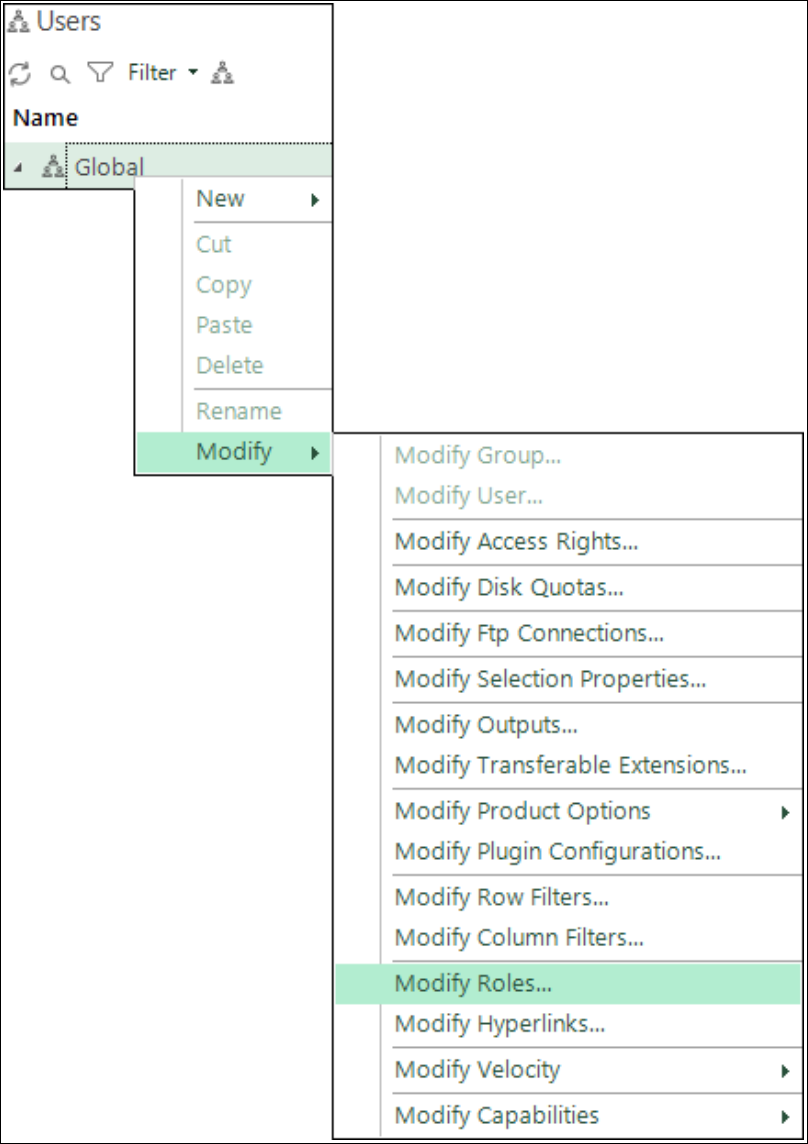
- Open FastStats and navigate to Users.
- Right-click on Global > Group > User.
-
Select Modify > Modify Roles.
-
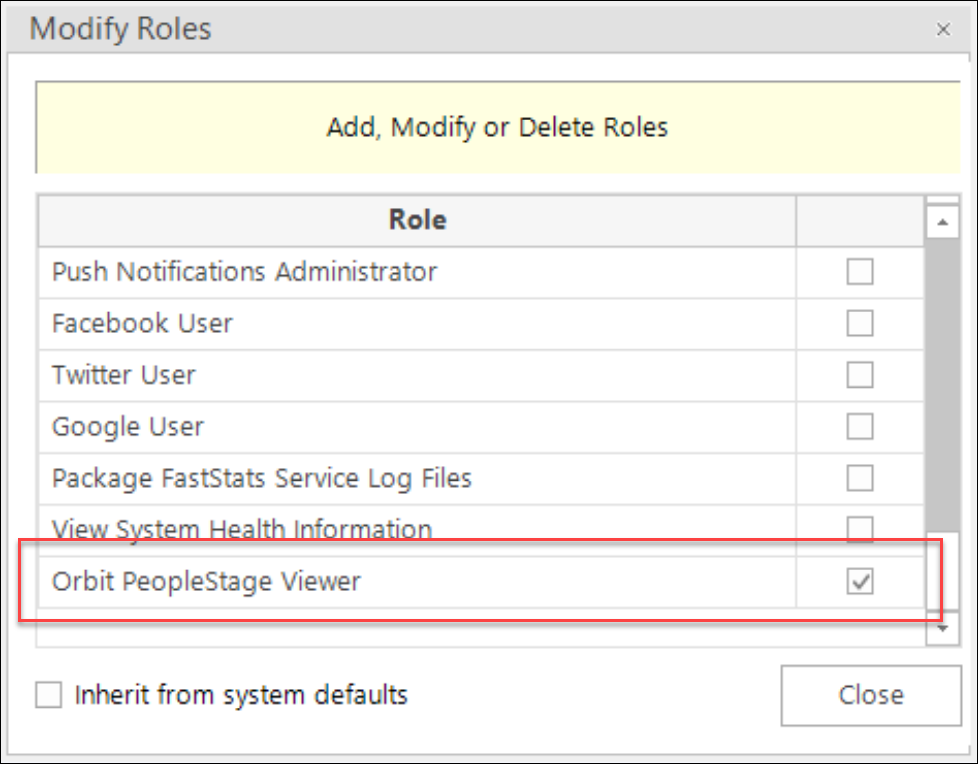
Enable the Orbit PeopleStage Viewer role.
-
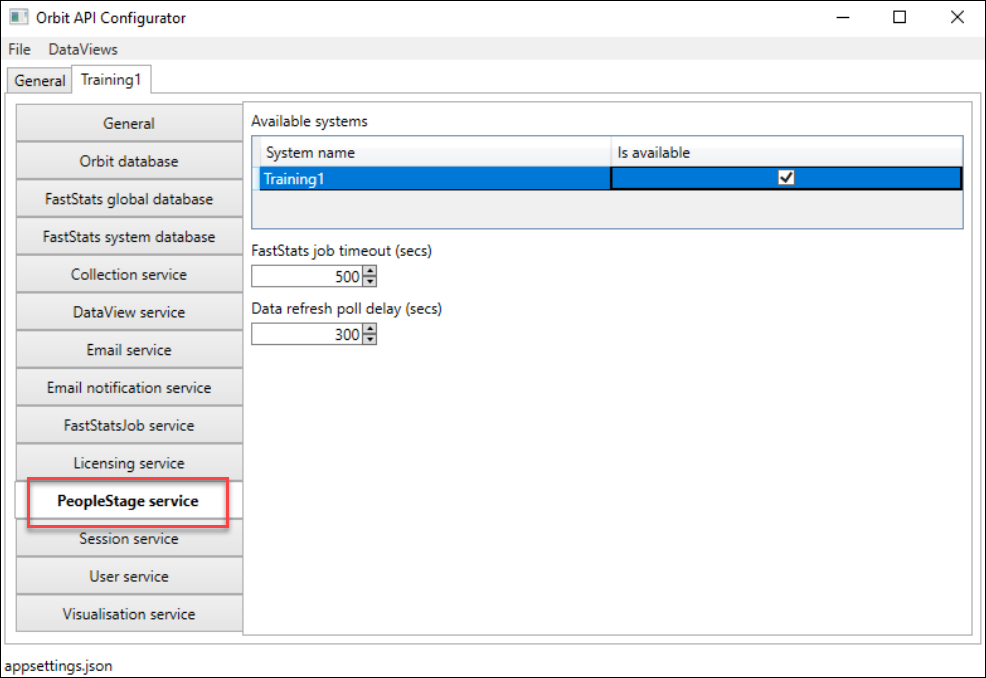
Open the Orbit API Configurator and enable the PeopleStage service in the PeopleStage service configuration section of the relevant DataView.
Note
When opening the Orbit API Configurator, select Run as administrator.
