FastStats roles configuration
Access to the Meta functions is controlled by Roles.
Facebook Administrator role
A Facebook Administrator role can modify Apps, modify Pages, and change Tokens.
To modify Facebook Roles:
- In Users Explorer, right-click on the user or group that will be an administrator for Meta.
-
Select Modify > Modify Roles.
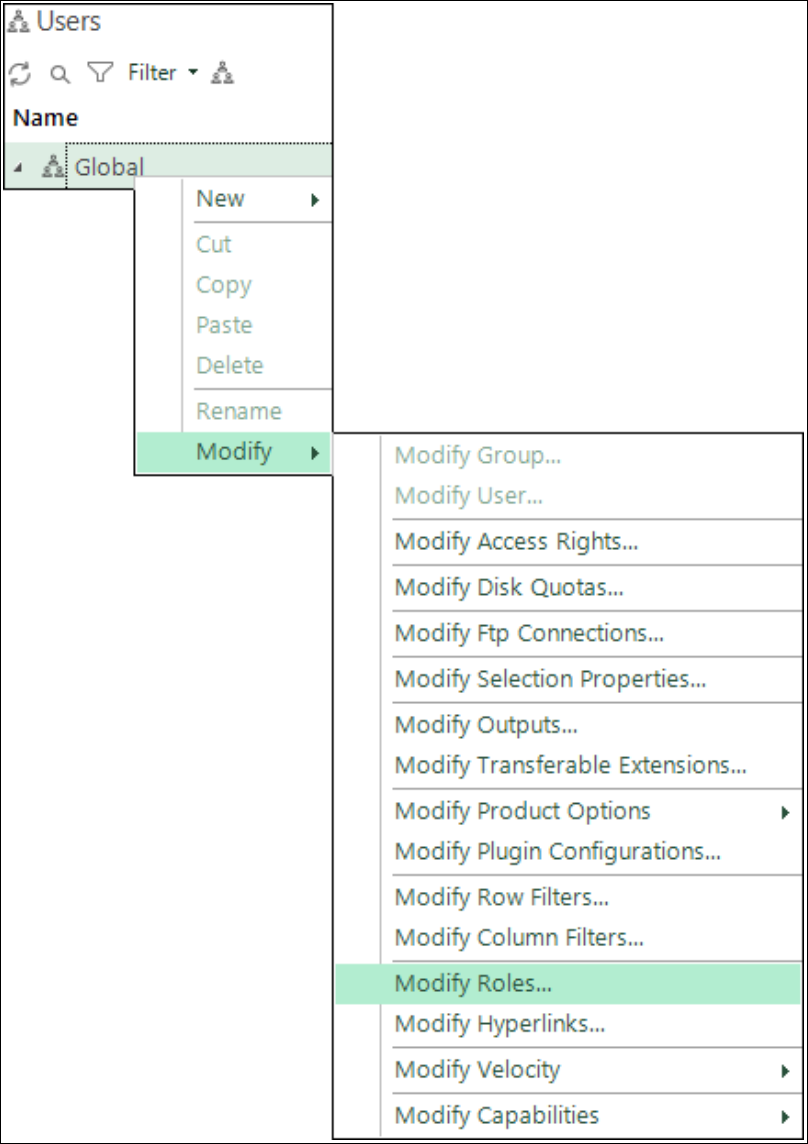
-
Select both the Facebook Administrator and Facebook User roles.
-
Click Close.
Note
You must exit FastStats and log in again for these changes to take effect.
Facebook User role
A Facebook User role can manage Tokens within Administrative Functions.
- In Users Explorer, right-click on the user or group that will have the Facebook User role.
- Select Modify > Modify Roles.
- Select the Facebook User role.
-
Click Close.
Note
You must exit FastStats and log in again for these changes to take effect.