PeopleStage WhatsApp channels
Setting up a PeopleStage WhatsApp channel
To set up a PeopleStage channel:
- Open PeopleStage, select File > Administration > Channel Editor.
-
Click Add WhatsApp Channel.
-
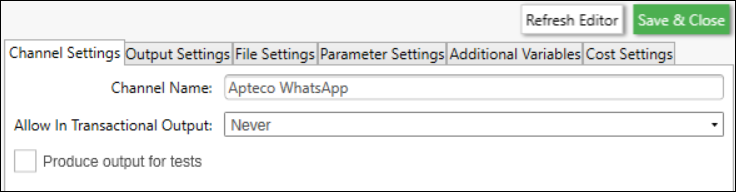
Enter a descriptive Channel Name.
-
Click Output Settings.
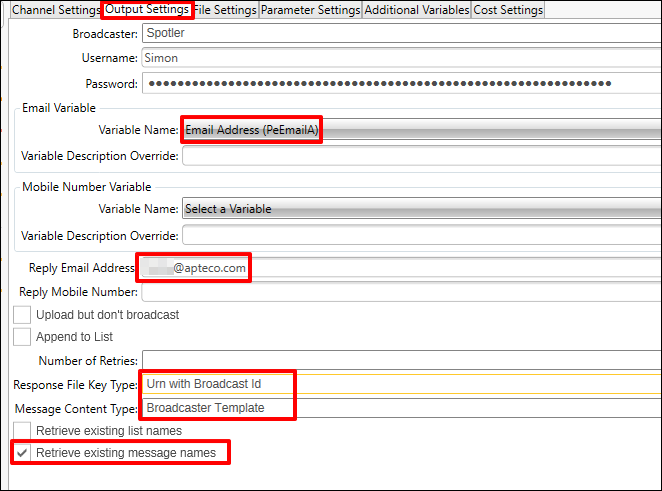
Row item Description Username The Username in FastStats that was used to generate the token App Meta App name (Apteco if using Apteco's Meta App) Meta Business Account Meta business name as it appears in Meta WhatsApp Business Account WhatsApp Business name as it appears in Meta Mobile Number: Variable Name Select the variable for Mobile from the Apteco system Mobile Number: Variable Description Override Optional variable description override Add Communication Key N/A Output Type WhatsApp Response File Key Type Mobile With Broadcast Id Note
For Apteco's Meta WhatsApp integration, only E.164 international formatting is accepted in the audience list for the recipients (e.g.
+449876543210). See the E.164 standard. -
Parameter Settings—Auto Exclude Opt-Out is set to True (default, cannot be changed).