Switch visualisations
Convert between visualisations
A number of tools in FastStats are based upon cubes. In many cases, it is possible to switch between these cube-based views. The tools that are affected are the Cube, Tree, Venn, Word Cloud, Map and Charting.
The switching options are:
| Visualisation tool | 'Convert to...' options |
|---|---|
| Cube | Tree, Word Cloud, Map |
| Tree | Cube, Word Cloud, Map |
| Venn | Cube, Tree, Word Cloud |
| Word Cloud | Cube, Tree, Map |
| Map | Cube, Tree, Word Cloud |
| Charting | Cube |
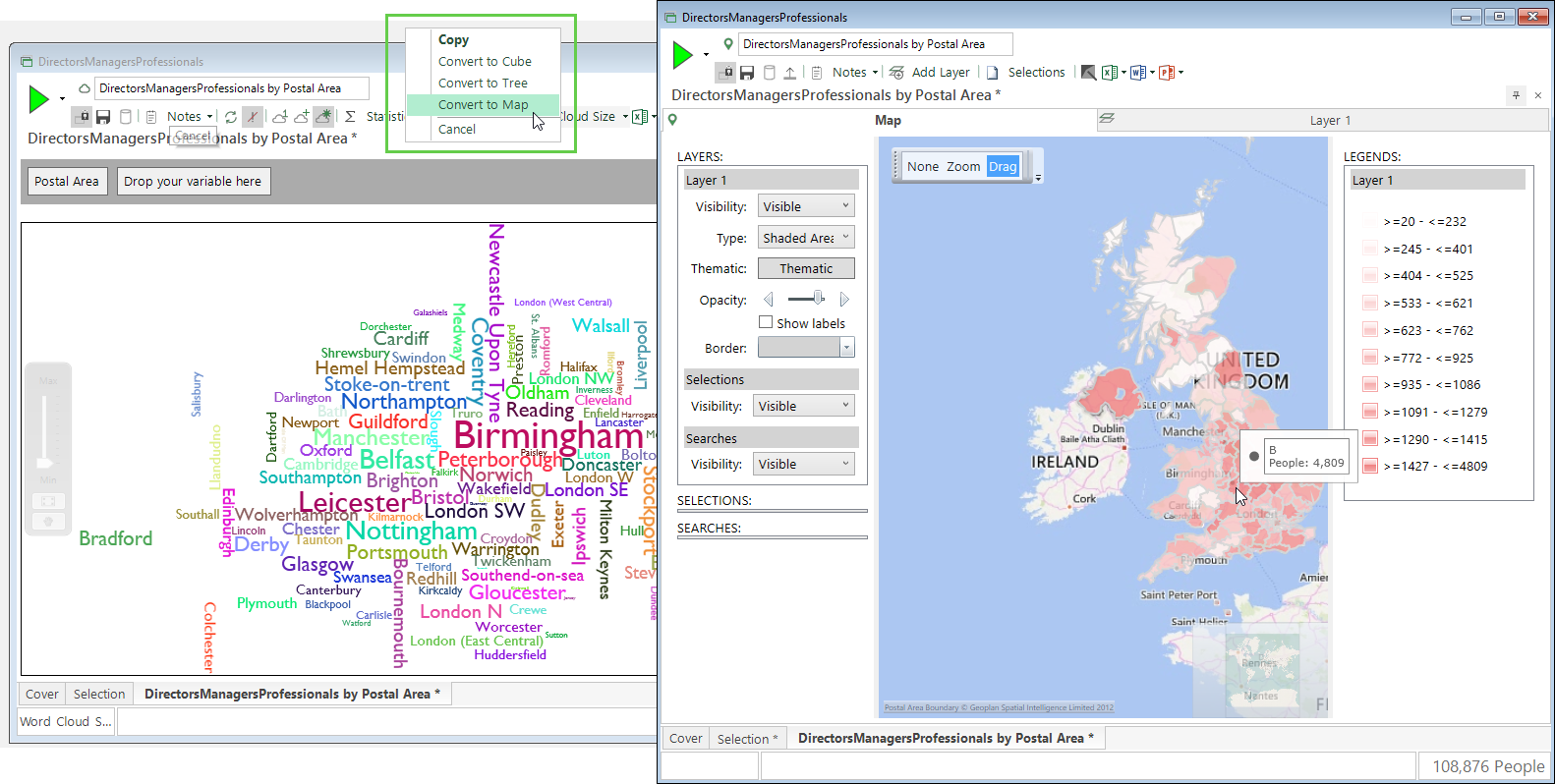
For a cube, tree or word cloud which has a single geographic variable, such as Postal Area, you can convert to a map.
Note
The geographic variable must be a selector and have the GeoFormat property set to make the conversion into a map possible.
To switch between views:
- Right click on the drag handle icon of the view you wish to switch - e.g. Word Cloud
.png) - and drop onto the workspace (or onto the ribbon bar if you are working in a maximised view).
- and drop onto the workspace (or onto the ribbon bar if you are working in a maximised view). -
A pop up menu will appear with the convert options available for that tool.
.png)
-
Click on the appropriate option and a new window will appear with that view being displayed.
.png "The image above demonstrates a word cloud converted to cube and a cube converted to a tree")