Add an additional field for repeated text
Adding the field
To add an additional field for repeated text:
-
Click Add.
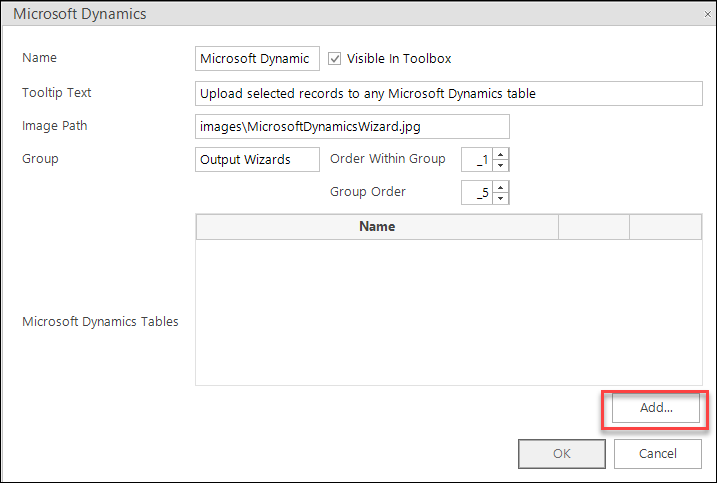
-
Enter the details for the additional field and click OK.
Note
You must add a new column for this field in Dynamics"”the Microsoft Dynamics Name is the logical name of the column.
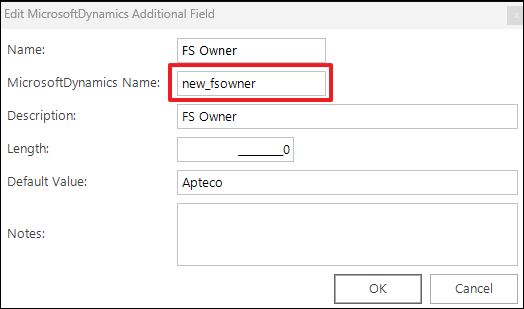
-
The additional field is added to the Microsoft Dynamics Table. Click OK.
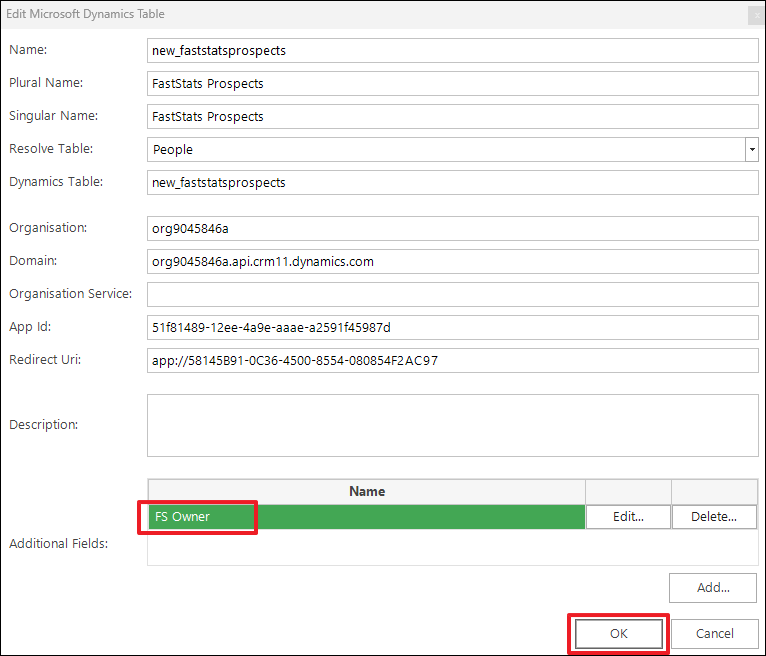
The table (for example,
new_faststatsprospects) is added to the list of Microsoft Dynamics Tables.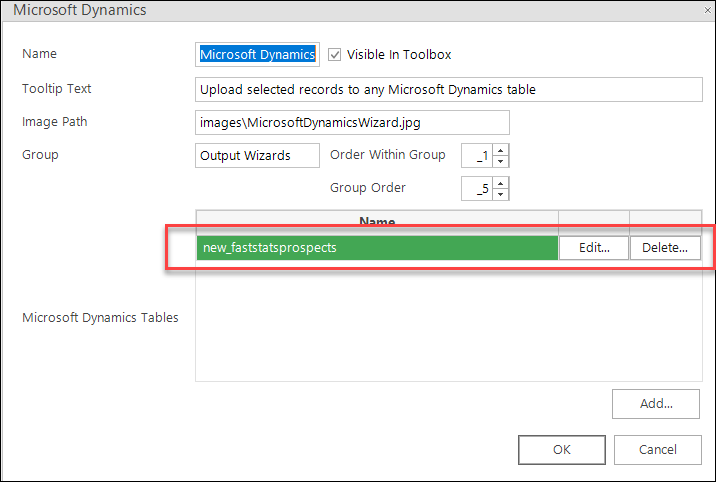
-
Click OK to complete, then click Close in the Modify Plugin dialogue to finish configuring the plugin.