Re-use selections
Re-use methods
FastStats allows you to quickly create selections and easily reuse them.
- You can save a selection and re-use it by dragging it from the Files explorer back into FastStats workspace.
- Saved selections can be dragged into a new or existing selection window - see Using saved files in selections for more on the possible options.
- You can also drag part of a selection into the workspace to create a new selection based only on that part.
Example
The selection below identifies households in Wigan that include at least one person who is either a professional or earns £30–40k.
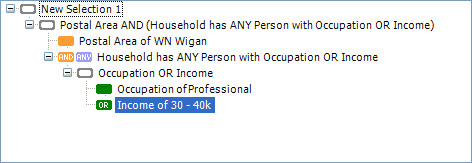
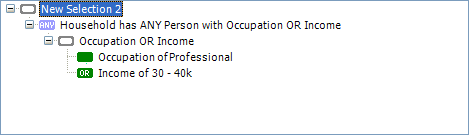
By clicking and dragging from the ANY node into the FastStats workspace you can create a new selection:
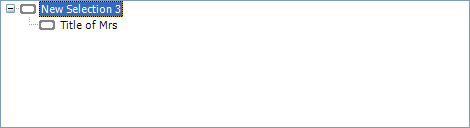
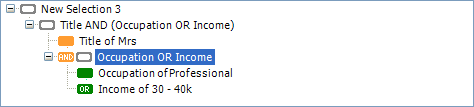
Instead of dragging and dropping the ANY node into the FastStats workspace, you could select the Occupation OR Income row and drop it onto the end of another selection - for example here, to select people with the title of Mrs who have an occupation of Professional OR earn 30 - 40k:
Favourites
Favourites lets you store commonly used selections so you don’t have to rebuild them each time, or navigate to retrieve them from the Files explorer.
To save a selection to Favourites:
- Click the icon next to the selection name.
-
Drag the icon into Favourites.
You can reload a selection stored in favourites in the same way as you do directly from the Files explorer.
See Multiple variables for help on creating selections on more than one element.