Deleting results
You can explicitly delete results for a particular dimension by right-clicking on the selected dimension(s):
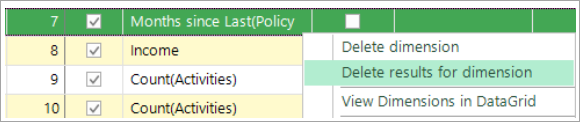
What gets deleted
This will delete all results that have been created involving this dimension:
- Both association values and profile results
- Results for both the Training and Evaluation dates
- Results for all Analysis/Base selection scenarios that have been used
This can be useful to force the refresh of dimensions when the underlying data for that feature has changed.