Creating loops between redirect sections
A loop in an Orbit journey allows a redirect section to send contacts to another redirect section and then back around, ensuring a continuous re-evaluation of conditions. This can be useful for checking user engagement, collecting responses, or ensuring follow-ups occur without manual intervention.
How loops work
Loops in an Orbit journey:
- One section redirects contacts to another
- That redirect section processes them and eventually sends them back to the original redirect
- A time delay ensures the process runs continuously, at set intervals, until a set date
- Audience splits determine whether contacts remain in the loop or exit the journey
Time delay step
A time delay is essential to prevent immediate repetition and to ensure the loop runs at specific intervals. See Time delays.
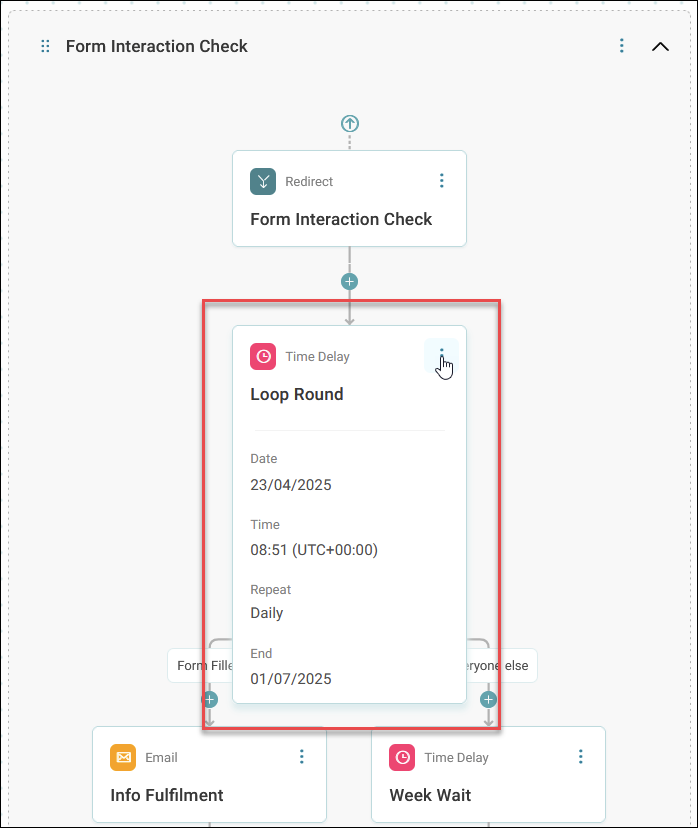
The example below shows a flexible use case for using loops with a time delay in your Orbit journey.
Use loops and redirect sections to manage repeated checks
Use redirect sections and loops to keep checking for customer interactions and respond appropriately over time.
This process works well when:
- You want to repeat actions until a customer completes a task
- You want to avoid sending the same content repeatedly to engaged customers
- You need to manage exits based on interaction
The following process outlines the key steps, with an example campaign about holiday destinations.
To set up a loop:
-
Start the journey with an email
Send an email prompting customers to engage.
Example
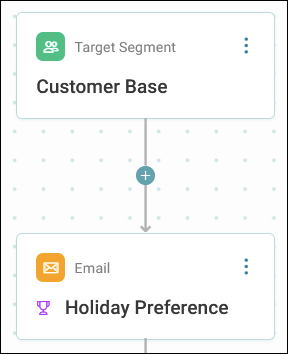
Ask your customers to update their preferred holiday destinations with an email titled Holiday Preference, and a link to a preference form.
-
Add a time delay
Include a delay to give customers time to respond.
Example
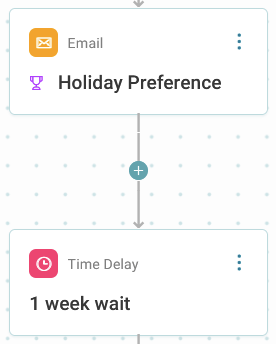
Add a 1-week delay before the next action.
-
Check for email engagement
Use Interaction splits:
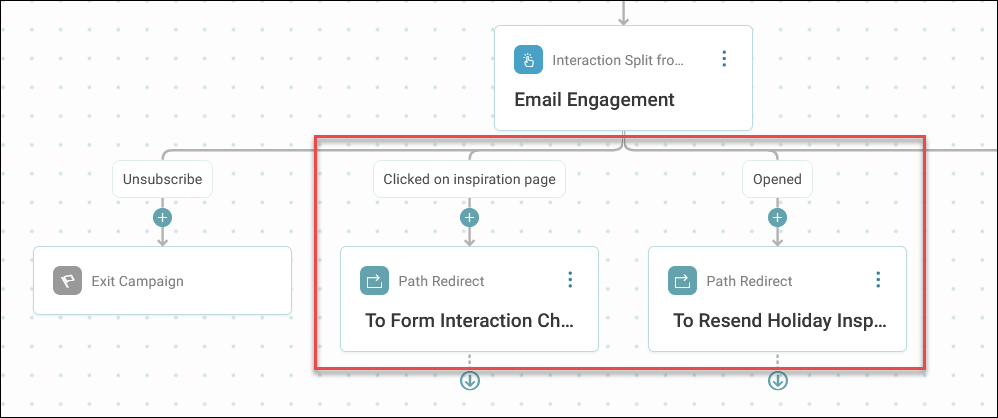
- If a customer clicks the email link, send them to a form interaction check redirect
- If they don’t interact, send them to a resend redirect
Example
Customers who click go to a section that checks if they filled in the form. Others go to a section that may resend the email.
-
Add a time delay to create the loop
Set a time delay at the start of a redirect section to run on a particular date with a repeating schedule. This forces the section to continually run and check for interaction.
Example
This time delay is set to run every day until the beginning of July.
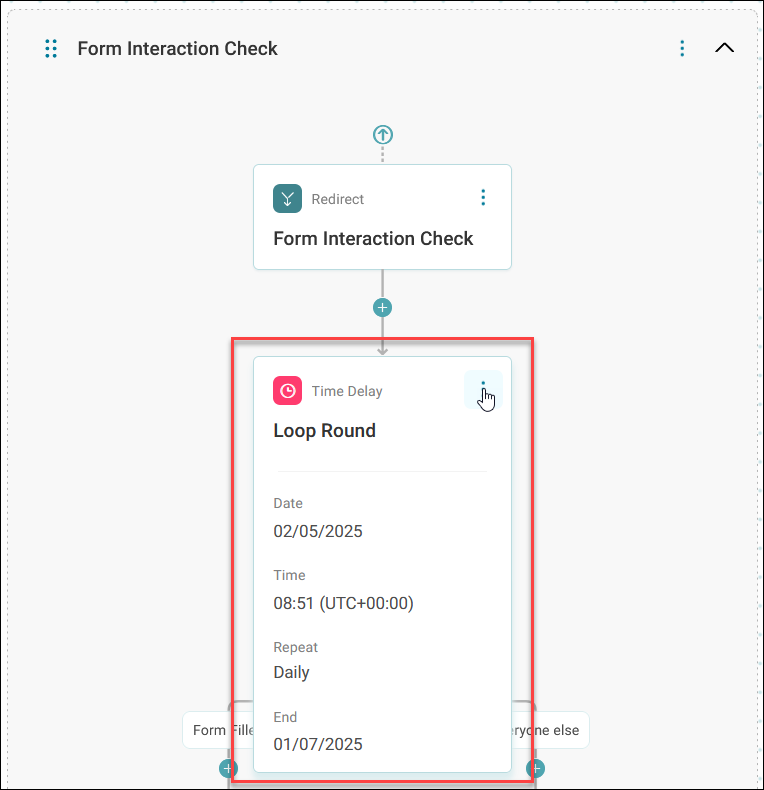
Once you’ve set your repeating time delay and it begins, the section will check for any interaction you’ve set up.
-
Check for form completion
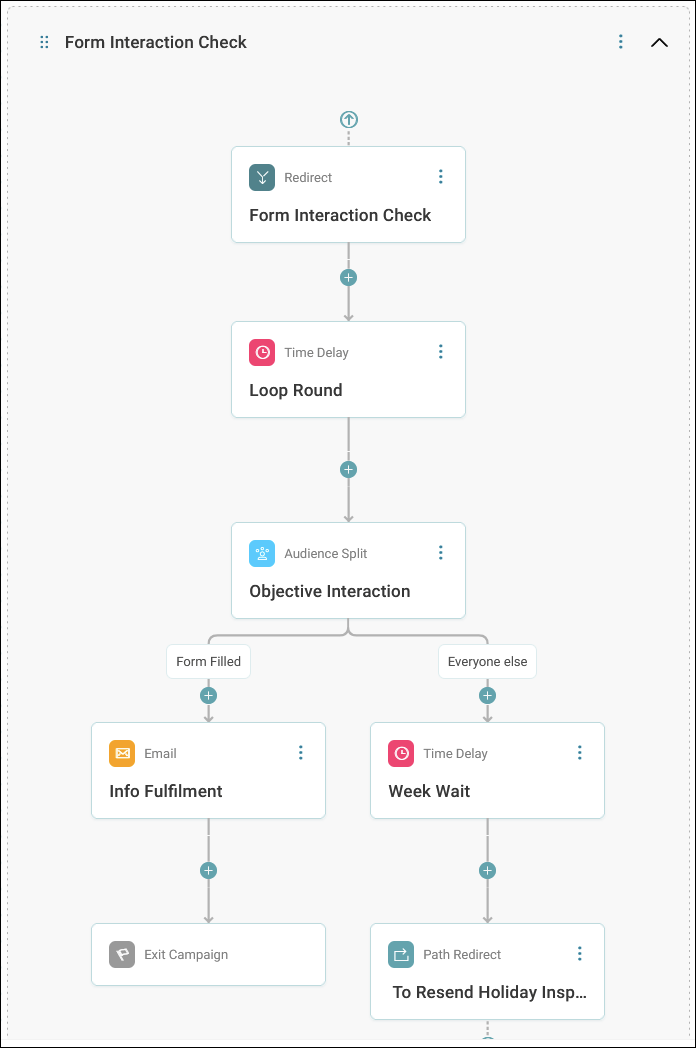
Use an audience split inside the form interaction check:
- If the customer completed the form, exit the loop and send a relevant follow-up
- If not, add a delay and move them to the resend redirect
Example
If someone starts but doesn’t complete the destination form, wait a day, then try nudging them again.
-
Resend content selectively
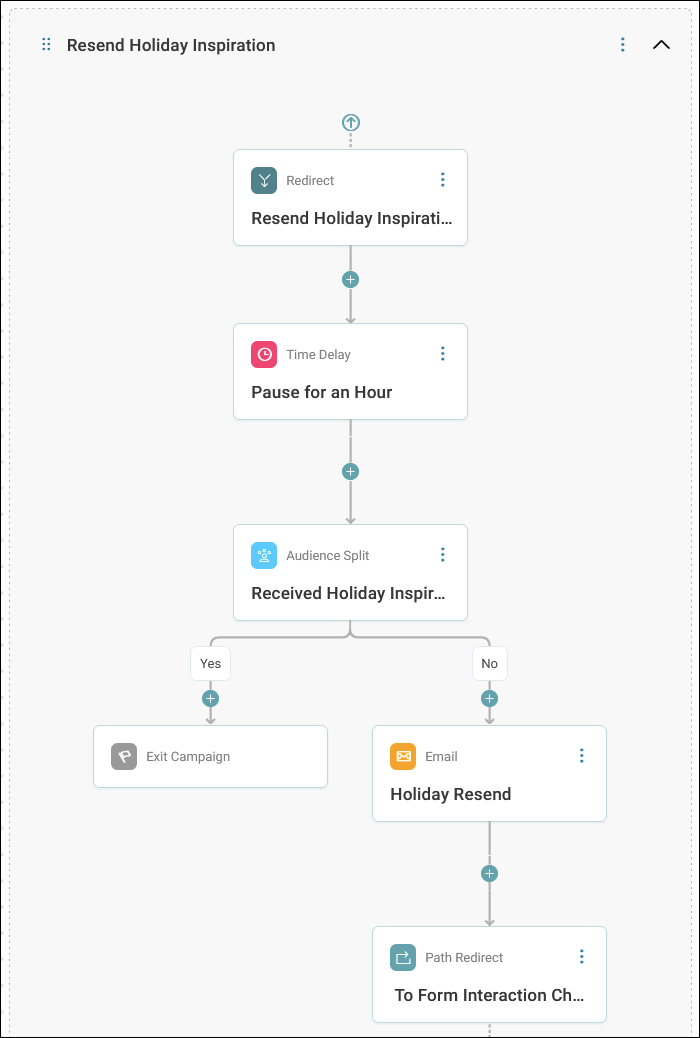
In the resend section:
- Add a short delay (e.g., 1 hour)
-
Use an audience split to check if the customer already received the resend
- If they have, exit the journey
- If not, send the email again
Example
Only send the holiday inspiration email again to customers who didn’t receive it before.
-
Loop back to check again
After resending:
- Redirect customers back to the form interaction check
- Continue the loop until an end date or completion
Note
Keep checking daily until the campaign end date, or until the customer completes the form.
This process highlights the power and flexibility of redirect sections and loops within your Orbit journey.