Expressions as filters
Expressions are the ‘Swiss Army Knife’ feature in Orbit. They allow precise control for users who have a deep knowledge of their FastStats data and how to use it. FastStats expressions now expand into Orbit through filters.
You can use expressions in the calculation of filters in both Orbit audiences and dashboards. This includes audience selections or the various dashboard filters like user filters, predefined filters, and tile filters.
Note
This is an advanced feature for experienced FastStats users.
Note
Expressions as filters work for both numeric and text expressions.
Note
For more context around building and using expressions, see FastStats expressions.
Using an expression as a filter
To add an expression as a filter:
-
Click Add Filter.
If an expression can be added here, then the search dialog has an extra expression tab.
-
Enter the Name for the expression.
This is used elsewhere to identify the expression.
-
The expression requires a counting table, and the text of the expression itself (Orbit validates the expression as you type).
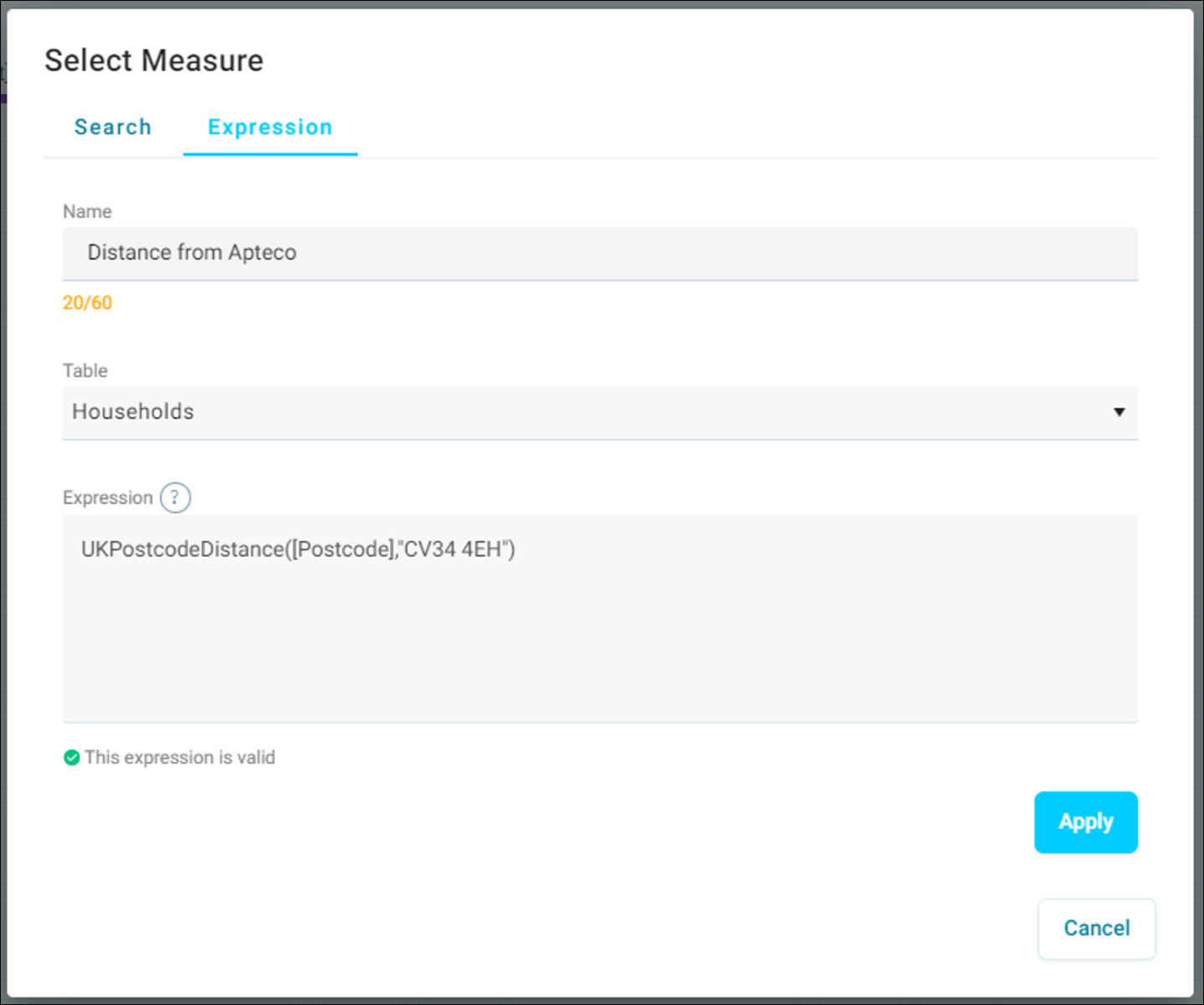
-
A valid expression calculates a value for each record on the counting table. To filter these records using the expression, enter an operator and a numeric value.
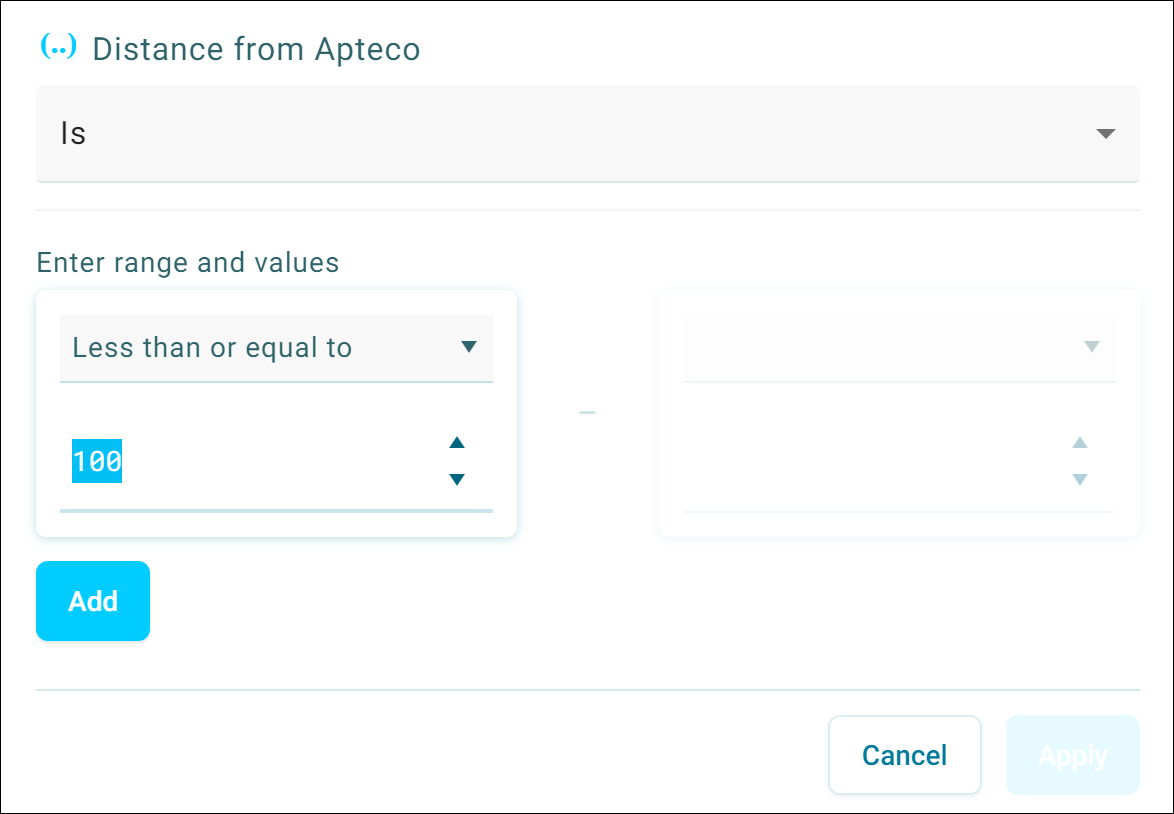
The example below creates a filter that includes households that are within 100 miles of Apteco’s Warwick office.
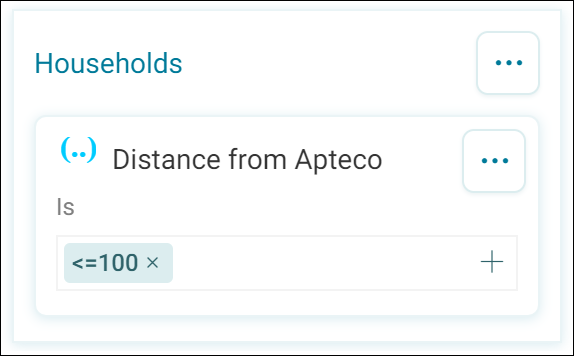
You have now completed an expression as a filter.
Note
Expressions can be used in audiences, dashboard filters, or as expression measures.