PeopleStage channels
PeopleStage uses channel definitions to determine the use of different delivery mechanisms. Apteco integrates with Facebook to reduce the separation between direct and social marketing activities.
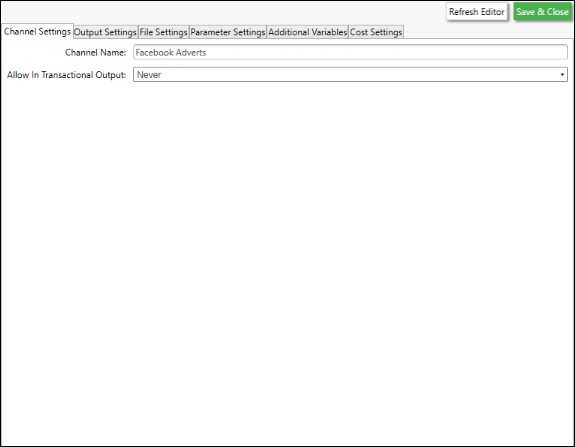
To configure a Facebook channel, open PeopleStage and select File > Administration > Channel Editor, then click Add Facebook Channel.
For more information on the Channel Editor, see the PeopleStage Channel Editor documentation.
Note
If you have updated an existing system via the FastStats Configurator, Social Channels may not be visible in the PeopleStage Library. A user with Admin permissions must select the Table Definitions tab and ensure the Campaignable check-box is selected for Social Channels.
Direct Posts channel
The Direct Posts channel publishes posts directly to a Facebook Page.
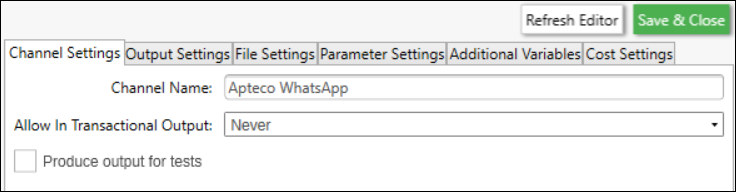
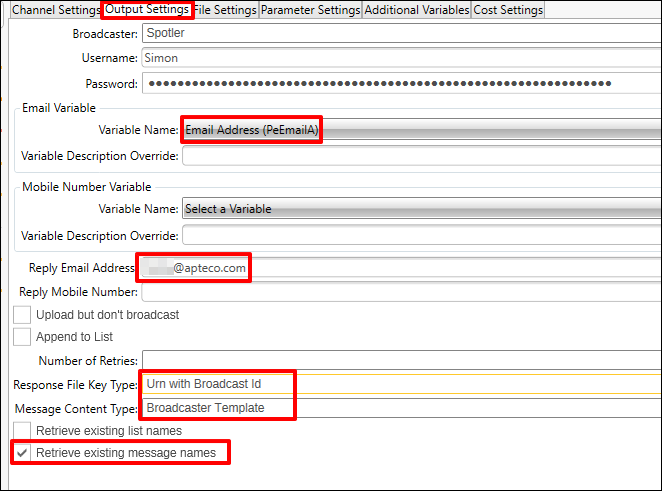
To configure the channel, enter a descriptive Channel Name and complete the required fields:
| Field | Description |
|---|---|
| Username | The FastStats username that uses this channel to publish posts |
| *Page | Facebook Page name (also used as the Social Audience name in PeopleStage). New posts are published to this Page |
| *App | Facebook App name |
| Output Type | Set to Direct Post |
| Response File Key Type | Defines the key field for response matching. FastStats supports Facebook UID only |
Note
The spelling of App and Page must match exactly what is configured in FastStats and the Facebook Page/App. Incorrect spelling causes publishing to fail.
Direct Adverts channel
The Direct Adverts channel creates an unpublished post on a Page and uses it to build an adcreative for an advert.
| Field | Description |
|---|---|
| Username | The FastStats user who publishes adverts via this channel |
| Page | The Page that visitors are directed to. PeopleStage creates an unpublished post here, uses it as an adcreative, and creates an advert from it |
| App | Facebook App name |
| Output Type | Set to Direct Advert |
| Audience Type | How the uploaded audience is handled: |
| — Append | Appended to a named custom audience if it exists; otherwise a new one is created |
| — Overwrite | Overwrites the named custom audience if it exists; otherwise a new one is created |
| — Dated Audience | Creates a new audience with the system date appended to the name, e.g. UKAudience_20150401 |
| — Overwrite Advert | Archives the existing advert and creates a new one with the same name |
| — Dated Advert | Creates a new advert with a dated name |
| Response File Key Type | FastStats supports Facebook UID only |
Adverts channel (Facebook Ads)
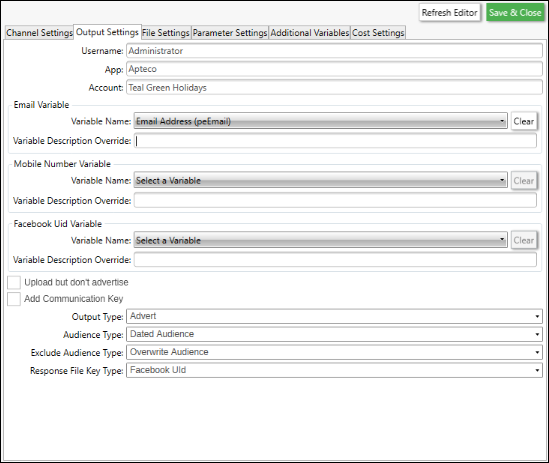
The Adverts channel activates pre-defined Ad Sets/Ads from any Facebook Ads Campaign Objective, or retriggers existing Ad Sets/Ads and uploads a custom audience.
For response gathering, the campaign objectives FastStats currently supports are Advert Campaigns, Page Post Engagement, Page Likes, and Link Clicks.
| Field | Description |
|---|---|
| Username | The FastStats user who publishes adverts via this channel |
| App | Facebook App name (either Apteco or your own App name) |
| Email: Variable Name | The FastStats email variable used for Facebook audience matching |
| Upload but don't advertise | Check to upload an audience to Facebook without associating it with an Ad Set |
| Output Type | Set to Advert |
| Audience Type | Dated Audience, Overwrite, or Append |
| Response File Key Type | FastStats supports Facebook UID only |