Exporting a dashboard tile
Export individual dashboard tiles as image or document files to share your insights with others or save for offline reference. Exported files preserve the tile's visual formatting and current data.
Note
You must be in view mode to export a tile.
To export a tile:
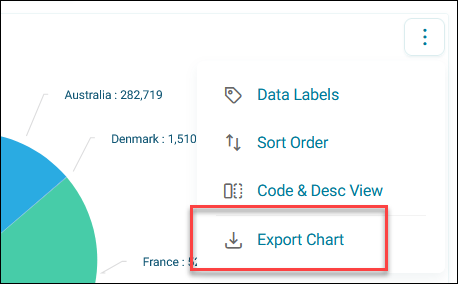
- Click the option menu on your tile.
-
Click Export Chart.
-
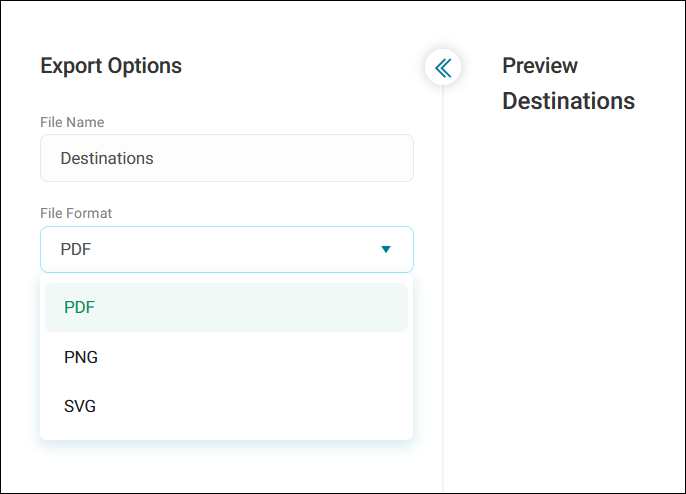
Edit the File Name as appropriate.
-
Expand the File Format dropdown and select the file type:
- PDF: Best for documents and presentations
- PNG: Best for images with transparent backgrounds
- SVG: Best for scalable graphics that maintain quality at any size
-
Click Export.
Your file downloads and opens in a new browser tab, ready to use or share.